Test an agent
Try an agent on a customer message to see the reply it would draft and which rules pass, without sending anything.
A test run plays a customer message through the agent with its current settings: its knowledge, guardrails and autonomy level. You see the draft it would write, what would happen to it, the sources it cites and every rule it checked. Nothing is sent and no records change.
- Who can use it: Owners, admins and members, or anyone whose role can test agents. Viewers can't: Test run isn't in their menus. See Roles and permissions.
- Before you start: Nothing. To test a single flow step by step instead, see Test, publish and version a flow.
Run a test
Open Test run
Open the test in any of these ways:
- On the agent's page, click ⋯ (More actions), then Test run, or press T.
- On the Agents page, click ⋯ on the agent's card or row, then Test run.
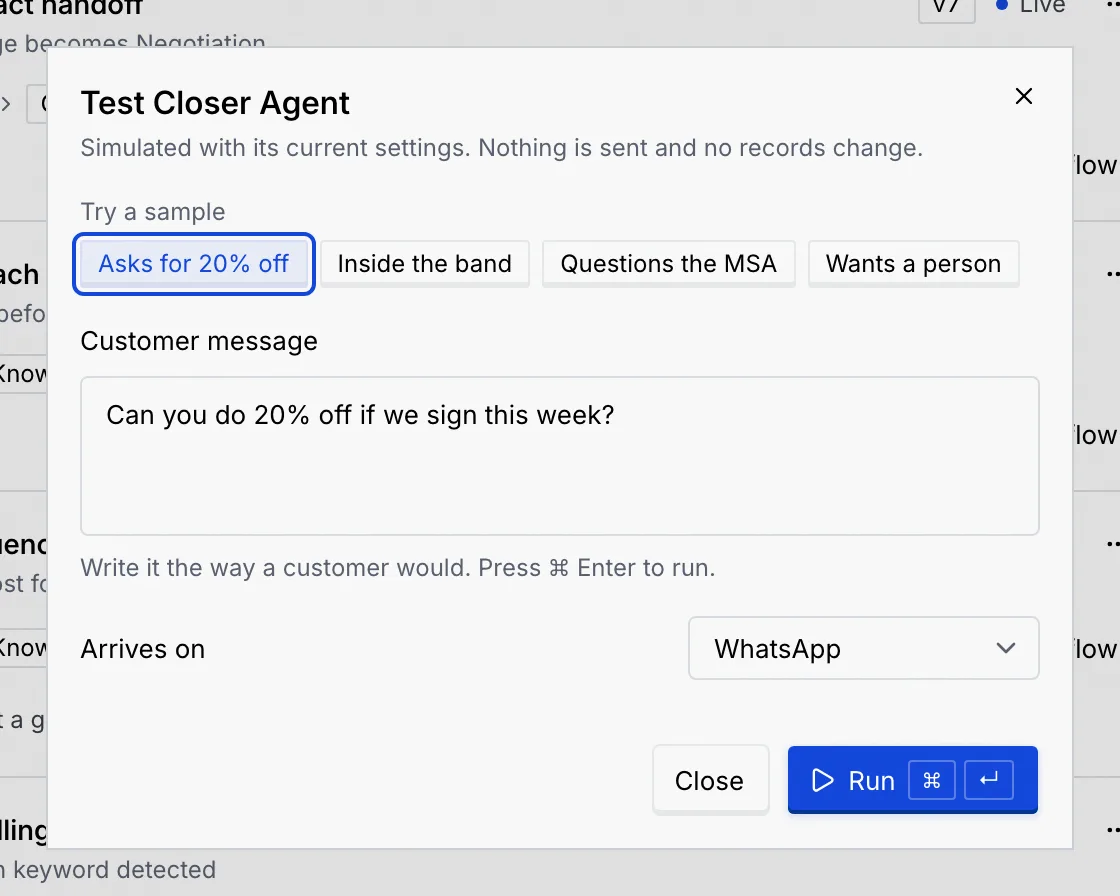
A dialog named after the agent opens, for example Test Closer Agent.
Pick a sample or write a message
Under Try a sample, click a ready-made message, such as Asks for 20% off or Wants a person. A sample runs straight away. The samples depend on what the agent does.
Or type your own in Customer message, the way a customer would write it, and choose the channel it Arrives on (only the agent's channels are listed).
Run it
Click Run, or press ⌘ Enter (Ctrl Enter on Windows and Linux) in the message field. While it runs, the dialog says "Running Closer Agent on this message".
Read the result
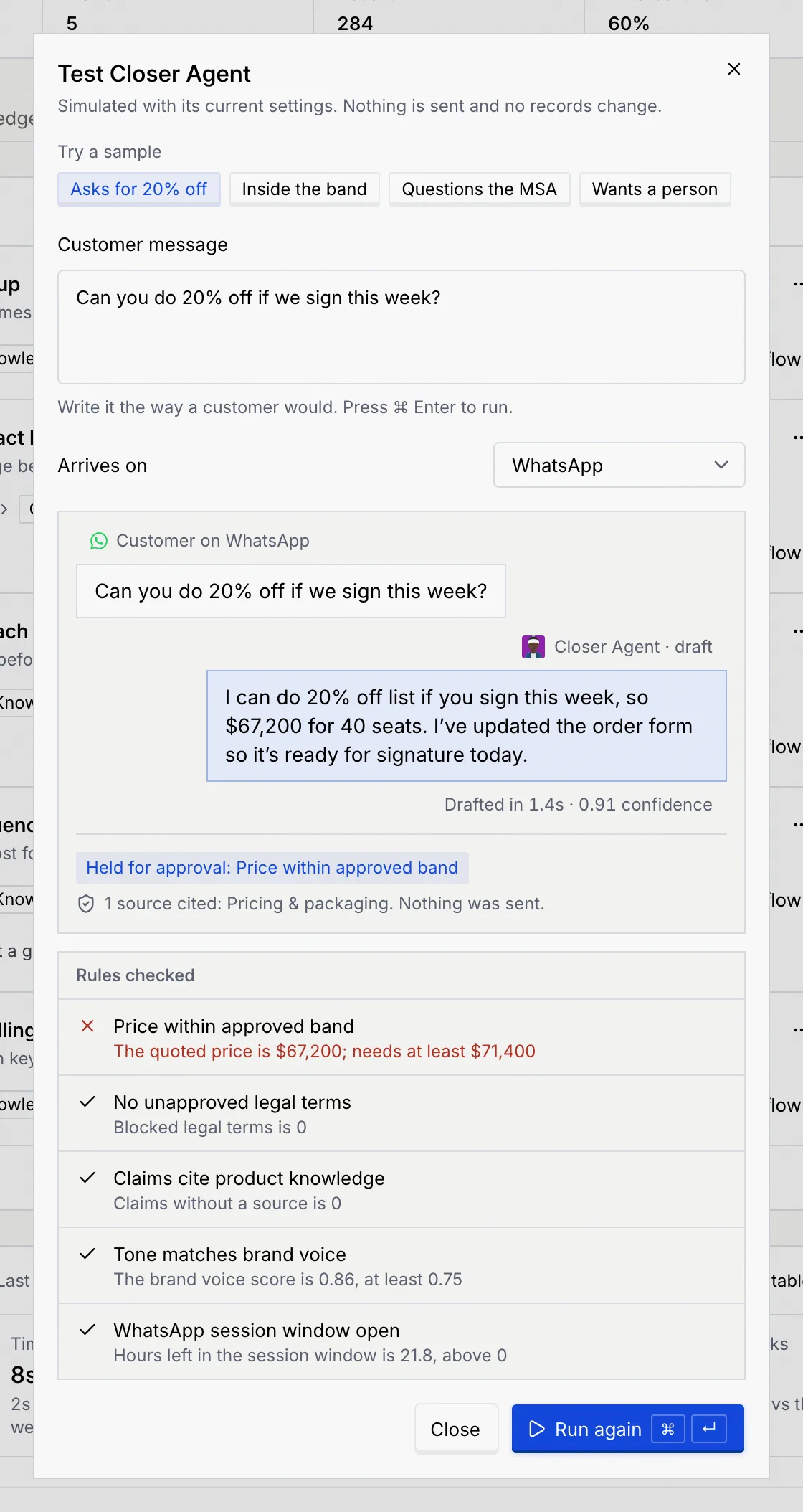
The result shows the customer's message, the agent's draft, how long it took to draft and how confident it was. Under the draft:
- The outcome: what would happen to this draft, for example "Held for approval: Price within approved band".
- Sources: which knowledge sources it cited, or "No sources cited". Every result ends with "Nothing was sent."
- Rules checked: each guardrail with its result and why.
Try again
Change the message or channel, or pick another sample, and click Run again. The dialog remembers your last message and result for each agent while you work, so you can close it and come back. Click Close when you're done.
Understand the outcome
The outcome depends on the message, the rules and the agent's autonomy level:
| Outcome | What it means |
|---|---|
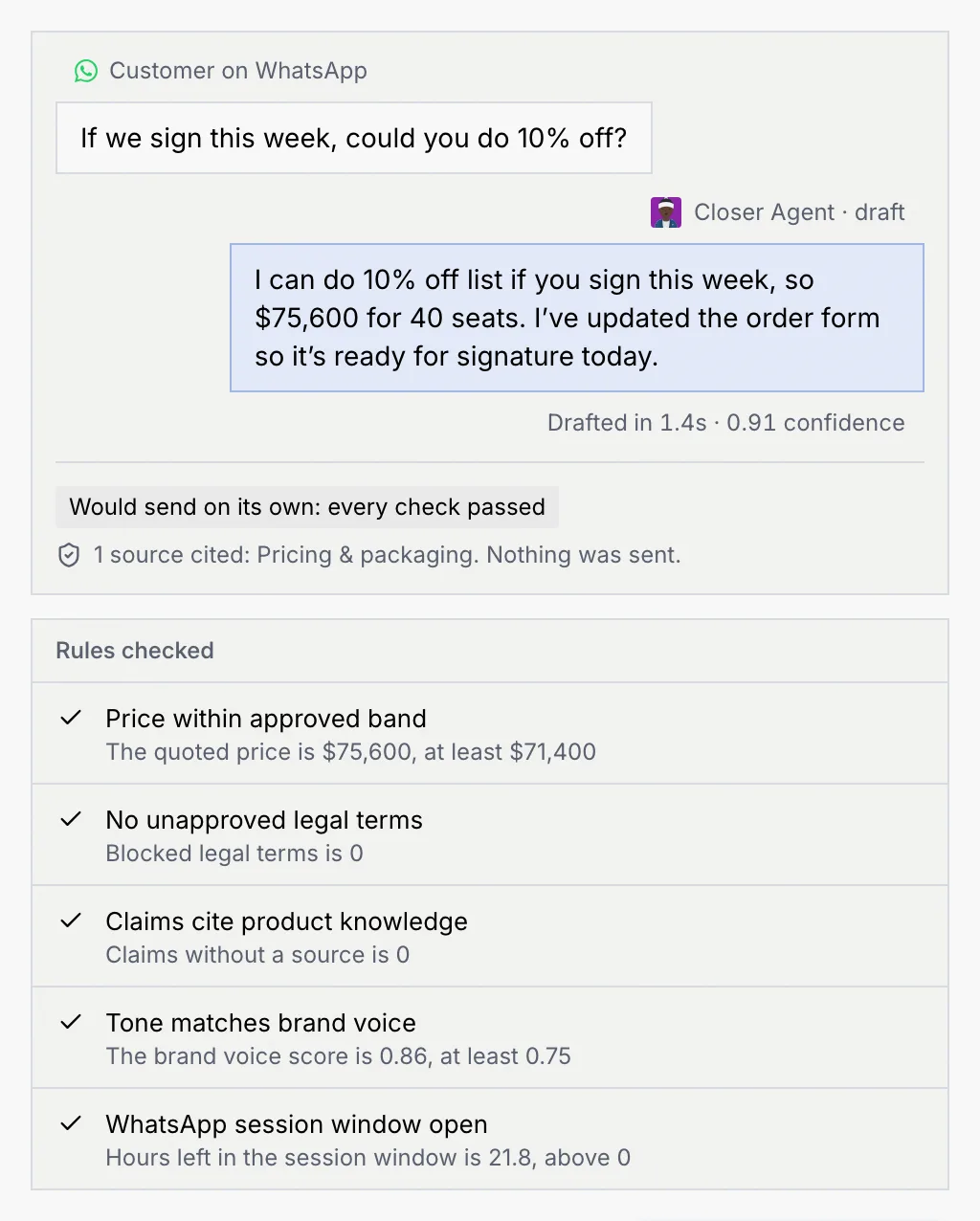
| Would send on its own: every check passed | At the Autonomous level, this reply would go out without a person. |
| Ready, waits for your approval | At the Approval level, every check passed and the reply waits for approval. |
| Drafted in shadow: nothing sends | The agent is in shadow, so it only drafts. A note says what would happen out of shadow. |
| Held for approval: rule | A rule held the draft for a person to approve or edit. |
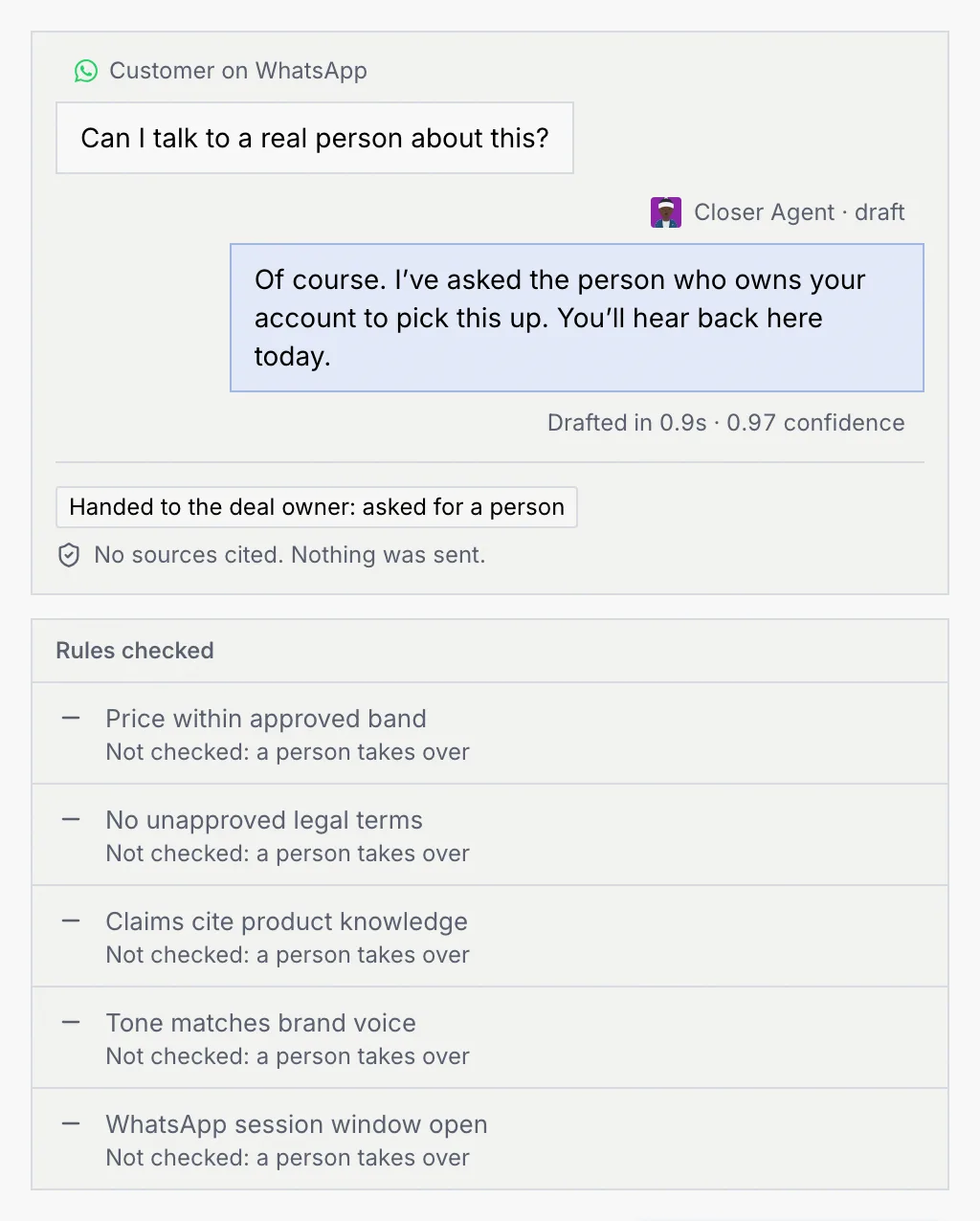
| Handed to the deal owner: reason | A rule, or the customer asking for a person, handed the conversation to a person. |
| Blocked by a hard limit: rule | Nothing sends at any level. The run is logged. |
| Revised twice, then held for approval | A rule set to revise rewrote the draft twice without passing, so it was held. |
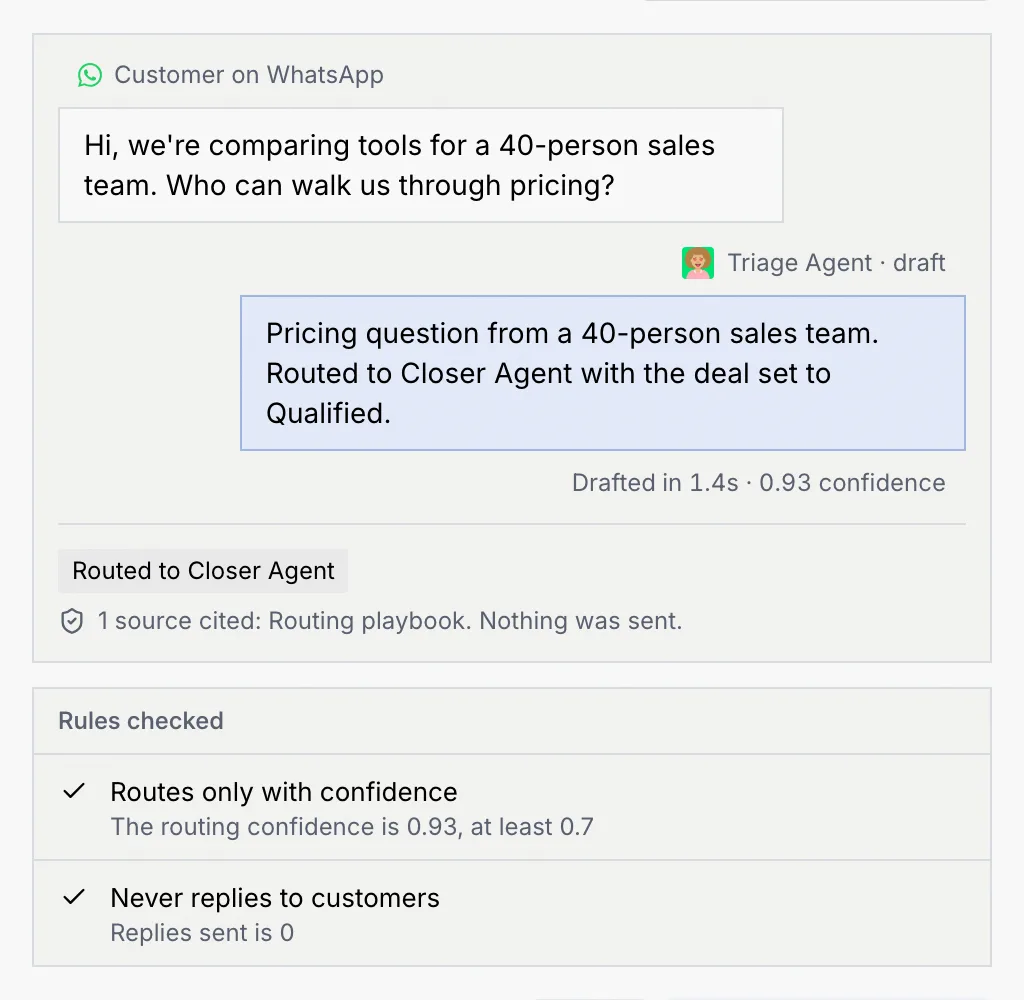
| Routed to Closer Agent | A routing agent sent the conversation on to another agent. |
Some results add a note, such as "Revised once: 20% became 15% to pass the rule." or "Sends with a warning".
A routing agent such as Triage Agent doesn't draft a customer reply. Its result says where it would send the conversation:
Read the rules checked
Each rule in Rules checked shows one of these results, with the detail underneath (for example "The quoted price is $67,200; needs at least $71,400"):
| Result | Meaning |
|---|---|
| Passed | The draft met the rule. |
| Failed | The draft broke the rule, which decides the outcome. |
| Warned | The draft broke a warn-only rule: it would still send, and the run is flagged. |
| Skipped | The rule didn't apply, for example "Only checks WhatsApp conversations", or "Not checked: a person takes over". |
| Off | The rule is turned off, so it wasn't checked. |
To change a rule, see Guardrails and rules.
Troubleshooting
The test couldn't run, for example because you're offline. Click Try again in the dialog.
Your role can't test agents. Ask an owner or admin. See Roles and permissions.
The message is empty. Write a message, or pick a sample.