Deals, stages and owners
Set a deal's owner, stage, value and close date, move it through the pipeline, and see what Closed won changes.
Every contact carries one deal. Its stage puts the contact on the pipeline board, its value counts toward the pipeline totals, and its owner is the teammate responsible for it. Agents use the stage and close date to decide when and how to follow up.
- Who can use it: Owners, admins and members can change the owner, stage, value and close date. Without permission to edit contacts, the deal summary shows plain values and cards on the board can't be dragged. Viewers can't own deals. See Roles and permissions.
- Before you start: Open a contact's record; see The contact record.
The pipeline stages
| Stage | Win likelihood | Notes |
|---|---|---|
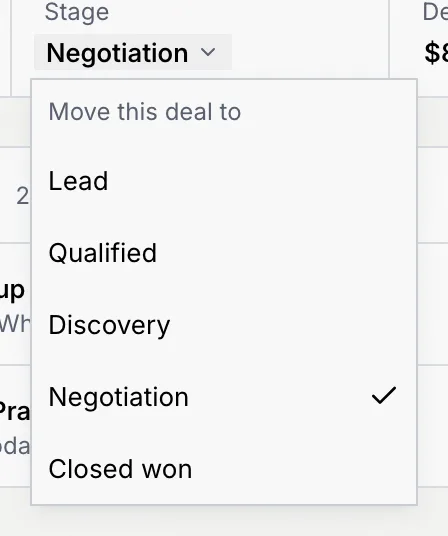
| Lead | 10% | Where new contacts start, unless you pick another stage. |
| Qualified | 25% | |
| Discovery | 40% | |
| Negotiation | 60% | |
| Closed won | 100% | Agents stop pricing follow-ups. Moving a deal in or out asks you to confirm. |
Win likelihood follows the stage. Some deals show a more specific estimate from their history; when the stage changes, it goes back to the stage's figure. Stage badges are outlined for open stages and grey for Closed won.
Read the deal summary
The strip under a record's header holds the deal's facts. Click Owner, Stage, Deal value or Close date to change it. Last touch and Win likelihood are read-only.

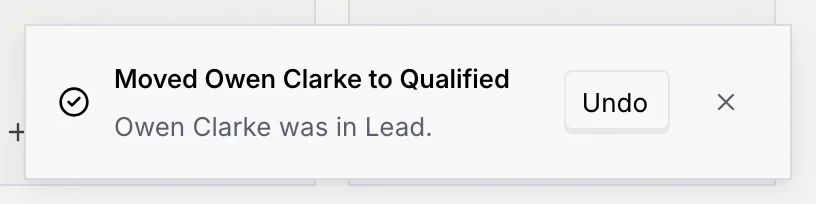
Every change applies at once, goes on the contact's timeline, and shows a notice with Undo.
Change the owner
Open the owner menu
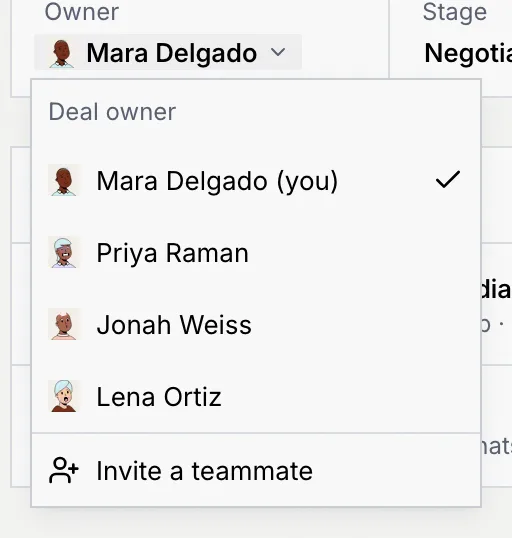
On the record, click the name under Owner. The Deal owner menu lists you, marked (you), and every teammate who can own deals.
Pick the new owner
Click a teammate. The notice says who owns the deal now, such as You own Nadia Prasad’s deal. To add someone who isn't in the workspace yet, owners and admins can click Invite a teammate; see Members and invites.
To change the owner of many deals at once, select them in the list and use Change owner; see Change many contacts at once.
Move a deal to another stage
You can move a deal from the record, from the board or from the list.
Click the stage under Stage and pick one under Move this deal to. You can also click a stage on the pipeline path in the Deal tab.
Most moves happen at once. The notice names the move and the stage the deal came from, with Undo:
Mark a deal Closed won
Move it to Closed won
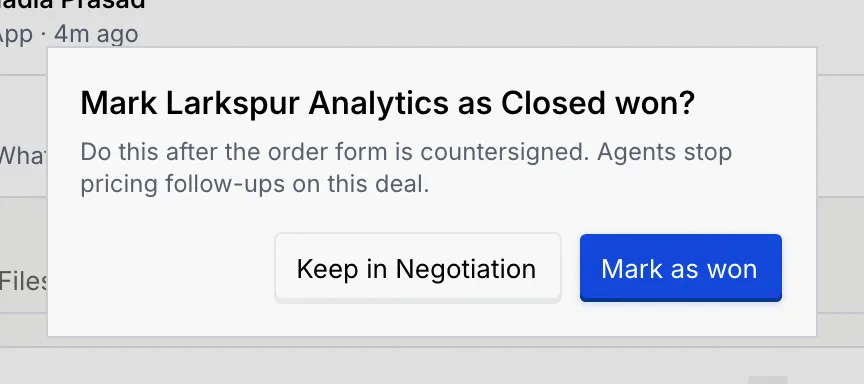
Move the deal to Closed won in any of the ways above. Mokanata asks first, because agents treat won deals differently.
Confirm
Click Mark as won, or Keep in with the current stage to leave it where it is. The notice says the company is Closed won, and agents stop pricing follow-ups on the deal.
To reopen a won deal, move it to another stage. Mokanata asks Reopen with the company name: the deal moves back to the stage you picked and agents pick up follow-ups again. Click Reopen deal to confirm. Moving several deals at once where some are won asks once for all of them.
Change the deal value
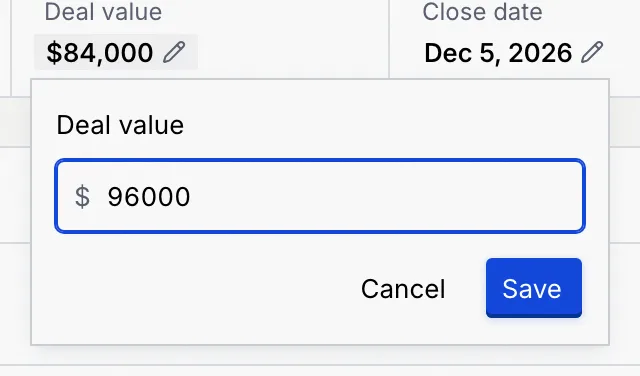
Type the new value and save
Type the amount in your workspace's currency, with or without separators, and click Save. Enter 0 to clear it. The notice gives the old value, and the pipeline totals update.
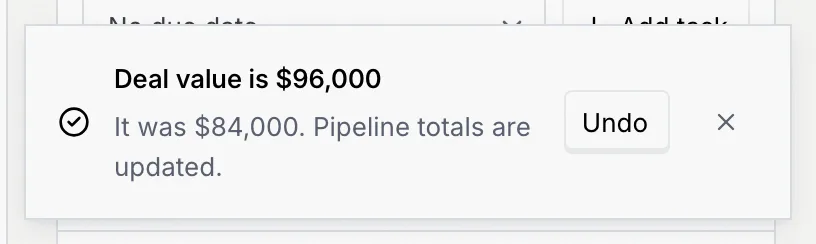
The currency comes from your workspace's settings; see Language and region.
Set the close date
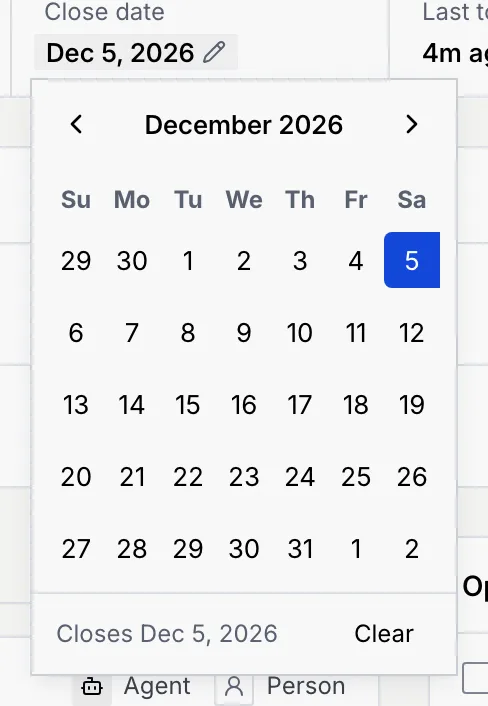
Pick the day
Click the day you expect to sign. It saves right away. To remove the date, click Clear. Agents use the close date to time their follow-ups.
Use the Deal tab
The record's Deal tab shows the deal as a whole: its name, its stage, the pipeline path and its facts. The panel's title says when it closes, such as Closes Dec 5, 2026.
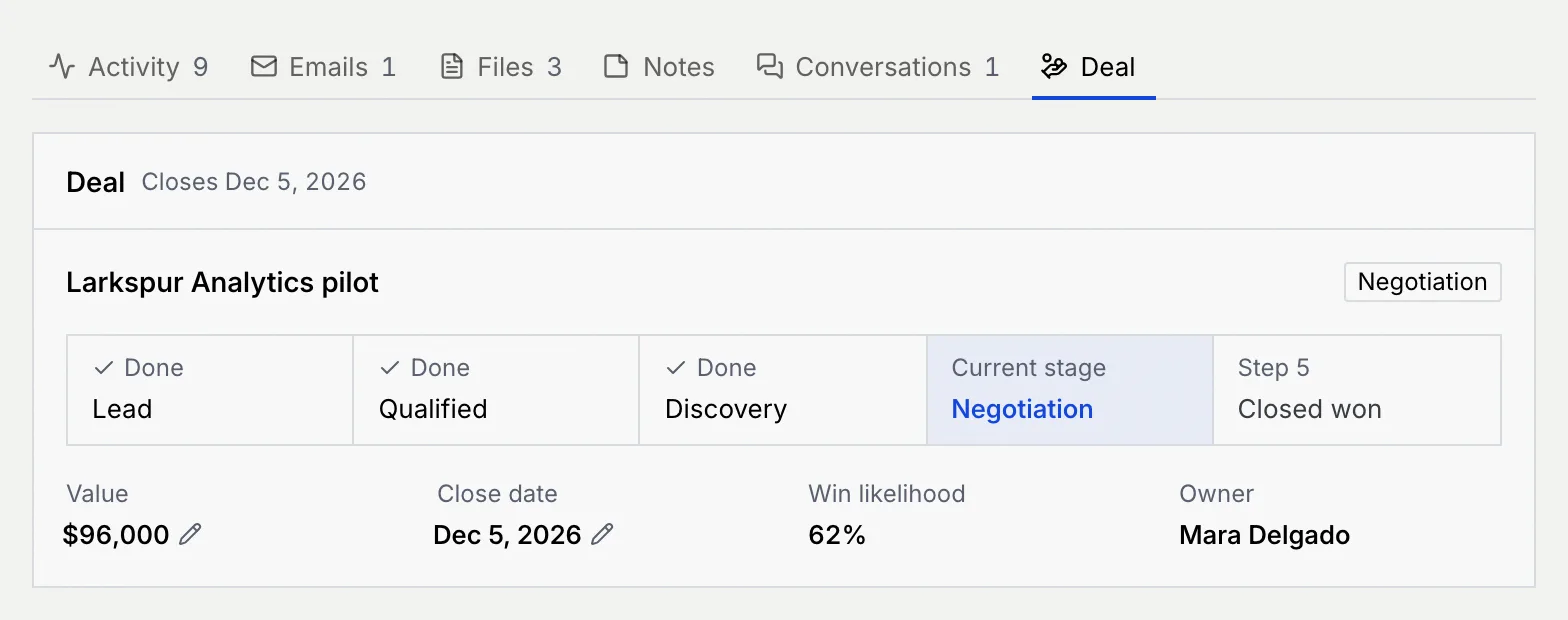
- The pipeline path marks earlier stages Done, the Current stage, and later ones by step number. Click any other stage to move the deal there.
- Value and Close date have the same editors as the deal summary.
- Win likelihood and Owner are shown for reference; change the owner from the deal summary.
Troubleshooting
Your role can't edit contacts, so the deal summary shows plain values. Ask an owner or admin to change your role; see Roles and permissions.
Viewers can't own deals, and people who haven't joined the workspace aren't listed. Owners and admins can invite them from Invite a teammate.
Type the amount as a number, without letters or symbols other than separators. Values go up to the equivalent of 100,000,000 US dollars.
Click Undo in the notice right after the move. Later, move it back the same way; the timeline keeps both moves.
Next steps
The contact record
Everything about one person in one place, from their deal and what waits on you to their timeline, tasks, identities and agents.
Log activity, notes, tasks and files
Keep calls, meetings, emails, notes, tasks and documents on a contact's record, where your team and its agents can use them.