Contact details beside the thread
The contact, their deal, channels, ad source, the agent's reasoning, its recent work and the account's autonomy, next to the conversation.
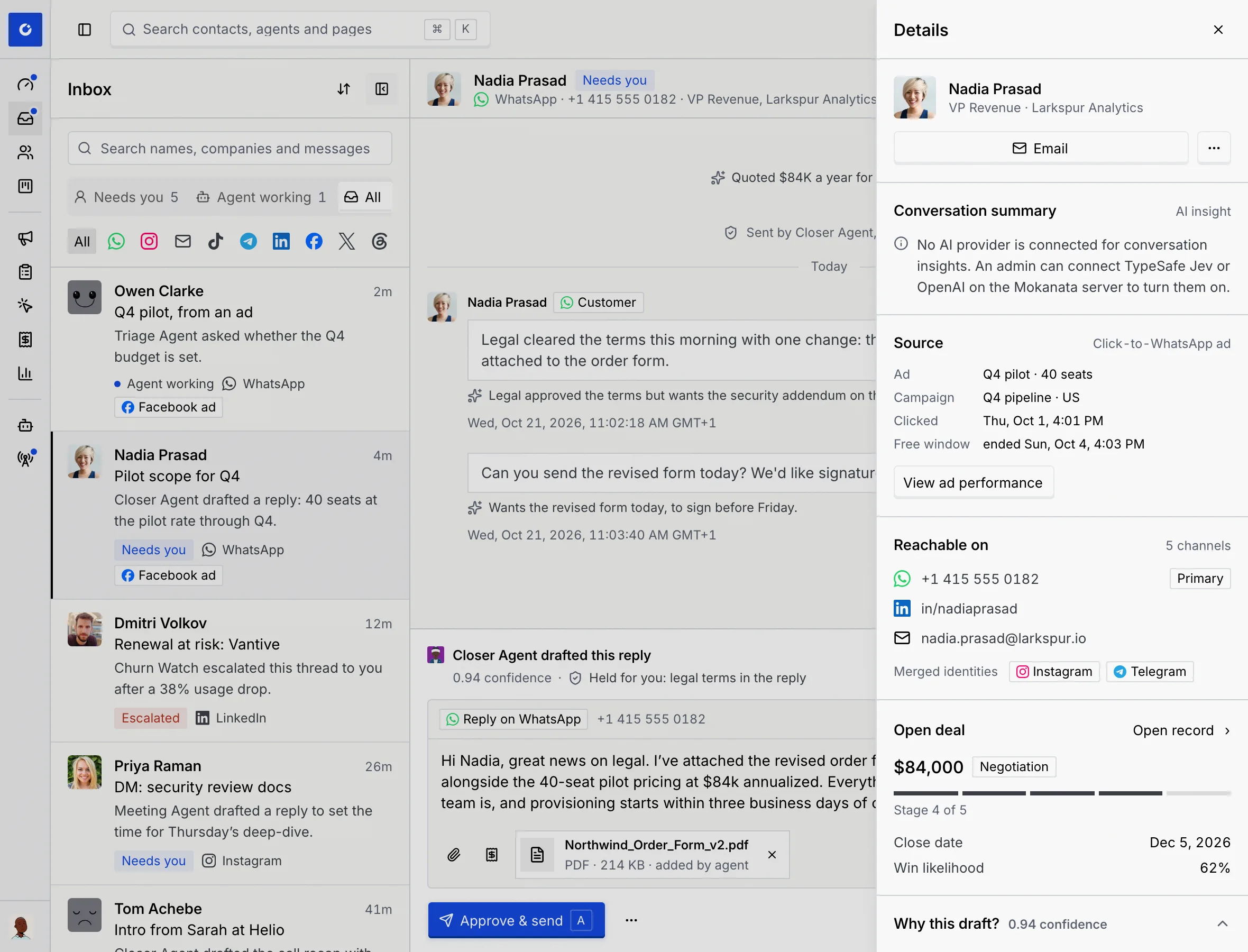
The details column next to a thread tells you who you're talking to and what's at stake, without leaving the inbox: the contact and how to reach them, their open deal, where the conversation came from, why the agent wrote what it wrote, what agents did on the record, and what agents may do on this account without asking.
- Who can use it: Everyone who can open the thread sees the details. Sending a meeting invite needs Reply and send, and changing the account's autonomy switches needs Manage auto-approve rules (Owner and Admin by default); other roles see the switches read-only with the reason. See Roles and permissions.
- Before you start: Open a thread in the inbox.
Open the details
On a screen 1280 pixels wide or more, the details show as a column on the right of the thread.
- To hide the column, click Hide details at its top right. Show details in the thread's header brings it back.
- On a narrower screen, or in full screen, open the thread's More menu (…) and choose Details. The details open as a panel over the page; press Esc or click outside it to close it.
What's in the details
The sections appear top to bottom. Some show only when they apply.
Contact
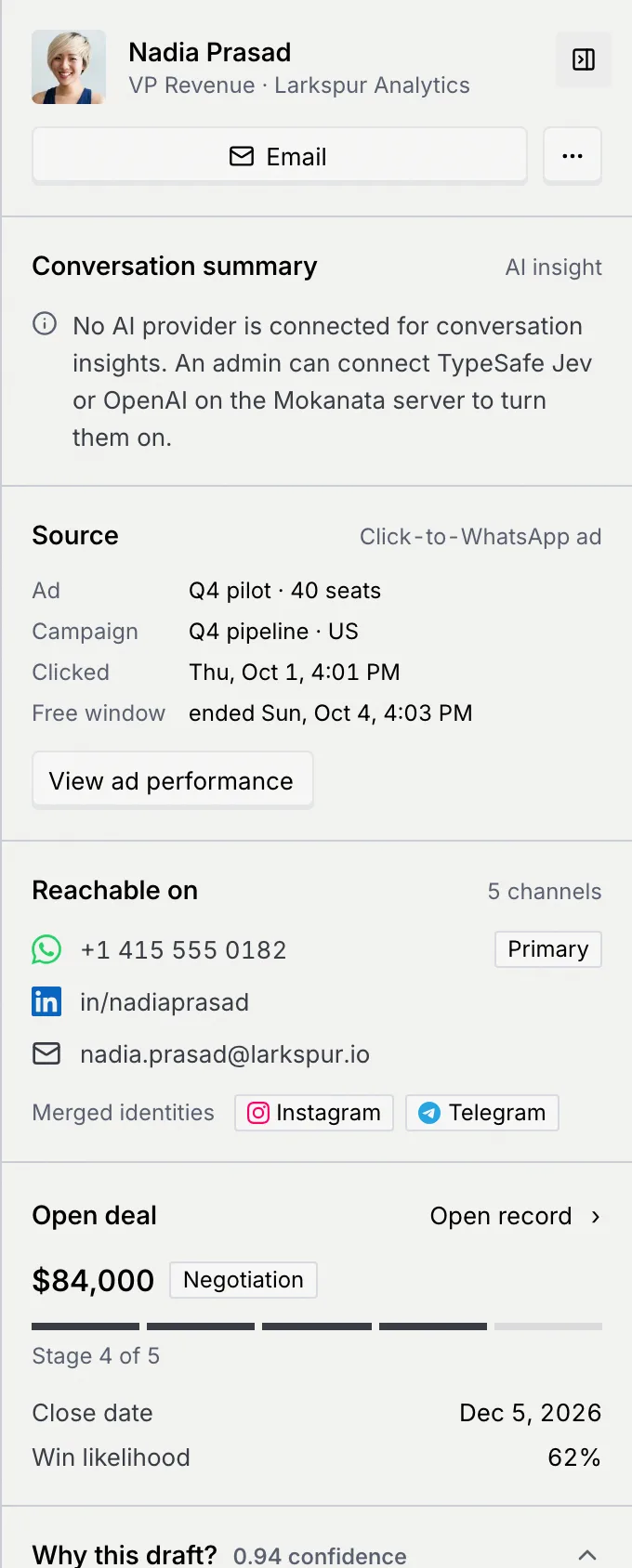
The contact's photo, name (which opens their record), job title and company, and one button to reach them: Email, Call, or Open record when there's no address to use. The … next to it has the other ways: Call, Send an invite for, and Open record.
Conversation summary
An AI summary of the whole conversation, marked AI insight: what happened, the Outcome, the contact's sentiment, the Model confidence, and which model wrote it. When newer messages have arrived since, it says Written before the newest message. with Update. If it couldn't be written, click Try again. This section needs an AI provider connected to your workspace; without one, it says so.
Source
Shown when the conversation started from a click-to-WhatsApp ad: the Ad, the Campaign, when the contact Clicked, and the state of the Free window. View ad performance opens the ad's results. See Click-to-WhatsApp ads.
Reachable on
Every address the contact has, by channel, with Primary on the main one. Merged identities lists the channels of profiles that were merged into this contact. See Channel identities and duplicates.
Open deal
The deal's value (or Not set) and stage, a bar showing the stage (Stage 4 of 5), its Close date and Win likelihood. When the deal is won, the section is called Deal. Open record opens the contact's record to change it. See Deals, stages and owners.
Why this draft? or Why it escalated
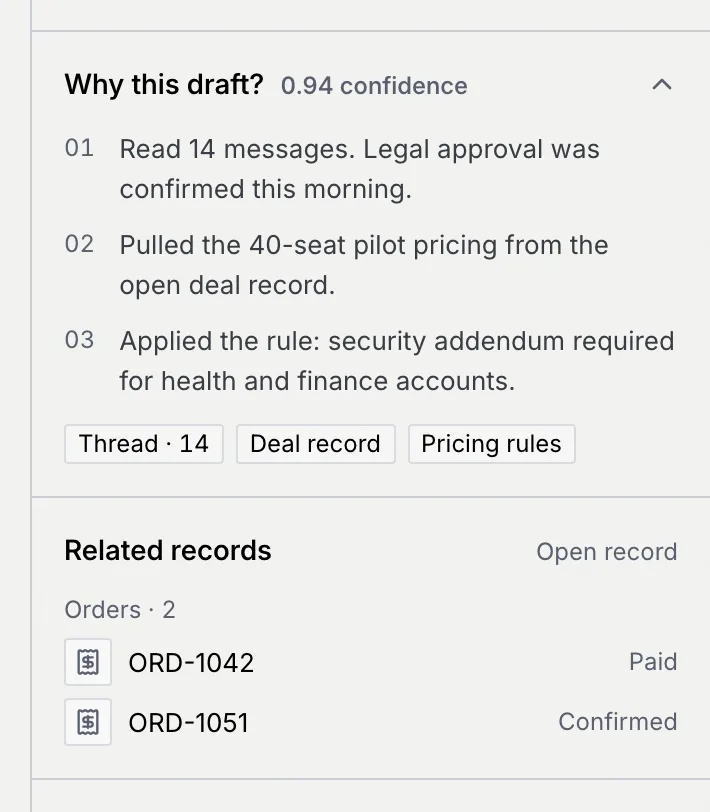
Shown while a draft or an escalation waits on the thread: the agent's confidence, its numbered reasons and the sources it used. Click the heading to fold it. See See why the agent wrote it.
Related records
Records from your custom objects linked to the contact, such as orders, with their status. Open record opens the contact's record. See Relate objects.
Agent activity on this record
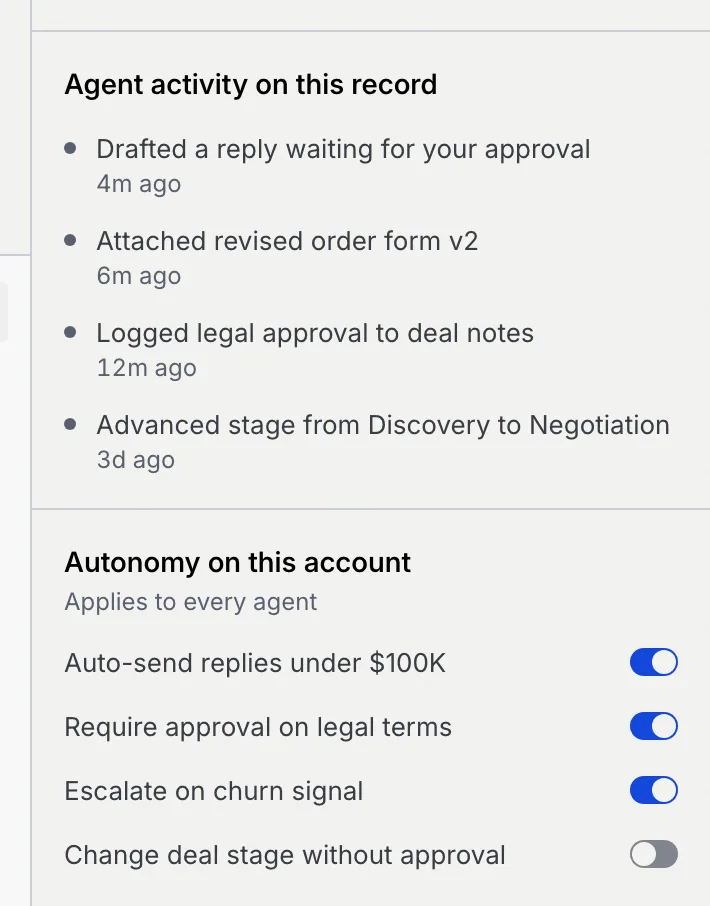
What agents did on this contact recently, newest first, such as "Drafted a reply waiting for your approval" or "Advanced stage from Discovery to Negotiation". Things done from the Command center show at the top.
Autonomy on this account
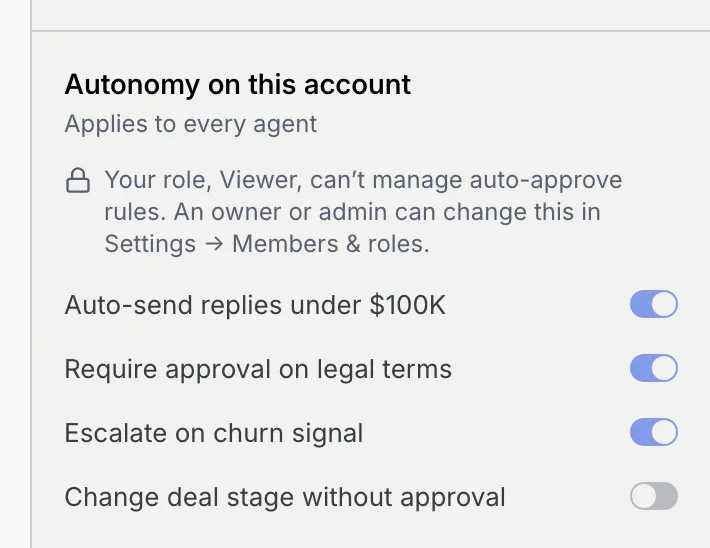
What agents may do on this contact's account without asking you. It applies to every agent. See Set the account's autonomy.
Send a meeting invite
Open the contact's menu
In the Contact section, click … (More ways to reach name) and point to Send an invite for.
Pick a time
Choose one of the times offered. The invite goes out at once: a notice says Invite sent for time, sent by the Meeting Agent, and the meeting is added to your calendar.
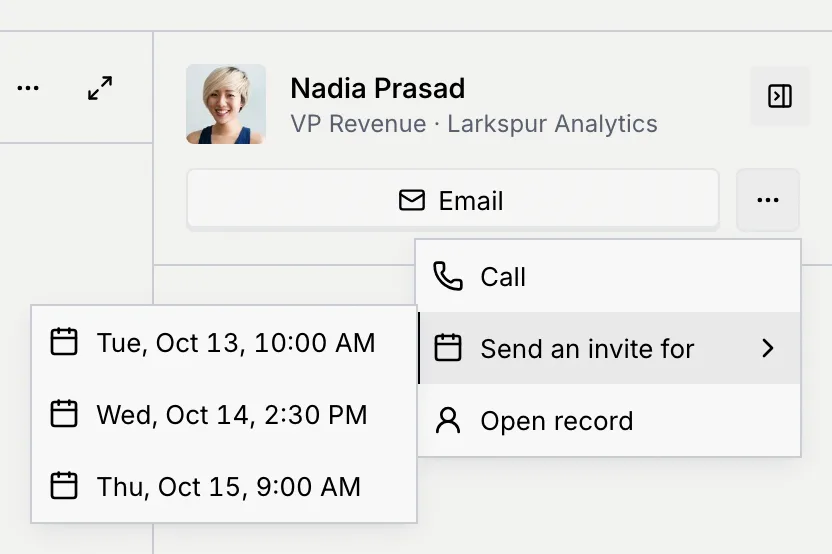
Send an invite for isn't in the menu for roles that can't reply on the thread's channel.
Set the account's autonomy
The switches under Autonomy on this account set what any agent may do on its own for this contact's company:
| Switch | What it's for |
|---|---|
| Auto-send replies under $100K | When it's off, drafts for this account always wait for you, even when an auto-approve rule would send them. A draft that was counting down stops and says "Auto-send is off for this account, so it waits for you." |
| Require approval on legal terms | The account's policy for replies that mention legal terms. |
| Escalate on churn signal | The account's policy for handing at-risk conversations to a person. |
| Change deal stage without approval | The account's policy for agents moving the deal between stages. |
Flip a switch
Click the switch. The change applies at once, and a notice says Autonomy updated for company, with the switch and its new setting.
Roles without Manage auto-approve rules see the switches read-only, with a lock line saying why.
Troubleshooting
Your window is narrower than 1280 pixels, you're in full screen, or the column is hidden. Click Show details in the thread's header, or use More → Details.
Conversation summaries need an AI provider connected to your workspace. Ask your workspace owner or admin.
Nothing changed. Click Retry on the notice.