Consent and privacy for tracking
Ask visitors before your tracking tags load, and load nothing for visitors whose browser sends Global Privacy Control.
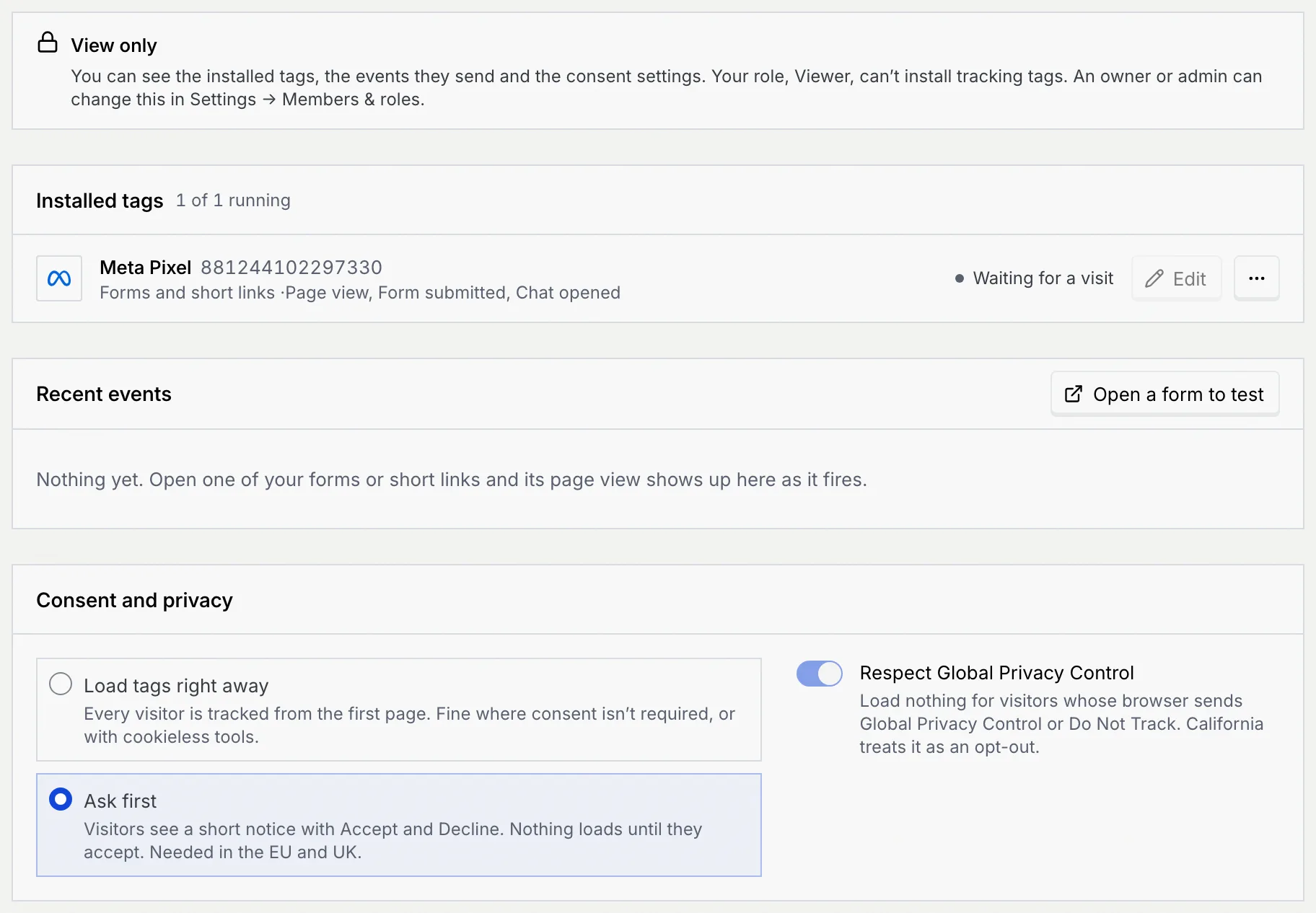
The Consent and privacy panel on Setup → Tracking decides when your tracking tags load for visitors to your public forms and short links: straight away, or only after they agree. It also lets visitors opt out with their browser's privacy signal.
- Who can use it: Changing these settings needs Change consent settings, which owners and admins have by default. Everyone else sees the settings, disabled.
- Before you start: Nothing. The settings apply to every tag you install, now or later.
Choose when tags load
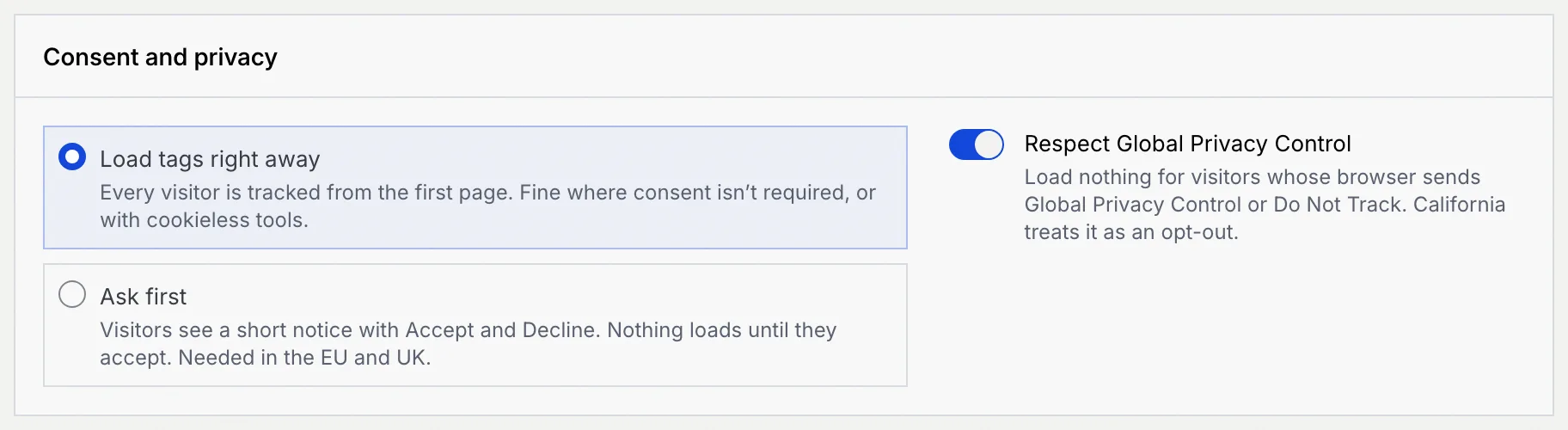
Pick an option
| Option | What visitors get |
|---|---|
| Load tags right away (the default) | Every visitor is tracked from the first page. Fine where consent isn't required, or with cookieless tools. |
| Ask first | Visitors see a short notice with Accept and Decline. Nothing loads until they accept. Needed in the EU and UK. |
The change saves as soon as you pick it and applies to visits from then on. The toast has Undo.
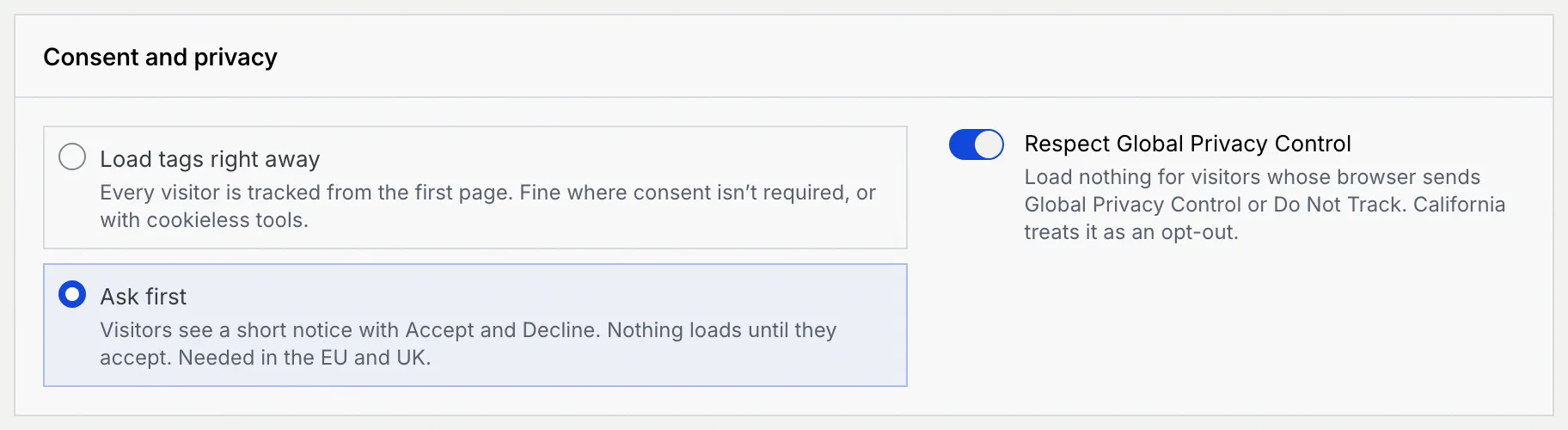
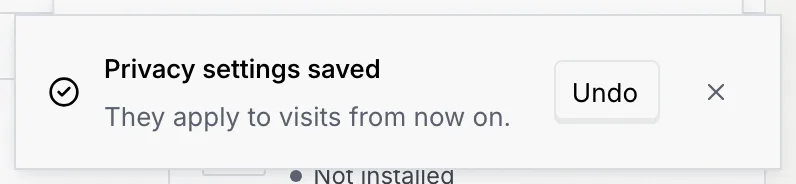
The line under the Setup title then reads "visitors are asked before anything loads".
What visitors see
With Ask first on and at least one running tag, a visitor opening one of your forms sees a bar at the bottom: Measure this visit? with "Northwind Labs uses cookies from ad and analytics partners to see which ads bring people here. The page works either way." (your workspace's name), and Decline and Accept. The form works either way.
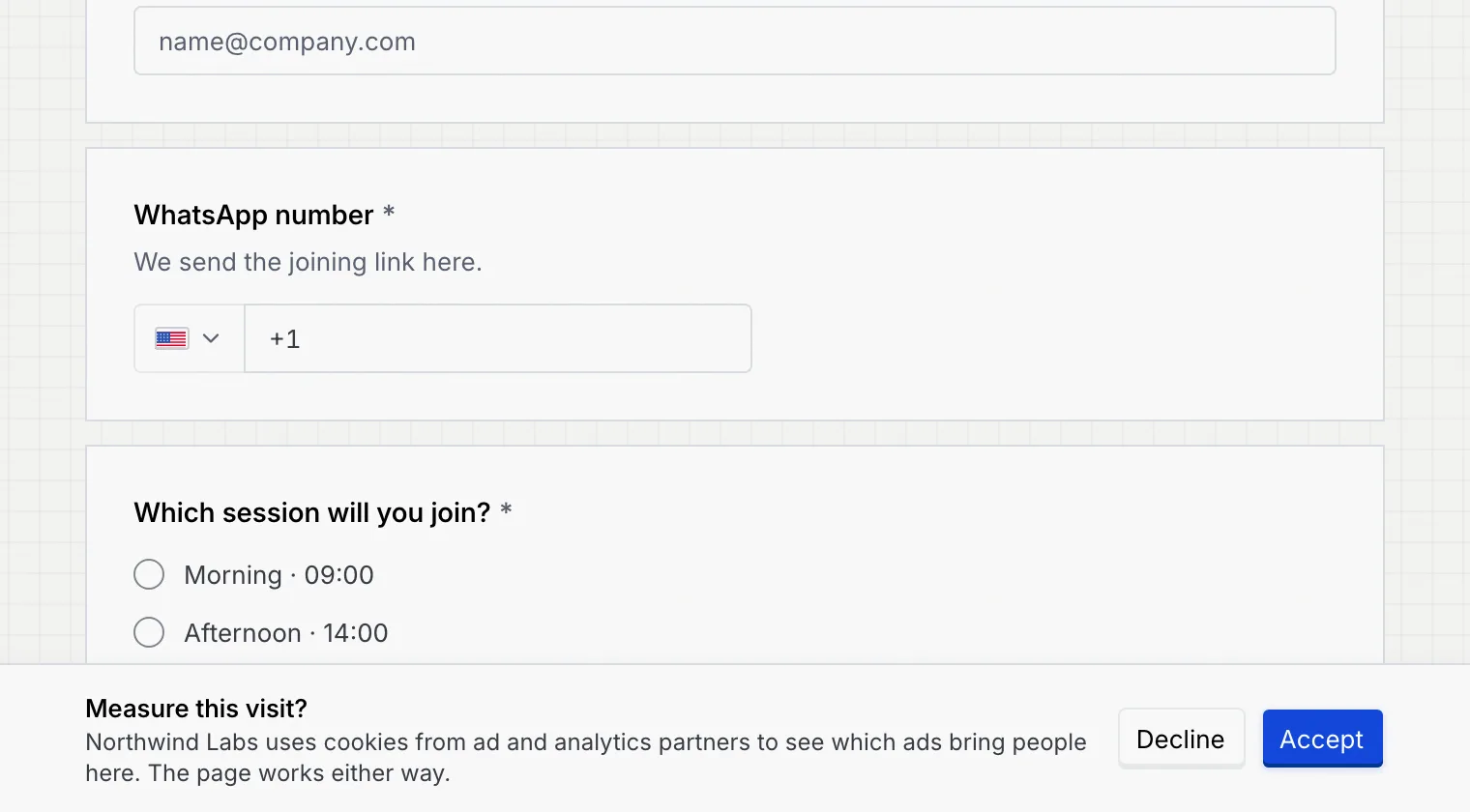
- Accept loads the tags and counts the page view.
- Decline loads nothing.
The choice is remembered in the visitor's browser for all your forms and links, so they aren't asked again.
Short links don't wait for a choice
A short link forwards the visitor straight on, so it never shows the notice. With Ask first on, tags on short links load only for visitors who already accepted on one of your forms.
Respect Global Privacy Control
Respect Global Privacy Control (on by default) loads nothing for visitors whose browser sends Global Privacy Control or Do Not Track. California treats that signal as an opt-out. With it on, those visitors don't see the consent notice either: nothing loads for them. Switch it off only if you have another way to honour opt-outs.
What members and viewers see
Without Change consent settings, the options and the switch are disabled. If your role can't change anything on the Tracking tab, a View only notice says so; an owner or admin can change it in Settings → Members & roles.
Troubleshooting
The notice shows only when at least one tag is running (not paused) on forms, and only to visitors who haven't chosen yet. If you already accepted or declined in this browser, you won't be asked again. A browser sending Global Privacy Control or Do Not Track sees no notice while Respect Global Privacy Control is on.
That's expected: tags load only for visitors who accept. Pair your ad pixels with their server-side conversion destinations so leads still reach the ad platforms.
Saving failed. A toast says "Privacy settings weren't saved" with Retry.