Test events and the event log
Send a test event to a conversion destination, then check what Mokanata sent, deduplicated or failed, and how well events match people.
The Event log tab on Ads & conversions shows every conversion event Mokanata sent to Meta and TikTok in the last 24 hours, and whether each one arrived. Use it with a test event to check a new destination works before real conversions flow.
Coming soon
Sending conversions to Meta and TikTok works now. Google Ads conversions are coming soon. The screenshots show the sample workspace.
- Who can use it: Everyone can read the event log. Sending a test event needs Connect ad platforms, which owners and admins have by default; for other roles Send test event is disabled and says why. See Roles and permissions.
- Before you start: At least one connected conversion destination (see Send conversions to Meta and TikTok). For a test event, a test event code from the platform's Events Manager → Test events: a test needs one, so it never counts as a real conversion.
Check match quality
Event match quality at the top rates, for each destination, how well its events can be matched to real people, out of 10: Great (8 or more), Good (6 or more), OK (4 or more) or Poor (under 4, with a red bar). A note under each score says what would raise it.

A destination that isn't connected shows Not rated · connect to start sending; a newly connected one shows Not rated yet · scores appear after events arrive. To lift a score, add emails and phone numbers to more contacts: they're the match keys every destination uses.
Read the event log
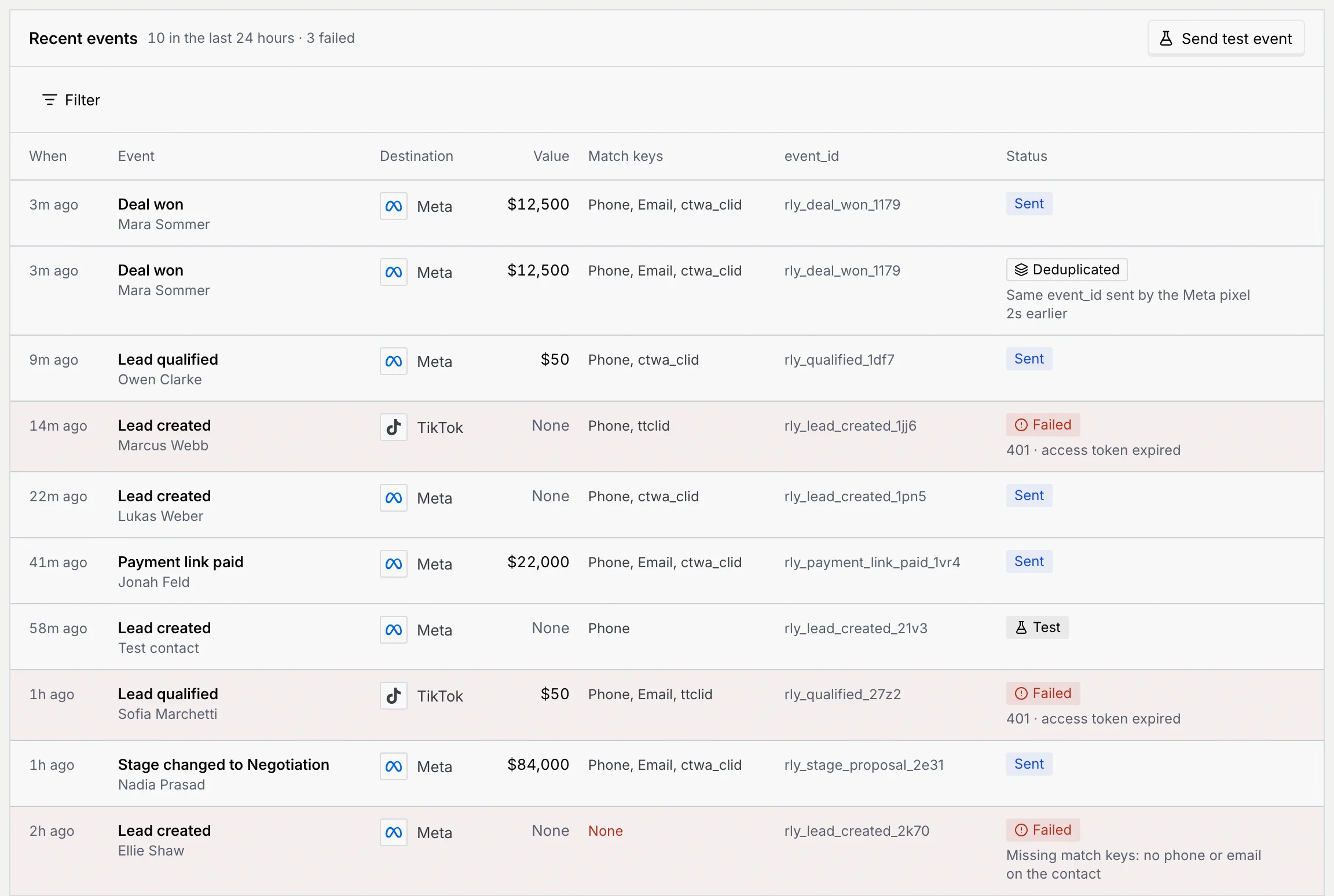
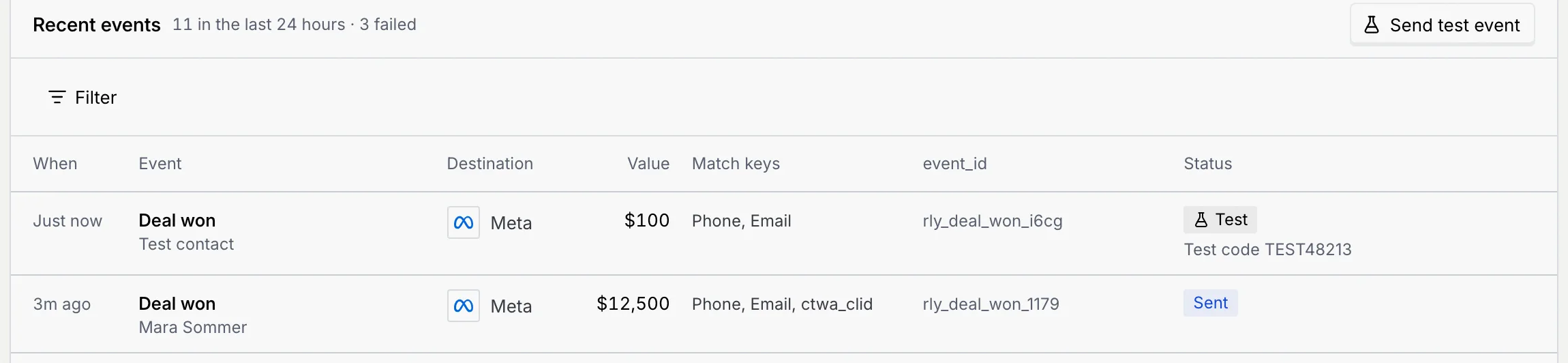
Recent events lists events newest first, with how many were sent in the last 24 hours and how many failed. Failed rows are tinted red.
| Column | What it shows |
|---|---|
| When | How long ago it was sent ("Just now", "3m ago", "1h ago"). |
| Event | The CRM event, over the contact (the name links to their record when they're in your contacts). |
| Destination | Meta or TikTok. |
| Value | The amount sent with it, or None. |
| Match keys | What was sent to match the person, such as phone and email (hashed). None in red means nothing could be matched. |
| event_id | The deduplication key. The same deal and event always gets the same one. |
| Status | The outcome, with the reason underneath when there is one. |
| Status | Meaning |
|---|---|
| Sent | Delivered to the destination. |
| Deduplicated | The destination already had an event with the same event_id (for example from your pixel) and dropped this copy. The conversion still counts once. |
| Failed | Not delivered; the reason shows underneath, like "401 · access token expired" or "Missing match keys: no phone or email on the contact". Mokanata tries again a few times, waiting longer each time; Meta and TikTok take nothing more than 7 days old. |
| Test | Sent with Send test event. It never counts as a conversion. |
Filter the log
Pick a filter
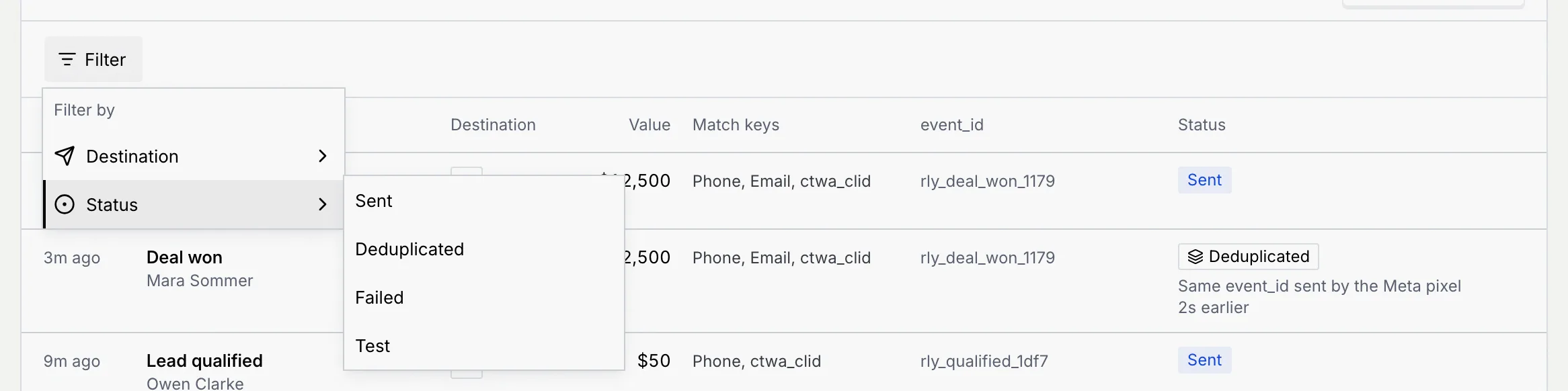
Click Filter, point at Destination or Status and tick what you want to see. Here, Status → Failed:
Narrow or clear it
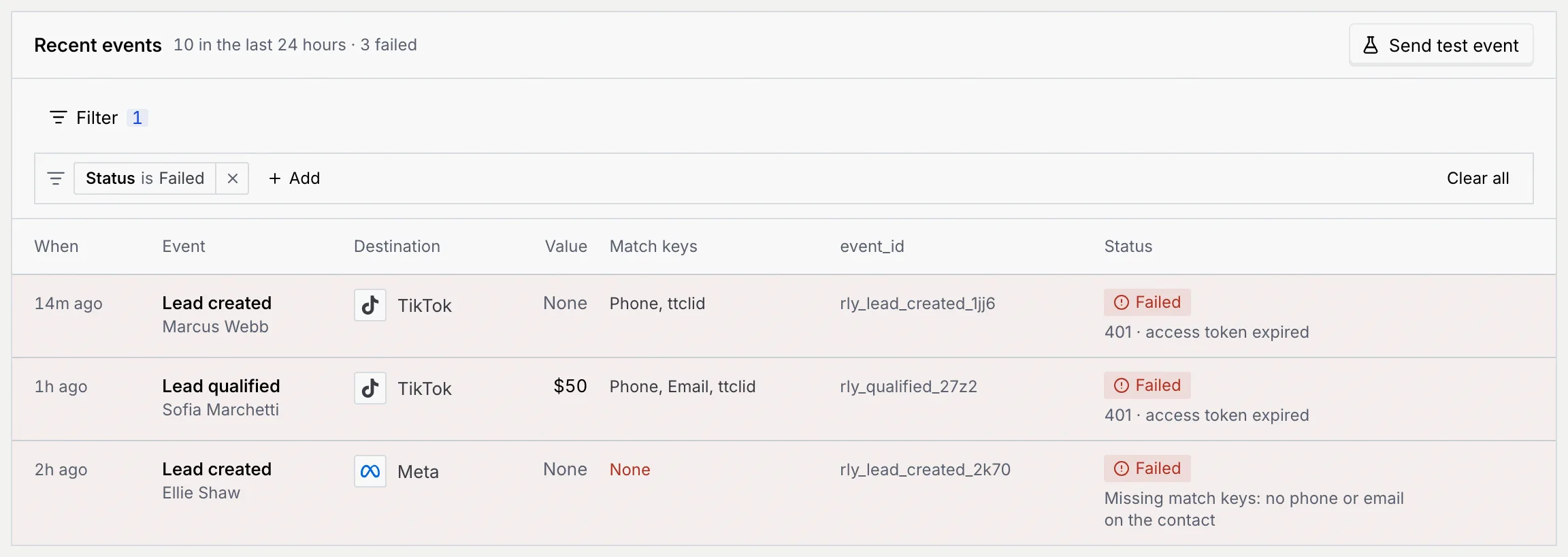
The filter shows as a chip, like Status is Failed. Click Add to filter on the other field too, click a chip to change it (or switch it to is not), its × to remove it, or Clear all.
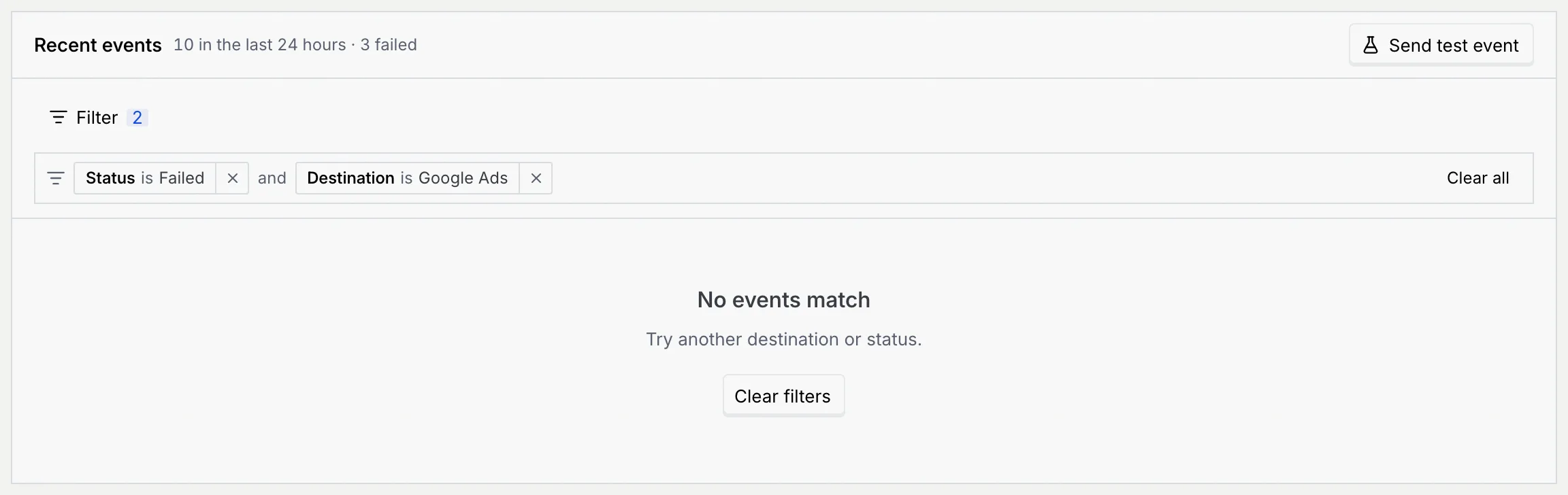
If nothing matches, No events match shows with Clear filters.
Send a test event
Open Send a test event
Click Send test event on Recent events, or on a connected destination's card on the Destinations tab (which picks that destination for you).
Choose the destination and event
- Destination: any connected destination.
- Event: one of the CRM events. The hint underneath says what the destination receives it as, for example "Meta receives it as Purchase".
- Test event code: fills in with the destination's saved code. It's required: copy it from Events Manager → Test events, so the event shows in the platform's test view and never counts as a real conversion.
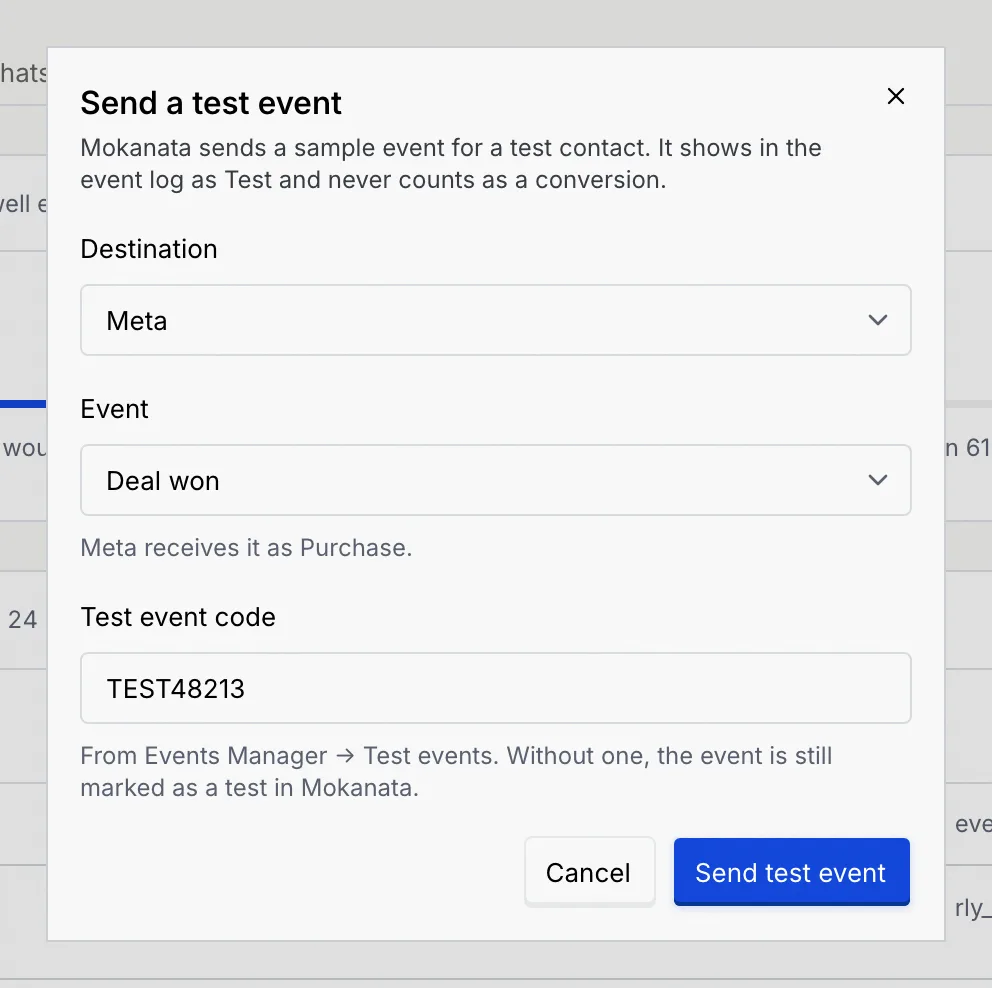
Send it and find it
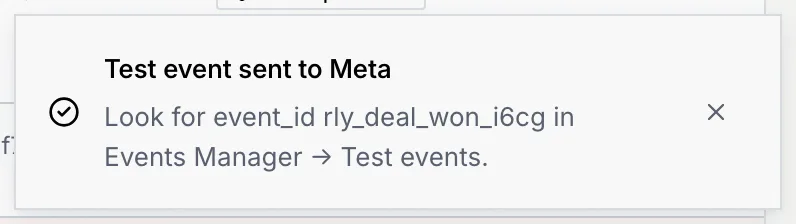
Click Send test event. The toast gives the event_id to look for in Events Manager → Test events.
A new row tops the log for Test contact, with the status Test and the code you used.
Troubleshooting
Either no destination is connected (point at the button: "Connect or resume a destination to send a test event"), or your role doesn't include Connect ad platforms. Connect or resume a destination on the Destinations tab, or ask an owner or admin.
The destination was disconnected or paused since you opened the page. Click Go to Destinations, connect or resume it, then send the test again.
The destination's token expired. Click Update token on its card and paste a new one; the failed events are sent again and turn into Sent. See Fix an expired token.
The contact has no phone number or email, so the destination can't tell who it was. Add one to the contact; future events for them will match.
One was sent and the other Deduplicated: both carry the same event_id, usually because your pixel sent the same purchase from your checkout. The destination keeps the first and drops the copy, so it counts once.
Next steps
Send conversions to Meta and TikTok
Connect the Meta and TikTok conversion destinations, choose which CRM events each one receives, and keep their tokens current.
Connect ad platforms
Bring ad accounts from 20 ad platforms into Mokanata, read-only, so their campaigns and spend sit next to the conversations they start. Coming soon.