Connect ad platforms
Bring ad accounts from 20 ad platforms into Mokanata, read-only, so their campaigns and spend sit next to the conversations they start. Coming soon.
Setup → Ad platforms is where you connect the ad accounts Mokanata reads from: Meta, Google, TikTok, LinkedIn and 16 more. Mokanata reads campaigns, ads, spend and clicks through each platform's official API, refreshed every hour, and matches clicks to the conversations they start. It never edits campaigns, budgets, bids or audiences.
Coming soon
Signing in to an ad account isn't available yet: Mokanata can't read campaigns, ads or spend from Meta, Google, TikTok or any other ad platform yet, so Connect and Add account say the platform isn't available yet. The accounts on this tab in the screenshots are the sample workspace's. The steps below describe how connecting will work.
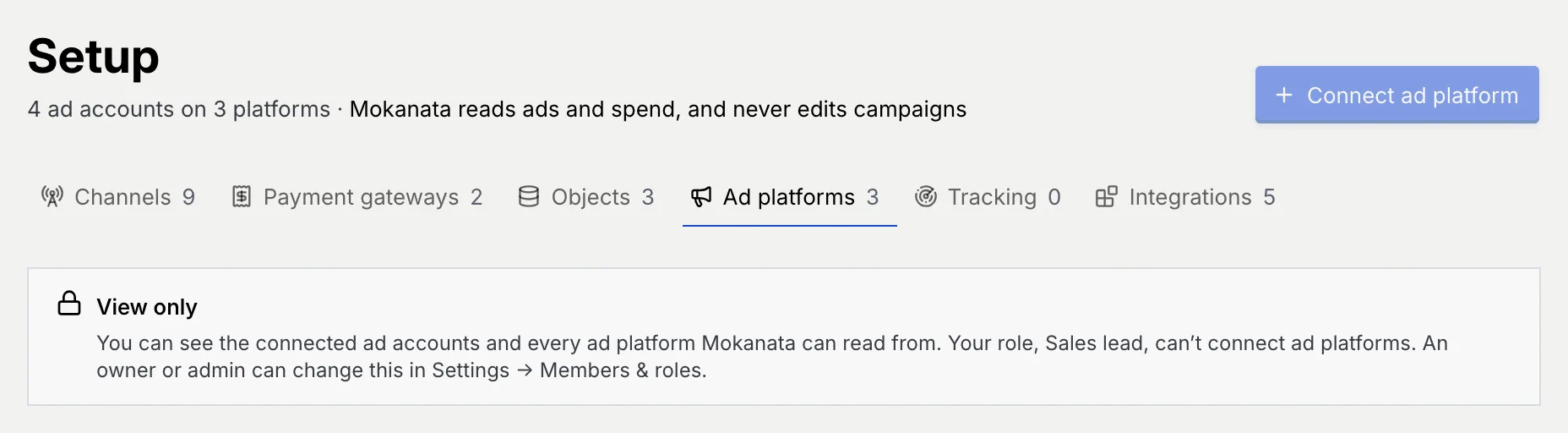
- Who can use it: Connecting and disconnecting ad accounts needs Connect ad platforms, which owners and admins have by default. Everyone else sees the connected accounts and the catalogue with a View only notice; Connect ad platform and the card buttons are disabled. See Roles and permissions.
- Before you start: A login on the ad platform with access to the ad accounts you want to bring in.
Open Ad platforms
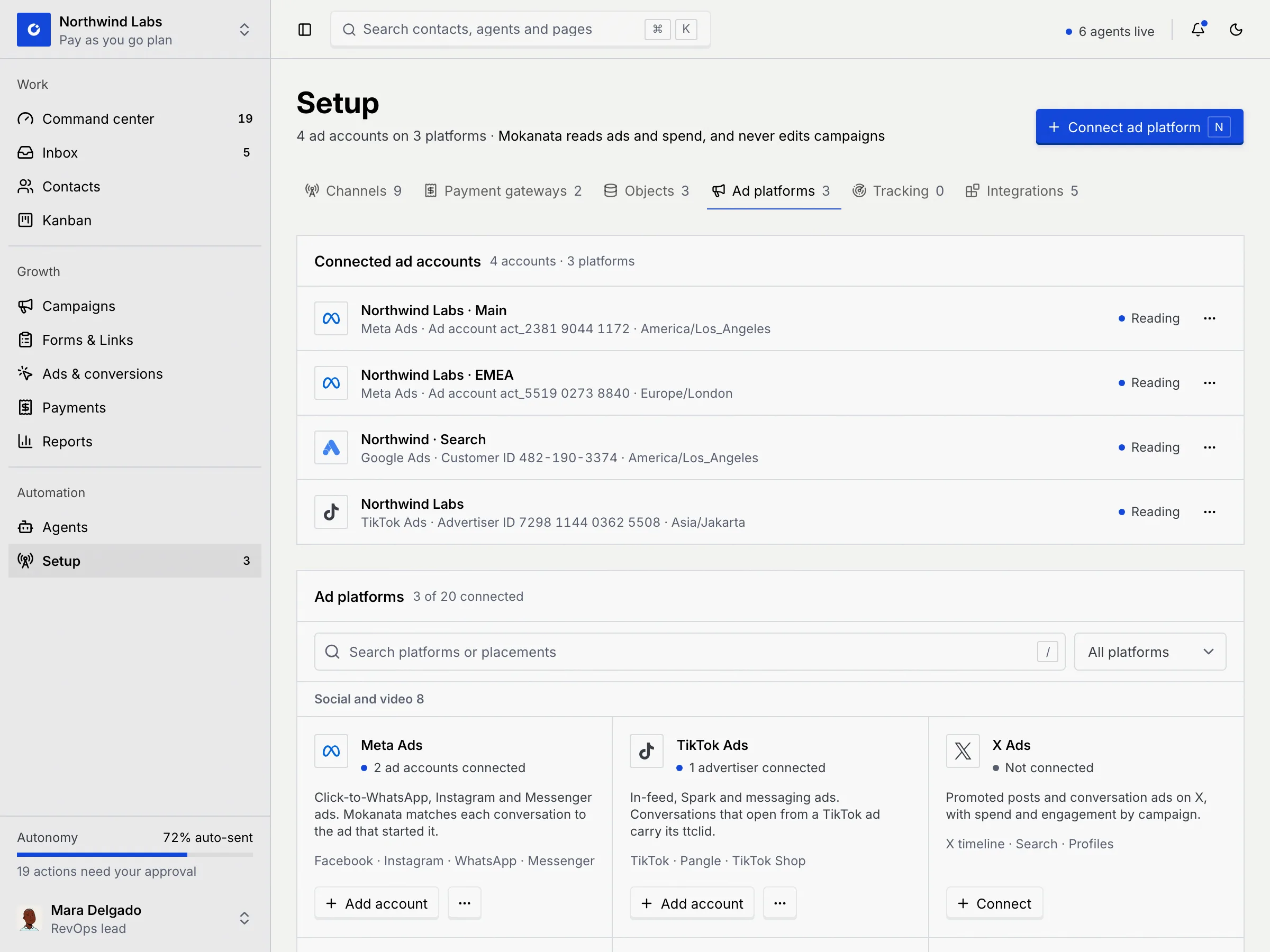
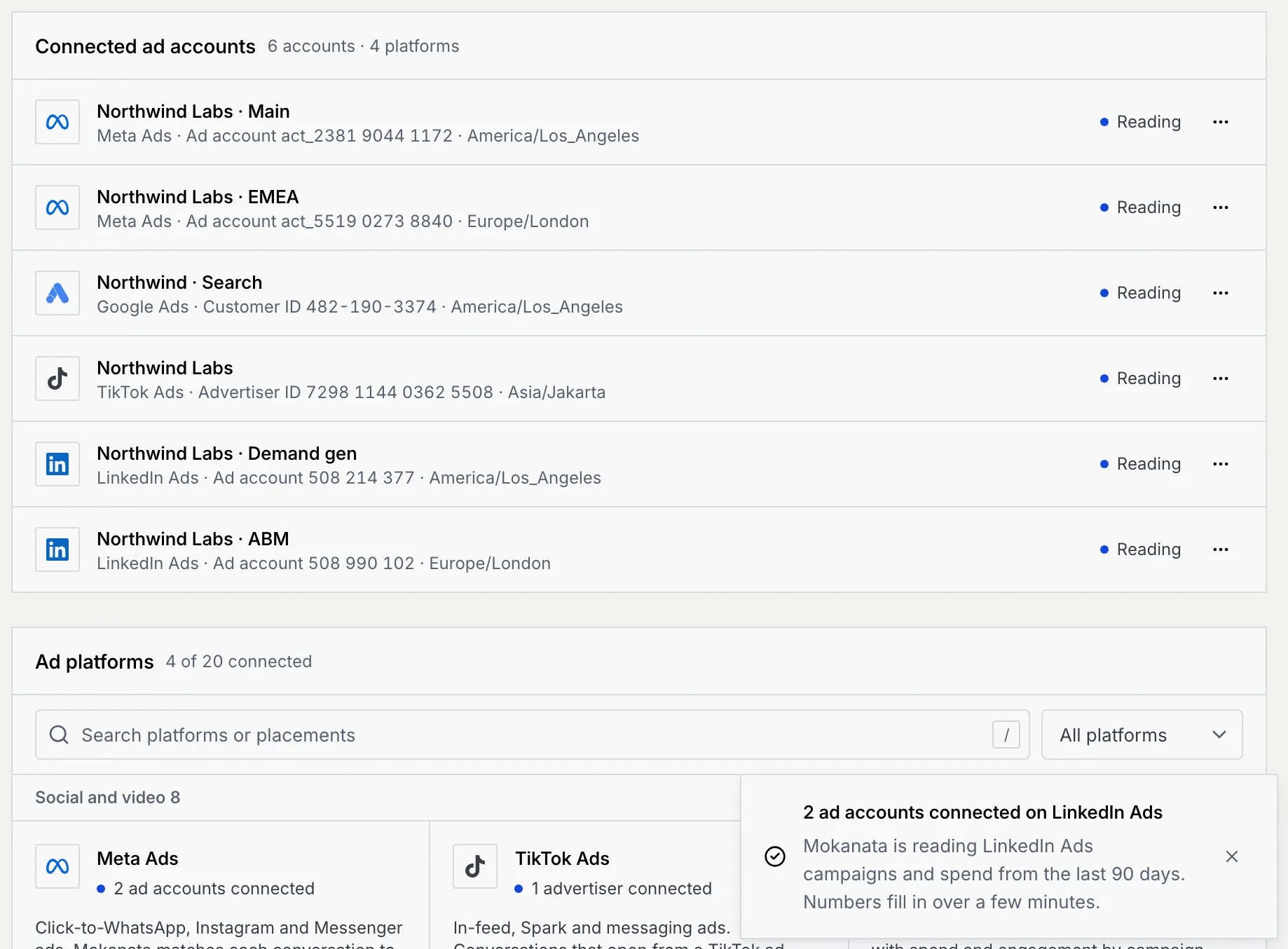
In the sidebar, click Setup (or press G then U), then the Ad platforms tab. The count on the tab is the number of platforms connected, and the line under the title sums up the accounts, for example "4 ad accounts on 3 platforms".
Connected ad accounts lists every account Mokanata reads, grouped by platform, with its ID and time zone. Reading means Mokanata is pulling its data.
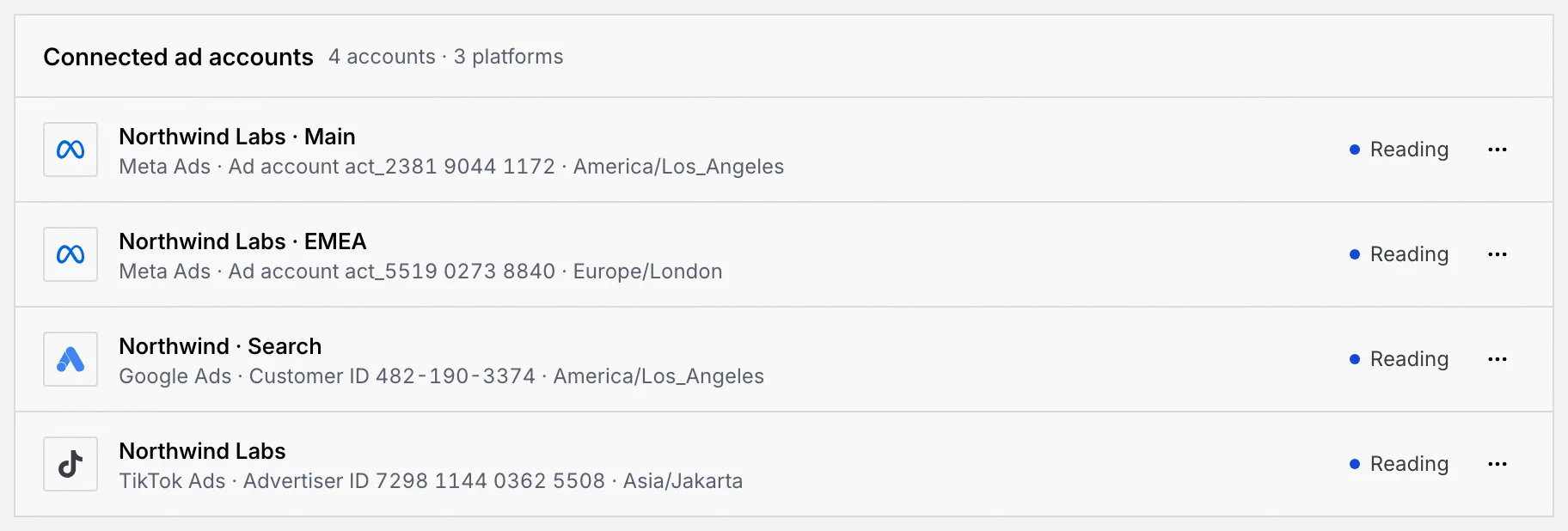
Only Meta ad accounts feed Ads & conversions, because Click-to-WhatsApp ads run on Meta. Accounts on other platforms are read for campaigns and spend.
Find a platform
Ad platforms lists all 20, in five groups: Social and video, Search, AI assistants, Retail, apps and audio and Regional networks. Each card shows the platform, how many accounts are connected (or Not connected), what it covers and its placements. Beta marks platforms whose ad API is in early access.
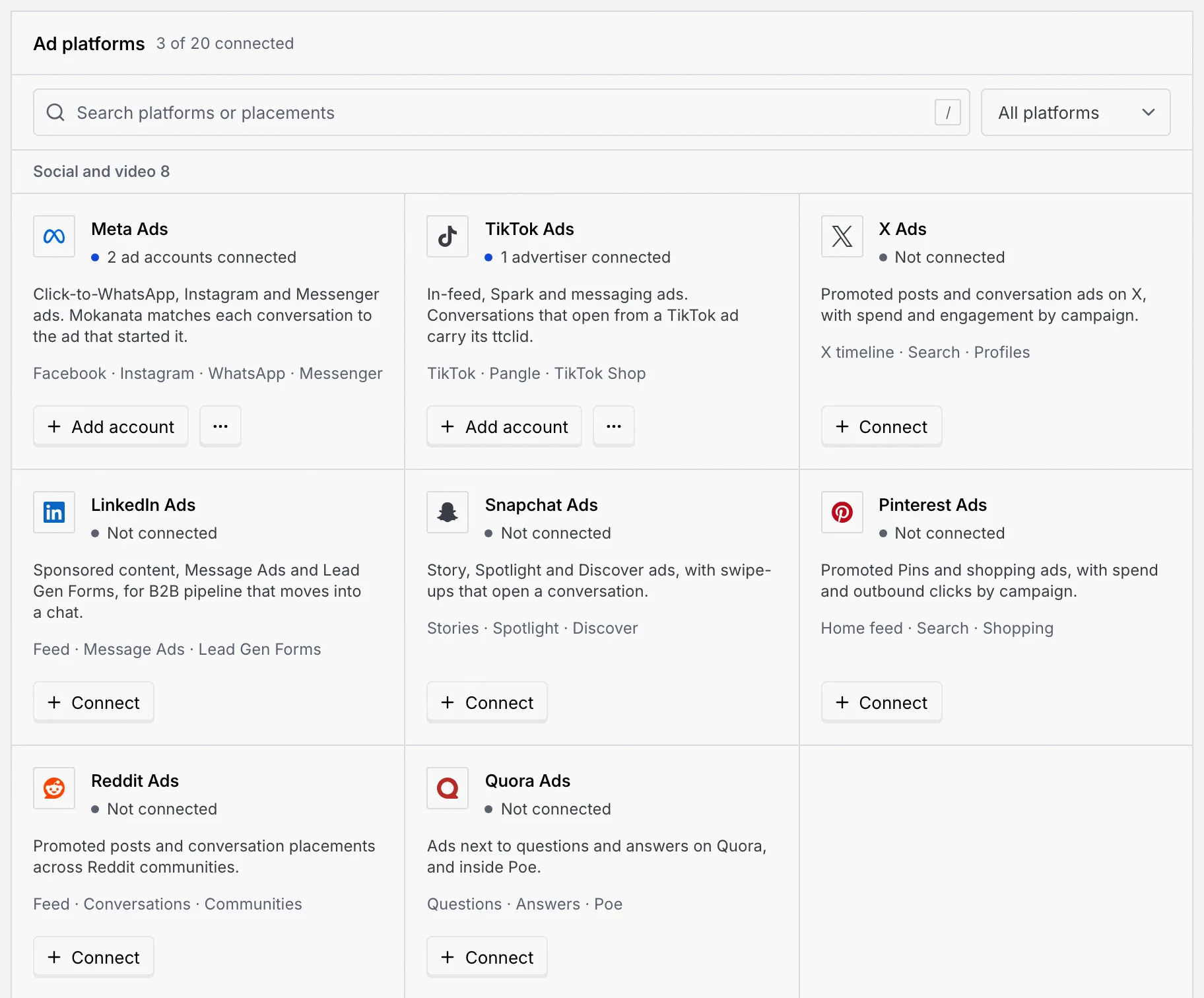
- Search: type a platform, sign-in or placement in Search platforms or placements (press / to jump there). Searching "search" finds every platform with search placements.
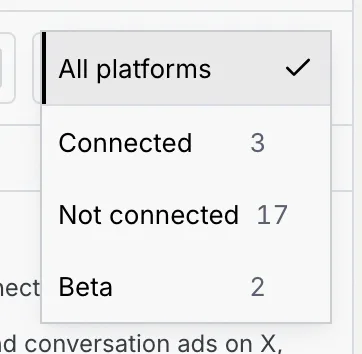
- Filter by status: All platforms, Connected, Not connected or Beta, each with a count.
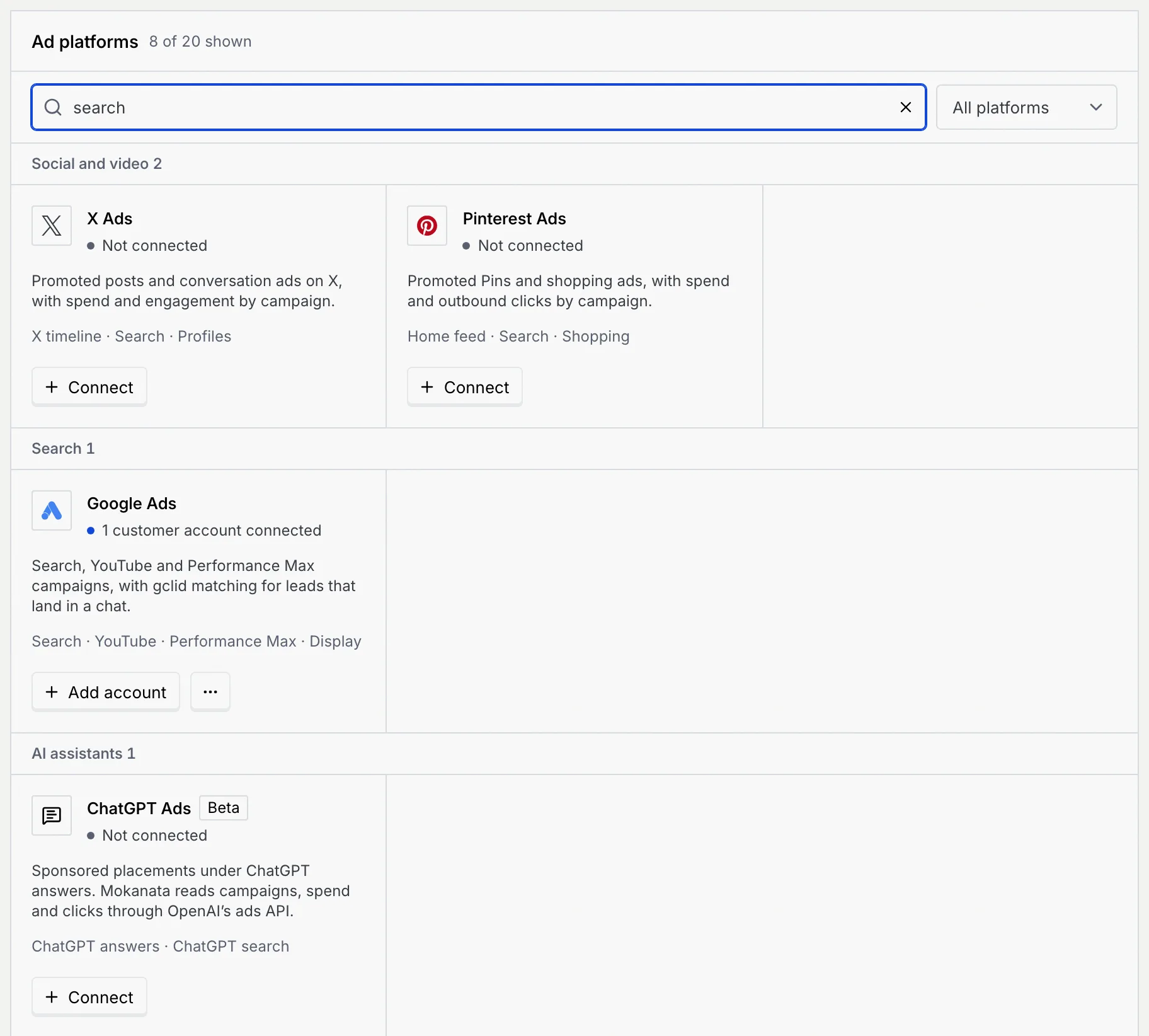
If nothing matches, No ad platforms match shows with Clear filters.
Connect an ad account
Pick the platform
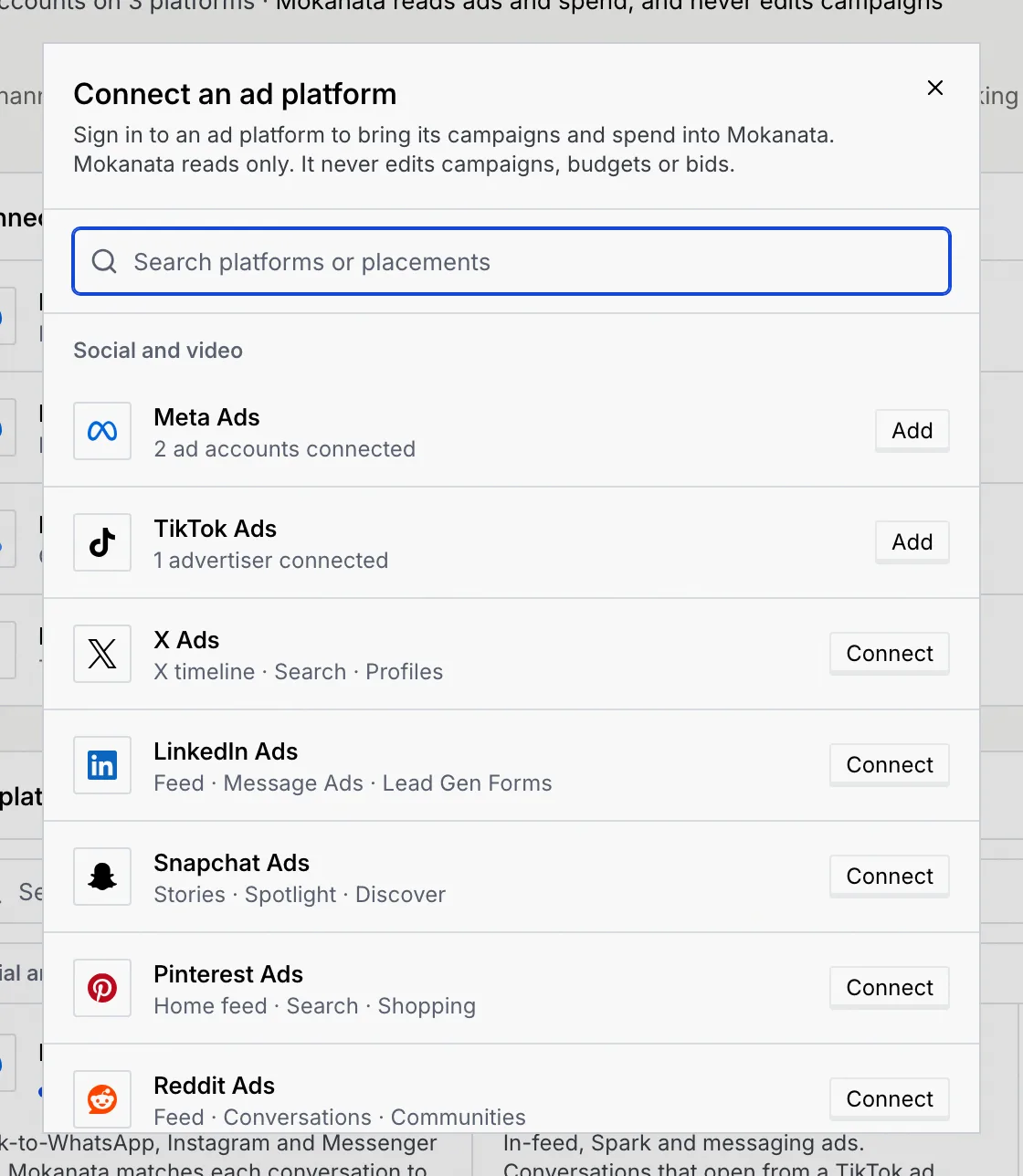
Click Connect ad platform in the header (or press N) and choose a platform in Connect an ad platform: Connect for a new platform, Add for one you already use. You can also click Connect or Add account on a card in the catalogue.
Review the access and sign in
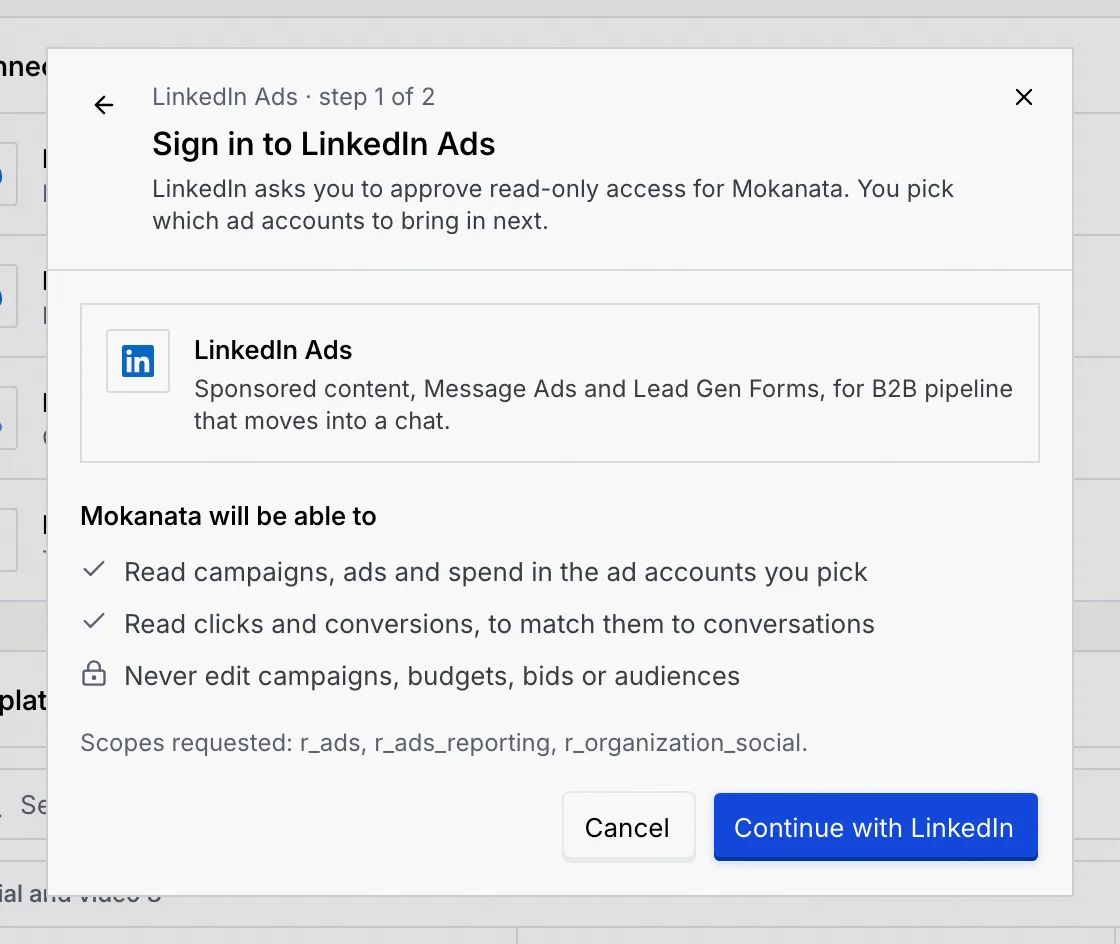
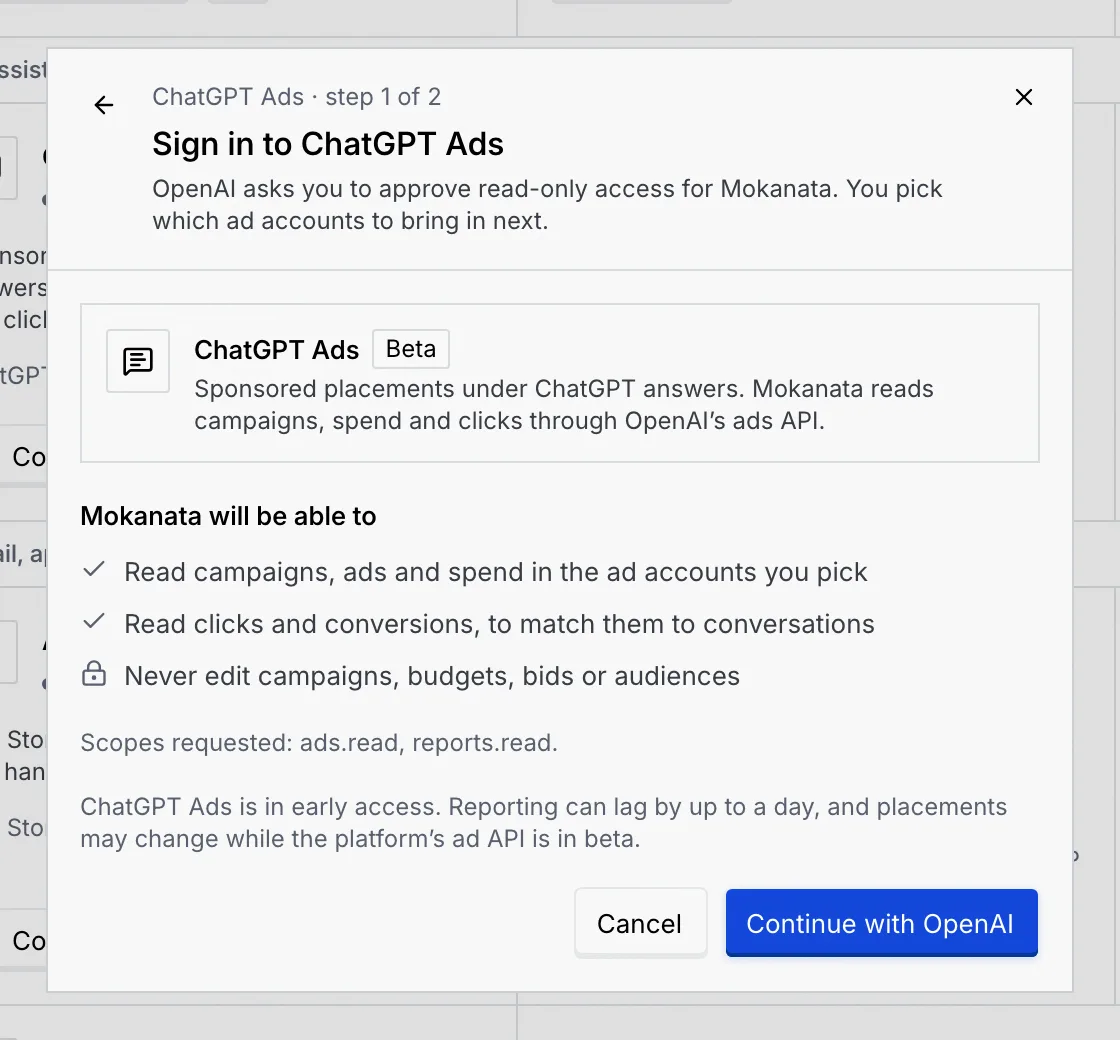
Step 1 of 2 shows what Mokanata will be able to do: read campaigns, ads and spend in the accounts you pick, read clicks and conversions to match them to conversations, and never edit campaigns, budgets, bids or audiences. For Meta and TikTok it can also send CRM outcomes back, once you turn on that conversion destination (Google Ads conversions are coming soon). The scopes requested are listed underneath.
Click Continue with and the platform's sign-in (for example Continue with LinkedIn), and approve read-only access.
Choose the accounts
Step 2 of 2 lists the accounts your login can see that aren't connected yet; the first is ticked. Tick the ones you want and click Connect ad account (or, for several, for example Connect 2 ad accounts). Mokanata reads the last 90 days from each.
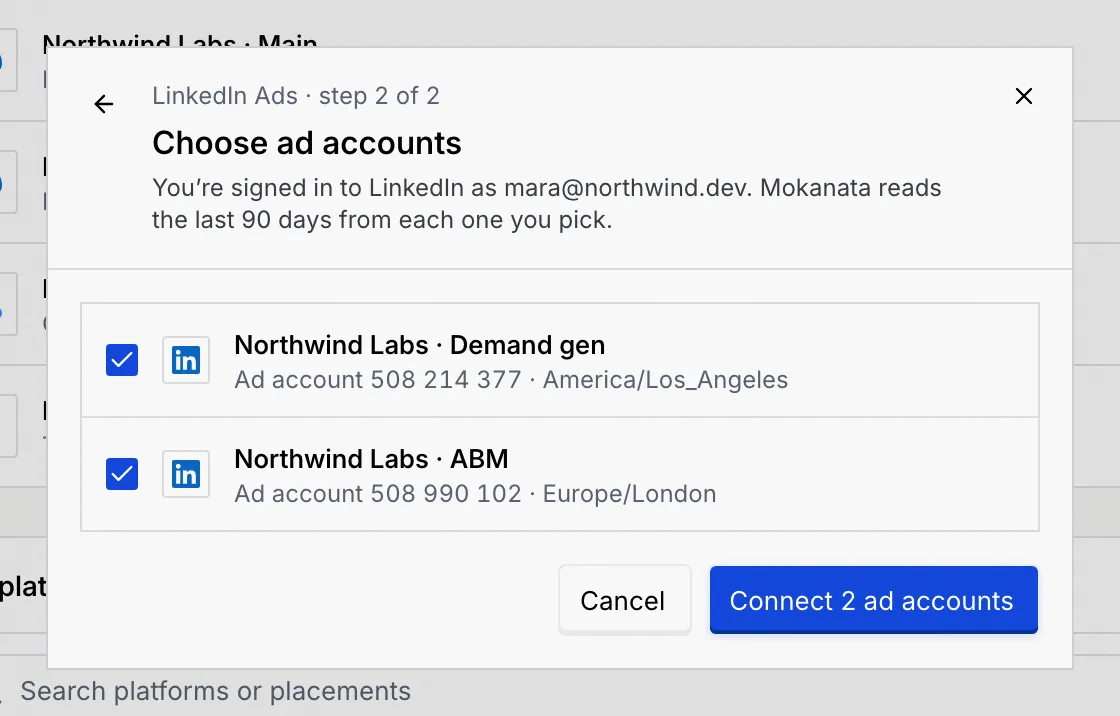
Use the back arrow to return to the previous step.
Check they're reading
The accounts appear under Connected ad accounts with Reading, and a toast confirms. Numbers fill in over a few minutes.
Beta platforms
ChatGPT Ads and Perplexity Ads are in early access. Their sign-in step warns that reporting can lag by up to a day, and placements may change while the platform's ad API is in beta.
What each platform asks for
| Platform | Group | Sign in with | You pick |
|---|---|---|---|
| Meta Ads | Social and video | Ad accounts | |
| TikTok Ads | Social and video | TikTok for Business | Advertisers |
| X Ads | Social and video | X | Ads accounts |
| LinkedIn Ads | Social and video | Ad accounts | |
| Snapchat Ads | Social and video | Snapchat | Ad accounts |
| Pinterest Ads | Social and video | Ad accounts | |
| Reddit Ads | Social and video | Ad accounts | |
| Quora Ads | Social and video | Quora | Ad accounts |
| Google Ads | Search | Customer accounts | |
| Microsoft Advertising | Search | Microsoft | Ad accounts |
| ChatGPT Ads (Beta) | AI assistants | OpenAI | Ad accounts |
| Perplexity Ads (Beta) | AI assistants | Perplexity | Ad accounts |
| Apple Ads | Retail, apps and audio | Apple | Organisations |
| Amazon Ads | Retail, apps and audio | Amazon | Advertising profiles |
| Shopee Ads | Retail, apps and audio | Shopee Seller Centre | Shops |
| Spotify Ads | Retail, apps and audio | Spotify Ad Manager | Ad accounts |
| LINE Ads | Regional networks | LINE Business ID | Ad accounts |
| Kakao Moment | Regional networks | Kakao | Ad accounts |
| Naver Search Ads | Regional networks | Naver | Customer accounts |
| Baidu Ads | Regional networks | Baidu Marketing | Ad accounts |
Shortcuts from a platform
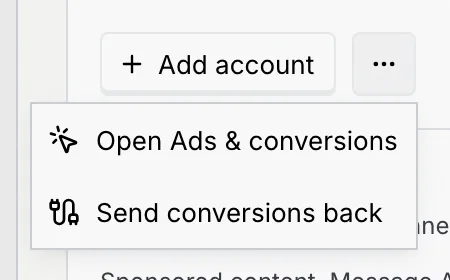
On a connected platform's card, the ⋯ menu offers Open Ads & conversions (Meta) and Send conversions back (Meta, Google and TikTok), which opens the Destinations tab of Ads & conversions.
Disconnect an ad account
Open the account's menu
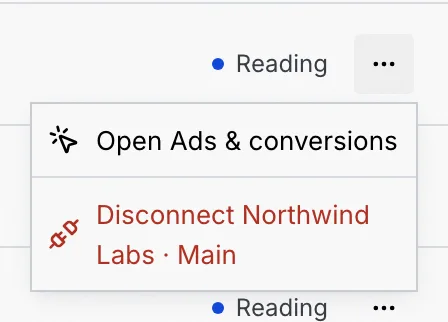
In Connected ad accounts, open the ⋯ menu on the account's row. Meta accounts also offer Open Ads & conversions.
Confirm
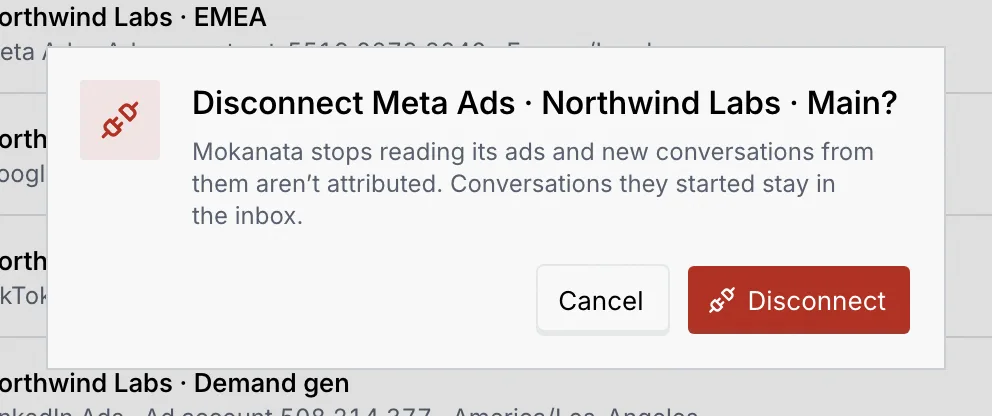
Choose Disconnect with the account's name, then Disconnect. Mokanata stops reading its ads, and new conversations from them aren't attributed; conversations they started stay in the inbox. The toast has Undo.
When the last account is gone, the panel shows No ad account connected with Connect ad platform.
What members and viewers see
Without Connect ad platforms, a View only notice explains that you can see the connected accounts and every platform, but not connect them. Connect ad platform is disabled, N does nothing, and Disconnect is left out of the menus.
Troubleshooting
Step 2 lists only accounts your login can see that aren't connected yet. If every account is connected already, the dialog says so and offers Close: sign in as someone with access to the other account to add it.
An error shows in the dialog. Check you're signed in to the platform with an account that can manage the ad accounts, then click Continue with again.
Mokanata reads the last 90 days when you connect, and data fills in over a few minutes. After that it refreshes every hour.
Links that open the connect dialog only work for roles with Connect ad platforms. A toast says "That link needs more access" with the reason.