Short links
Make short, readable links to any page or form, each with a QR code, campaign tags and an optional end date, and see who clicks or scans them.
A short link is a readable address, such as /l/spring-sale, that forwards to a web page or one of your forms. Every link gets a QR code, and Mokanata counts each click and scan, where it came from and on what kind of device. Change where a link goes at any time and printed codes follow.
- Who can use it: Everyone in the workspace can see short links with their clicks and QR codes, and copy or open them. Owners, admins and members can create, edit, pause and resume links. Only owners and admins can delete links and reset their click counts. A role that can't change links sees a View only notice and a disabled New short link button. See Roles and permissions.
- Before you start: To point a link at a form, publish the form first (Publish and share a form).
Open Short links
In Forms & Links, click the Short links tab.
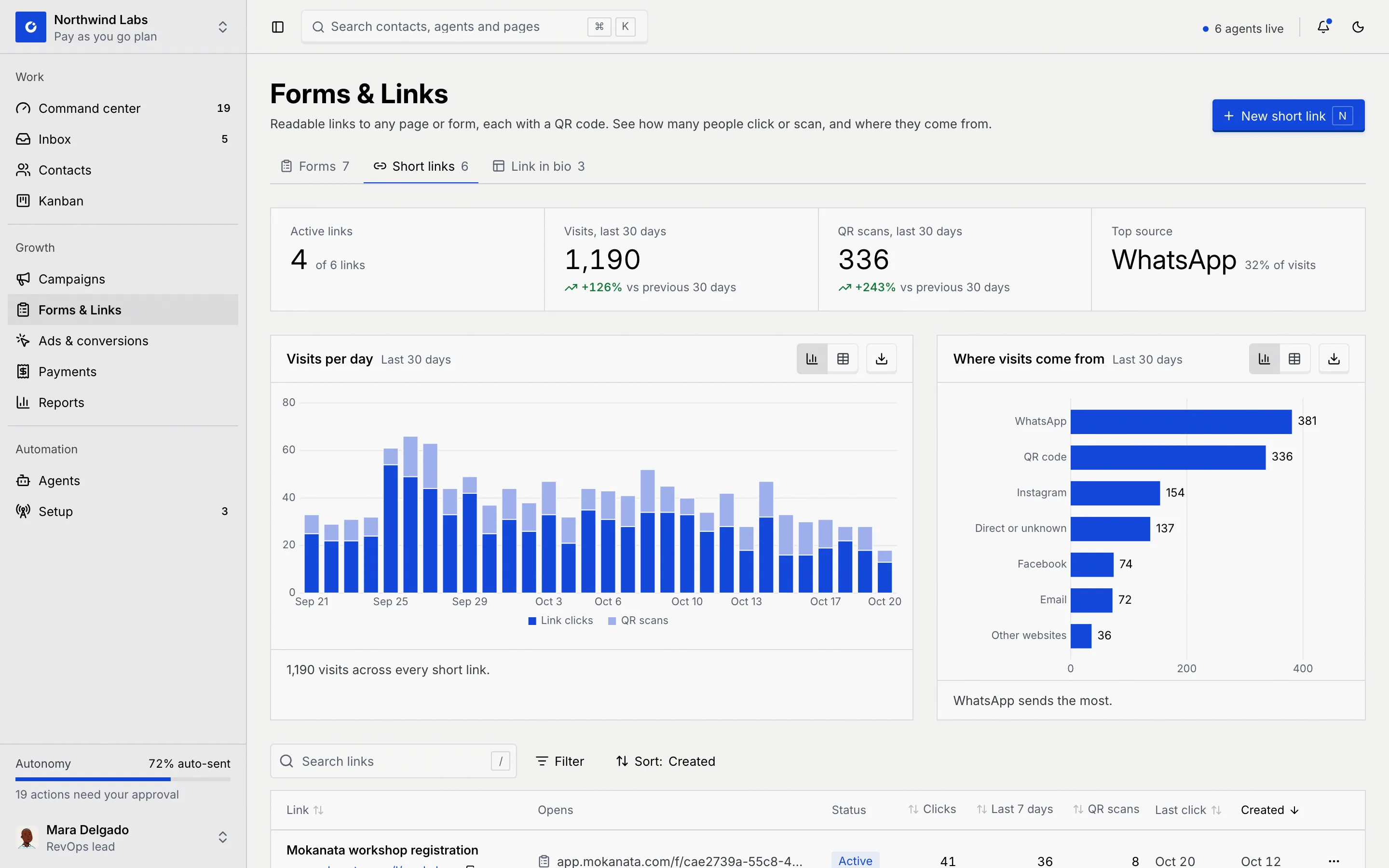
| Number | What it counts |
|---|---|
| Active links | Links that forward right now, out of all your links. |
| Visits, last 30 days | Clicks and scans across every link, with the change against the 30 days before. |
| QR scans, last 30 days | Visits that came from scanning a QR code. |
| Top source | Where most visits came from, and its share. |
Visits per day splits each day into Link clicks and QR scans. Where visits come from ranks the sources: WhatsApp, QR code, Instagram, Facebook, TikTok, Email, Other websites and Direct or unknown.
The link list
| Column | What it shows |
|---|---|
| Link | The link's name and short address, with a button to copy it. |
| Opens | Where it goes: a web address, or a form (with a form icon). Form not available or No destination in red means the link has nowhere to send people. |
| Status | Active, Paused or Expired. |
| Clicks, Last 7 days, QR scans | All-time clicks, clicks this past week, and scans. |
| Last click | When it was last opened, or None yet. |
| Created | When the link was made. |
Search with Search links (or press /) by name, ending or destination. Filter by Status, and Sort by Link, Clicks, Last 7 days, QR scans, Last click or Created. Click a row to open the link's details. When nothing matches, the list says No links match; with no links at all it says No short links yet.
Create a short link
Click New short link
Click New short link (or press N). A panel opens on the right.
Choose where it goes
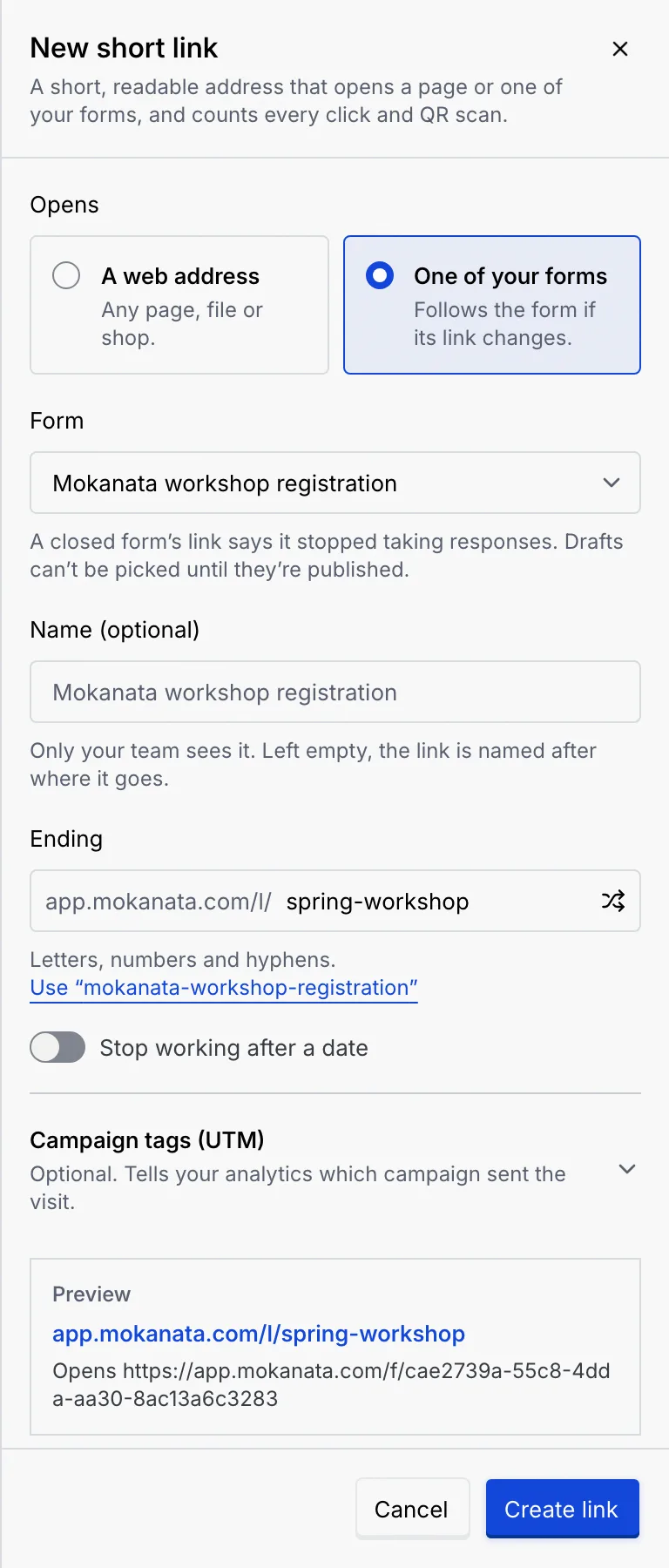
Under Opens, pick A web address ("Any page, file or shop.") and type the Destination, or One of your forms and pick the Form. A link to a form follows it if the form's own link changes, and shows a closed form's message when the form is closed. Drafts can't be picked.
Name it and pick the ending
Name (optional) is only for your team; left empty, the link is named after where it goes. The Ending starts as 7 random characters: type your own, click the shuffle button for new random ones, or click the suggestion under the field (such as Use "mokanata-workshop-registration"). If your workspace has a forms domain, a Domain picker lets you choose it.
Add an end date and campaign tags (optional)
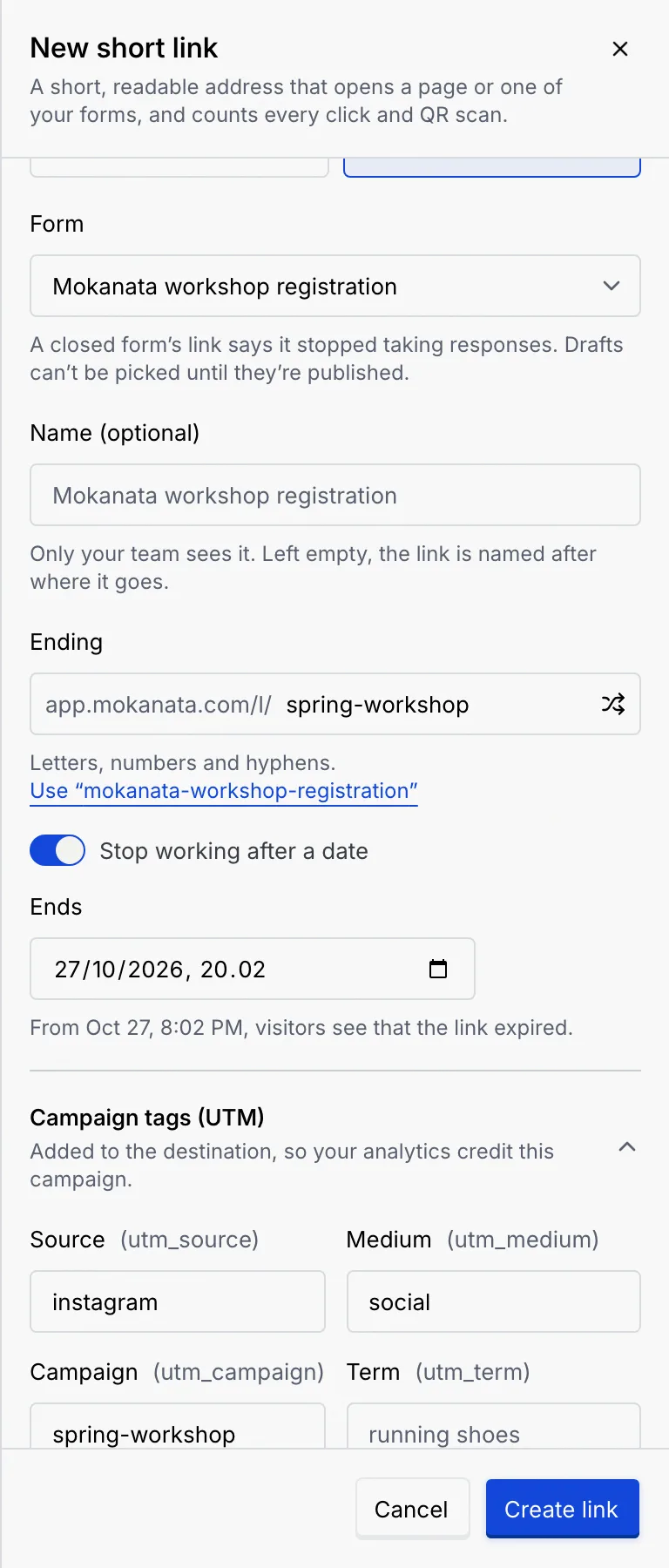
- Switch on Stop working after a date and set Ends (it starts a week ahead). From then on visitors see that the link expired.
- Open Campaign tags (UTM) and fill in Source, Medium, Campaign, Term or Content. They're added to the destination so your analytics credit the right campaign.
The Preview at the bottom shows the short address and the full address it opens.
Create it
Click Create link. The toast says Short link created. Share it or download its QR code. The link's details open in place of the editor.
If you close the panel with changes, Mokanata asks Discard your changes?: Keep editing or Discard changes.
See a link's clicks
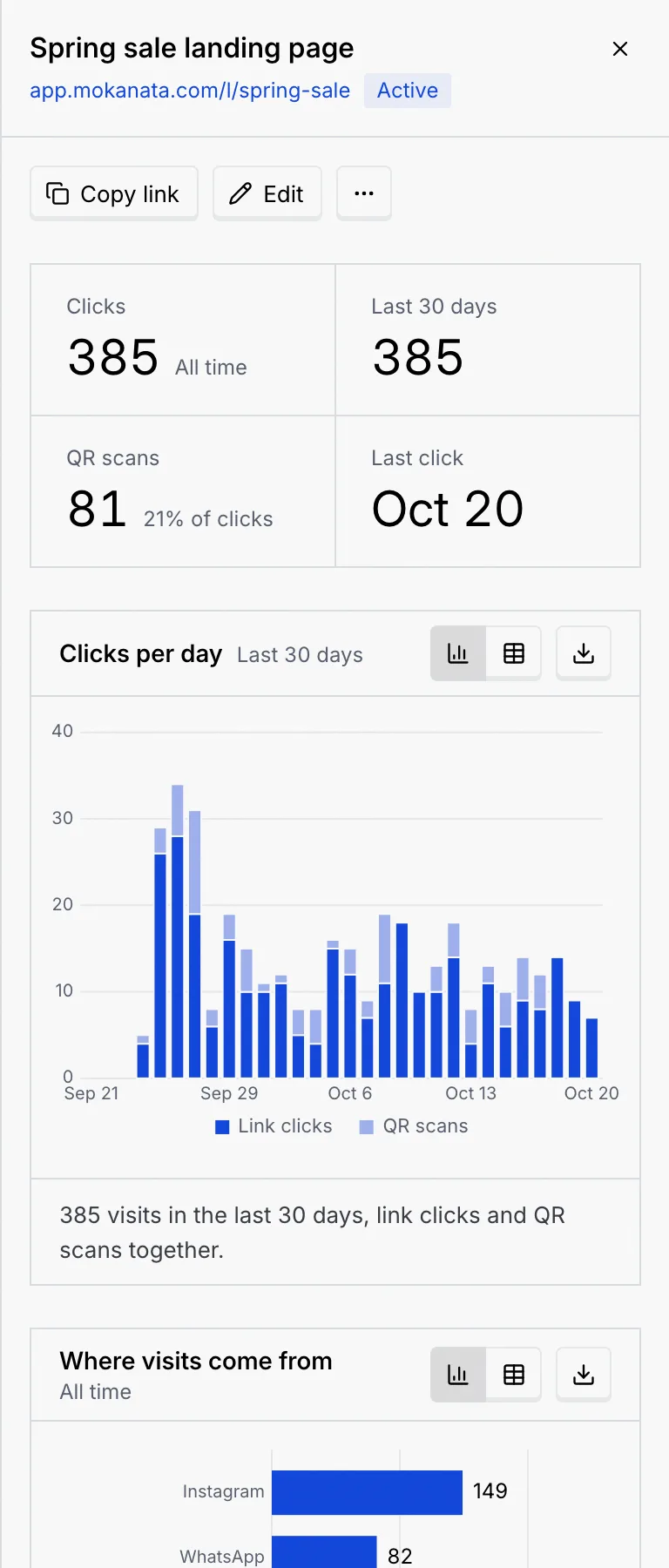
Click a link's row (or ⋯ → Details and clicks). The details panel shows:
- Copy link, Edit and ⋯ for the link's other actions.
- Clicks (all time), Last 30 days, QR scans (with their share of clicks) and Last click.
- Clicks per day and Where visits come from, with the split of devices (Phone, Computer, Tablet) under it.
- The link's QR code. Scans count as QR scans, apart from clicks.
- Details: where it Opens, the Form it opens, its Campaign tags, Domain, when it Ends (or Never), Earlier endings, and when and by whom it was Created.
Act on a link
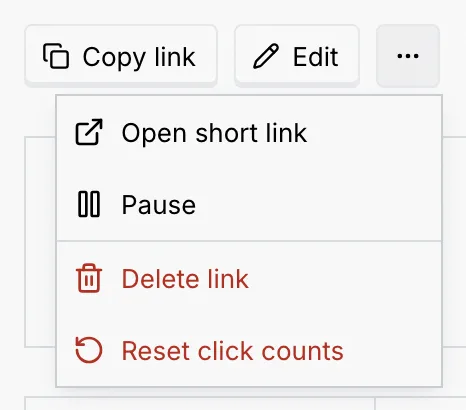
Click ⋯ on a link's row, or in its details:
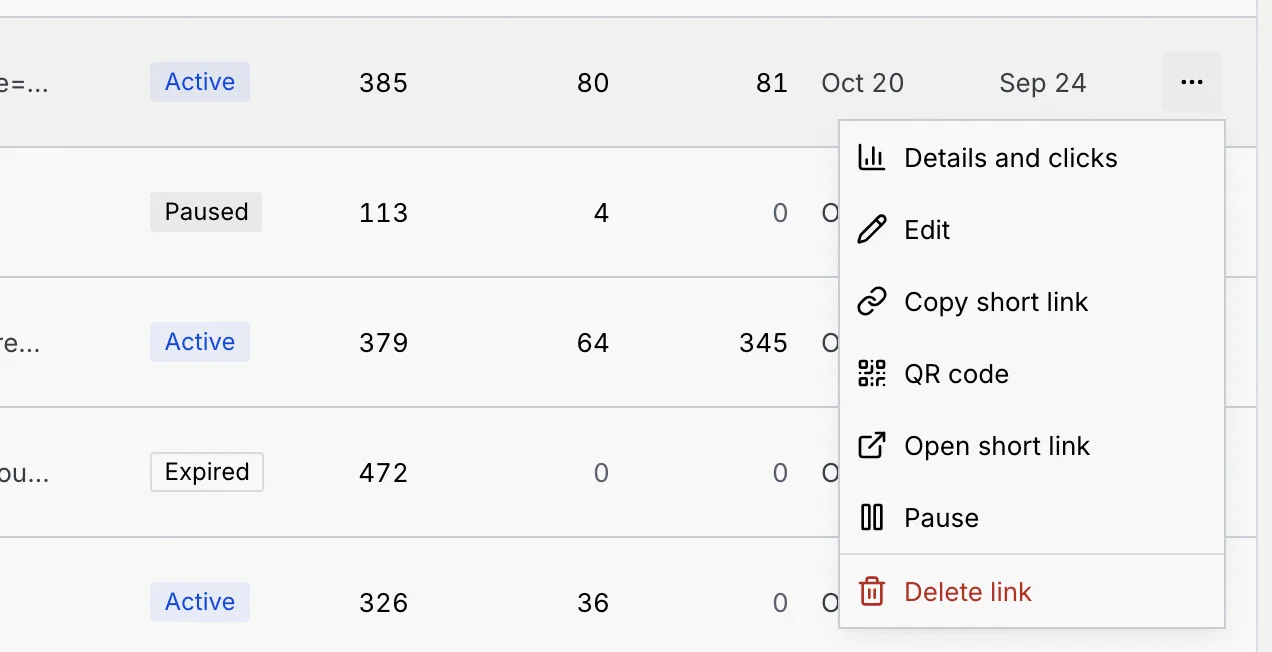
| Item | What it does |
|---|---|
| Details and clicks | Opens the details panel. |
| Edit | Opens the link in the editor. Changes apply to the link and its QR code at once, including copies already shared. If you change the ending, the old one keeps forwarding, and so do printed QR codes. |
| Copy short link | Copies the short address. |
| QR code | Opens the QR code to download or print (see Download or print the QR code). Scans of a link's QR code are counted apart from clicks. |
| Open short link | Opens the link in a new tab. |
| Pause / Resume | Stops the link forwarding for now, or starts it again. A paused link counts nothing. |
| Delete link | Deletes the link and its clicks, after you confirm. The address and printed QR codes stop working. This can't be undone. |
| Reset click counts | In the details panel only, when the link has clicks. Deletes its clicks and scans and starts counting from zero; the link keeps working. |
Paused and expired links
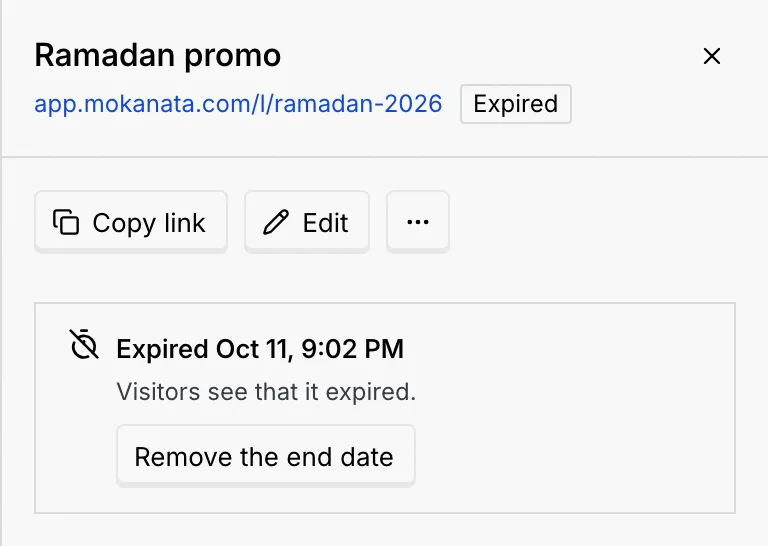
The details panel says why a link isn't forwarding:
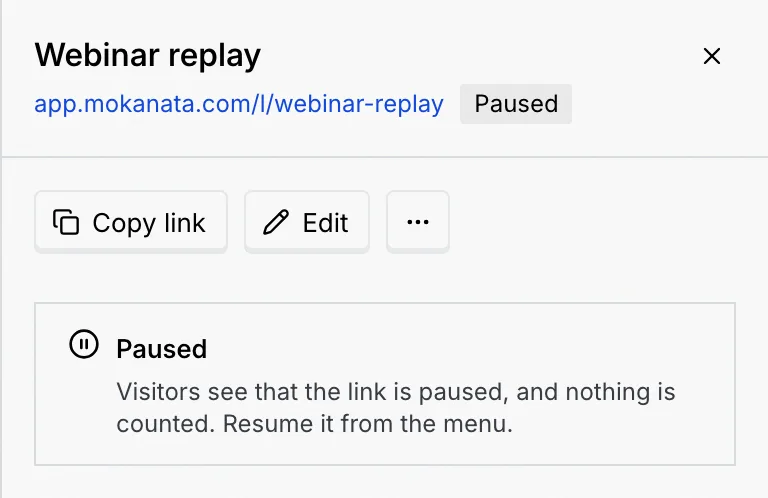
- Paused: choose Resume in the menu.
- Expired: click Remove the end date. The toast says End date removed. The link forwards again.
- The form isn't available: the form it opens was deleted or moved back to a draft. Edit the link to pick another destination, or publish the form again.
What visitors see
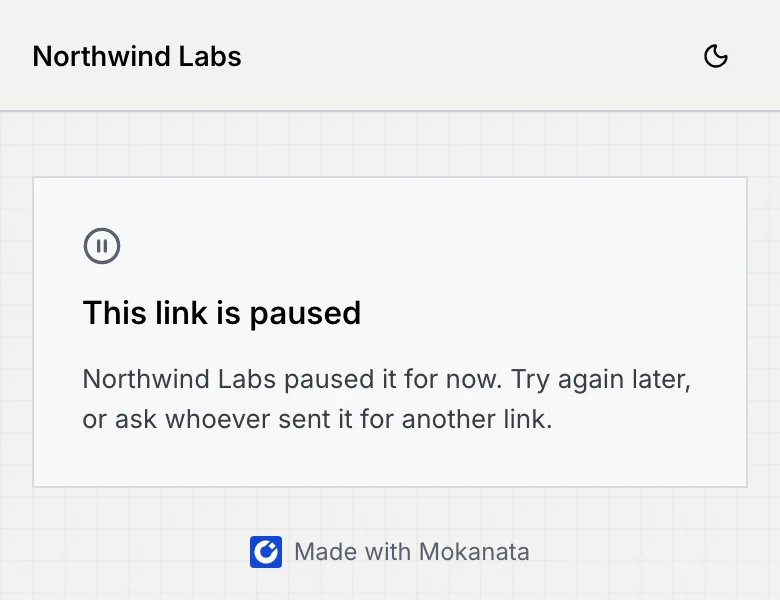
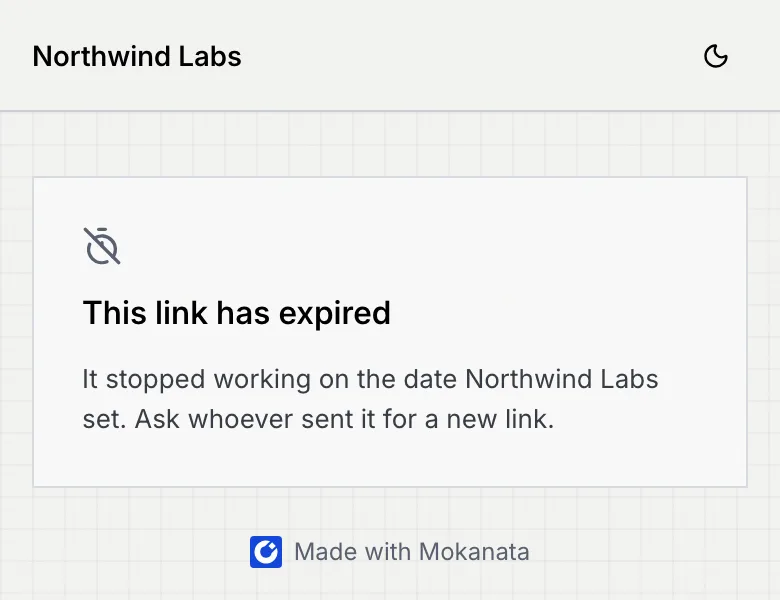
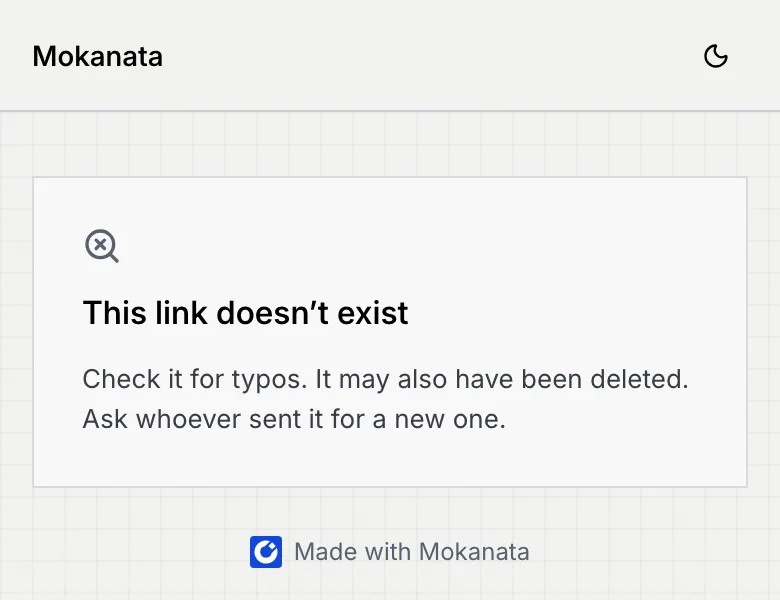
An active link counts the click and forwards straight away. For a moment visitors see Opening the link with a continue to link in case nothing happens. Tracking tags your workspace set to run on short links load on the way, when the visitor's consent allows (Tracking tags). Otherwise visitors see one of these:
| Notice | When |
|---|---|
| This link is paused | You paused it. |
| This link has expired | Its end date passed. |
| This link isn't available | The form it opens was deleted or isn't published. |
| This link doesn't exist | The address is wrong, or the link was deleted. |
Troubleshooting
Type the address like example.com/sale; Mokanata adds https:// for you. Addresses starting with anything other than https:// or http:// aren't accepted, the address needs a domain ending (such as .com), and it can't be another short link: point the link at the page that one opens.
Endings use 3 to 64 lowercase letters, numbers and hyphens, can't look like an id, and can't be a reserved word (such as admin or settings). Each ending is unique: if another of your links or another workspace already has it, pick another.
Only published forms can be picked. If you have none, build and publish a form first, or link to a web address.
Your role can't create short links. Hover the button to read why, and ask an owner or admin.
Next steps
What respondents see
The public form people open from your link, on a phone or a computer, with autosave, the WhatsApp hand-off and the closed and unavailable states.
Link in bio pages
Build a themed page for your Instagram or TikTok bio with chat buttons, links, forms and profiles, publish it, and see what visitors tap.