# Language and region (/docs/settings/language-region)
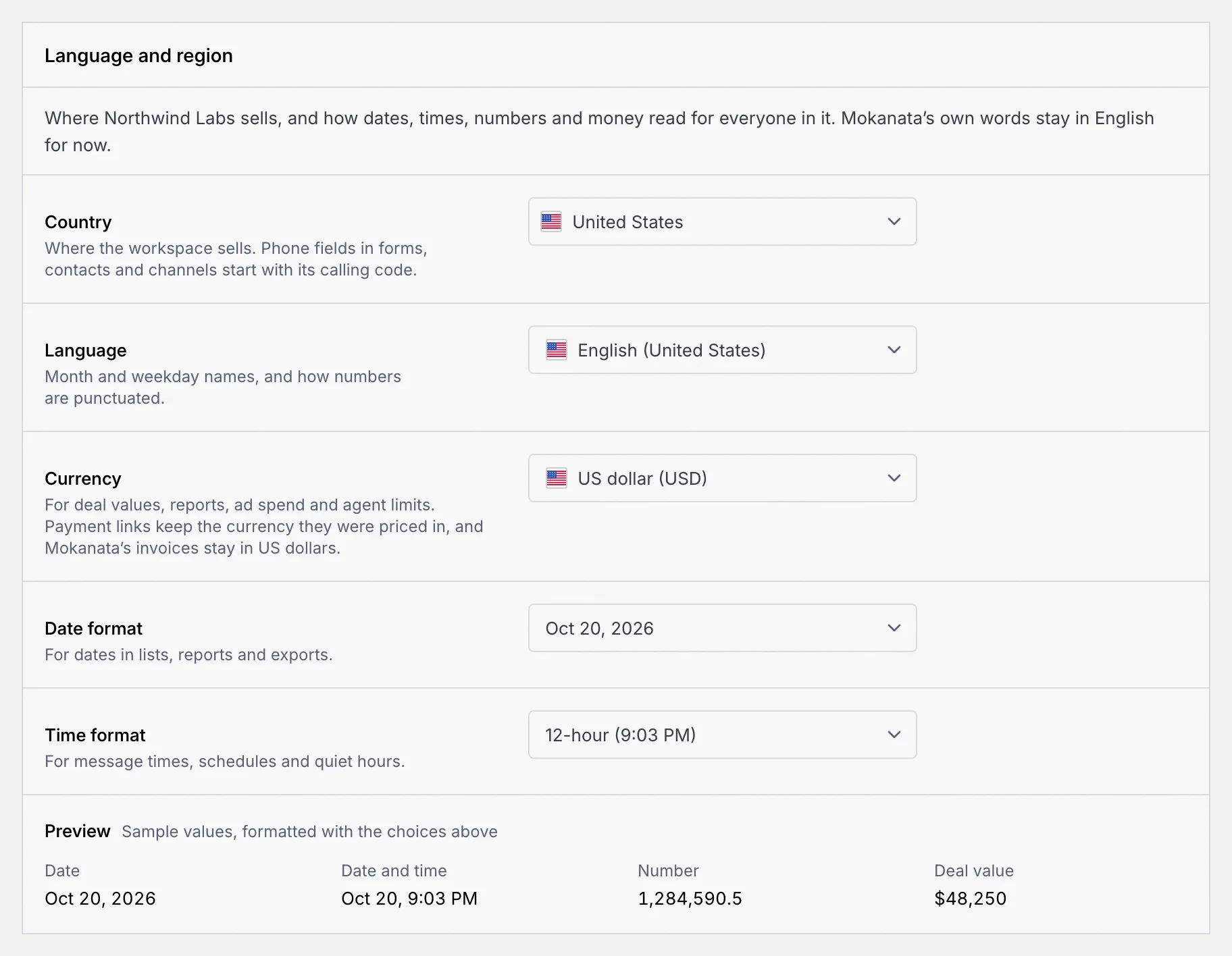
**Language and region** decides where the workspace sells and how dates, times, numbers and money read for everyone in it. It's a panel on the [Workspace](/docs/settings/workspace) page, saved with the same **Save changes** bar. Mokanata's own words (buttons, menus, messages) stay in English for now.
- **Who can use it:** Owners and admins, and custom roles with Admin access. Members and viewers see the current choices and the preview, but can't change them.
- **Before you start:** Nothing. Your own **Time zone** isn't here: each person sets it on their [Profile](/docs/settings/profile).
## Open the panel [#open-the-panel]
### Go to Settings → Workspace → Language and region [#go-to-settings--workspace--language-and-region]
Go to **Settings → Workspace** and scroll to **Language and region**, or press ⌘ K (Ctrl K on Windows and Linux) and choose **Language & region**.
## Change the settings [#change-the-settings]
### Pick the country [#pick-the-country]
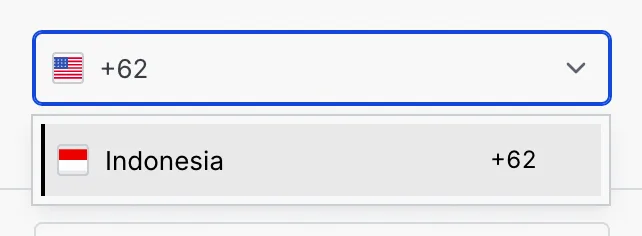
Click **Country** and type a country's name or its calling code, like `+62`, then pick it from the list. Phone fields in forms, contacts and channels start with that country's calling code.
### Pick the language, currency and formats [#pick-the-language-currency-and-formats]
| Setting | What it changes | Choices |
|---|---|---|
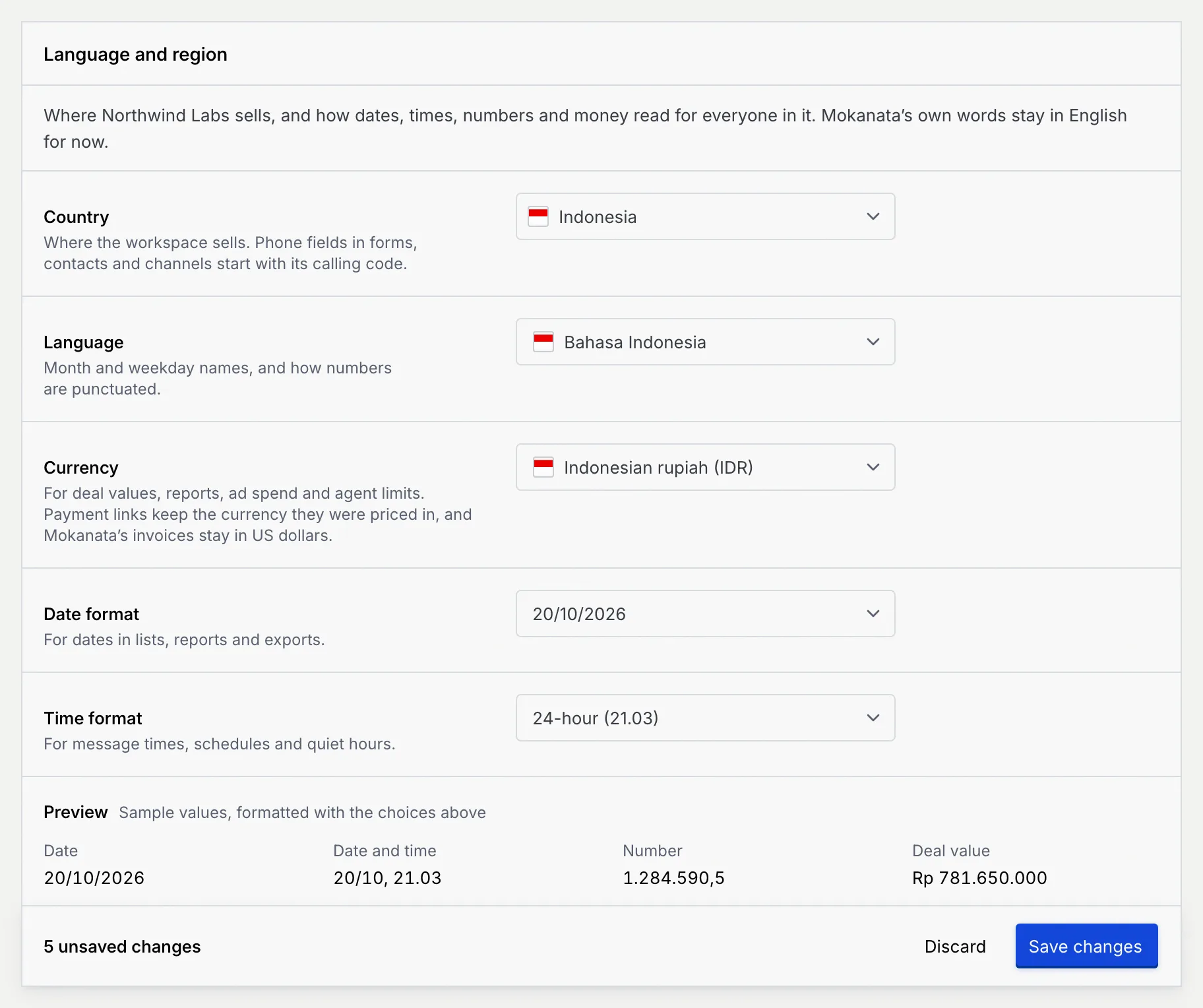
| **Language** | Month and weekday names, and how numbers are punctuated. | English (United States), English (United Kingdom), Bahasa Indonesia, Bahasa Melayu, Español, Português (Brasil), Français, Deutsch |
| **Currency** | Deal values, reports, ad spend and agent limits. | US dollar (USD), Indonesian rupiah (IDR), Singapore dollar (SGD), Malaysian ringgit (MYR), Euro (EUR), British pound (GBP), Australian dollar (AUD), Japanese yen (JPY), Indian rupee (INR), Philippine peso (PHP), Thai baht (THB) |
| **Date format** | Dates in lists, reports and exports. Each choice shows today's date in that format. | Month day, year · Day month year · DD/MM/YYYY · MM/DD/YYYY · YYYY-MM-DD |
| **Time format** | Message times, schedules and quiet hours. | Either 12-hour or 24-hour |
New workspaces start on United States, English (United States), US dollar, Month day, year and 12-hour.
### Check the preview [#check-the-preview]
**Preview**, under the fields, formats a sample **Date**, **Date and time**, **Number** and **Deal value** with your choices as you change them.
### Save [#save]
Click **Save changes** in the bar at the bottom of the page. You see **Language and region saved**: phone fields, dates, numbers and amounts across Mokanata now use these settings, for everyone in the workspace. Click **Discard** to go back to the saved settings.
The currency changes how amounts read across Mokanata. Payment links keep the currency they were priced in, and Mokanata's own invoices to you stay in US dollars (see [Billing](/docs/settings/billing)).
## What members and viewers see [#what-members-and-viewers-see]
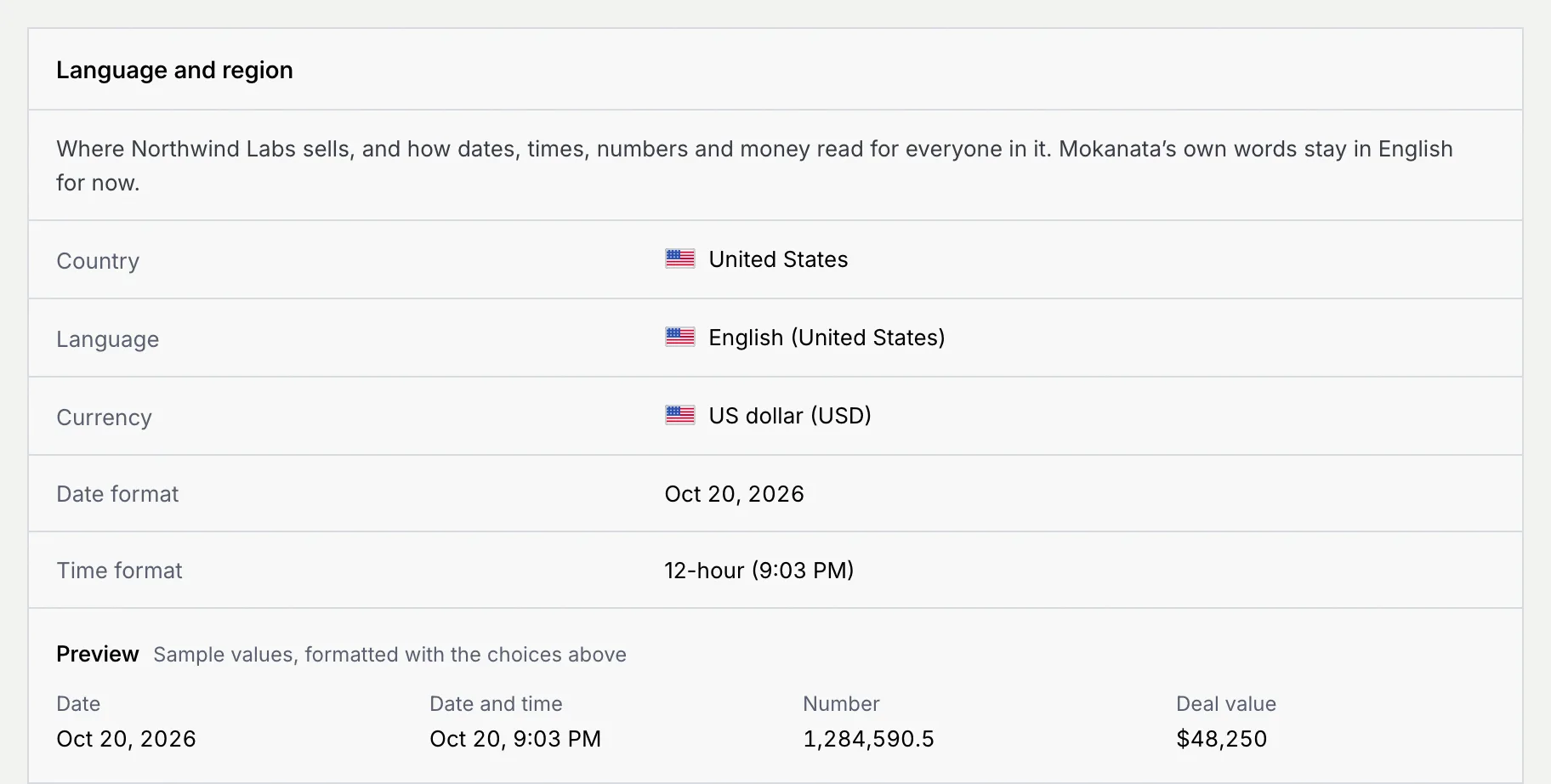
Members and viewers see each setting as text, with the same preview. The **View only** notice at the top of the Workspace page tells them to ask an owner or admin for changes.
## Troubleshooting [#troubleshooting]
Language and region sets how times are written, not which time zone they're in. Each person picks their time zone on [Profile](/docs/settings/profile).
Search by the country's English name, like Indonesia, or by its calling code, like +62.
When both panels change and only the name and address save, you see **Workspace saved** with **The language and region settings still need saving.** Click **Save changes** again. If it keeps failing, you see **The language and region settings weren't saved** with a **Retry** button.
## Next steps [#next-steps]