# Custom domains (/docs/settings/custom-domains)
A custom domain puts Mokanata on an address your company owns. Use one domain for the **Mokanata app**, so your team logs in at something like `crm.yourcompany.com` instead of `app.mokanata.com/your-workspace`, and as many as you need for **Forms**, so the forms and short links you share open on your own brand.
- **Who can use it:** Owners and admins, and custom roles with Admin access. Members and viewers see the domains and their status in **Settings → Workspace**, but not the buttons.
- **Before you start:** You need a domain your company owns and access to its DNS settings, usually where you bought the domain or at your DNS host. A subdomain such as `crm.` or `forms.` is easiest.
Verification isn't automatic yet, so a custom domain can't go live yet. You can add a domain and see the DNS records it will need, but **Check DNS** doesn't look them up: the domain shows **Not verified** with the note "Automatic verification isn't available yet." Your team keeps logging in at `app.mokanata.com/…`, and forms keep opening on `app.mokanata.com/f/` links.
Every domain goes through three steps: **Enter your domain**, **Add DNS records**, **Verify and go live** (coming soon). Each one saves as you go.
## Add a domain [#add-a-domain]
### Open Custom domains [#open-custom-domains]
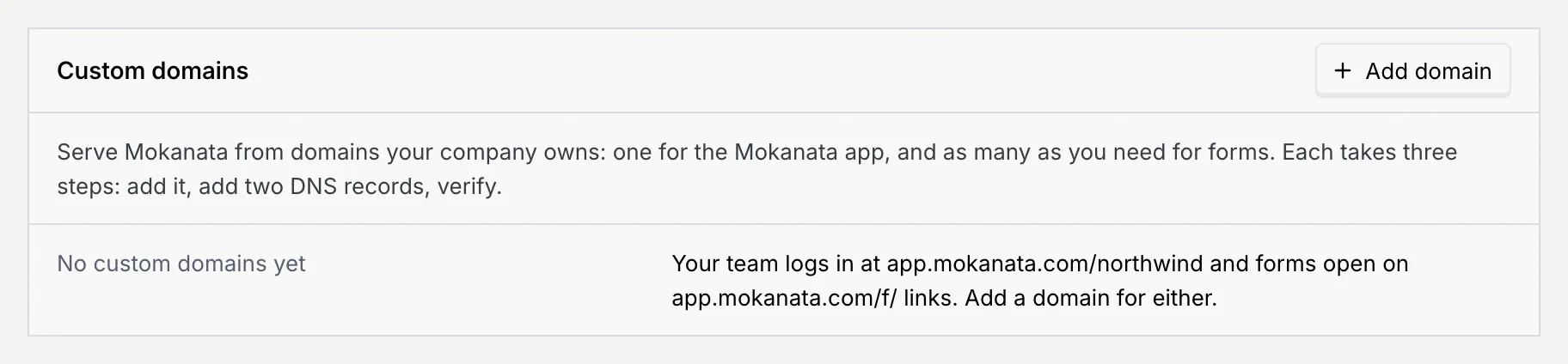
Go to **Settings → Workspace** and scroll to **Custom domains**. With no domain yet, it says your team logs in at `app.mokanata.com/…` and forms open on `app.mokanata.com/f/` links.
### Choose what it's for [#choose-what-its-for]
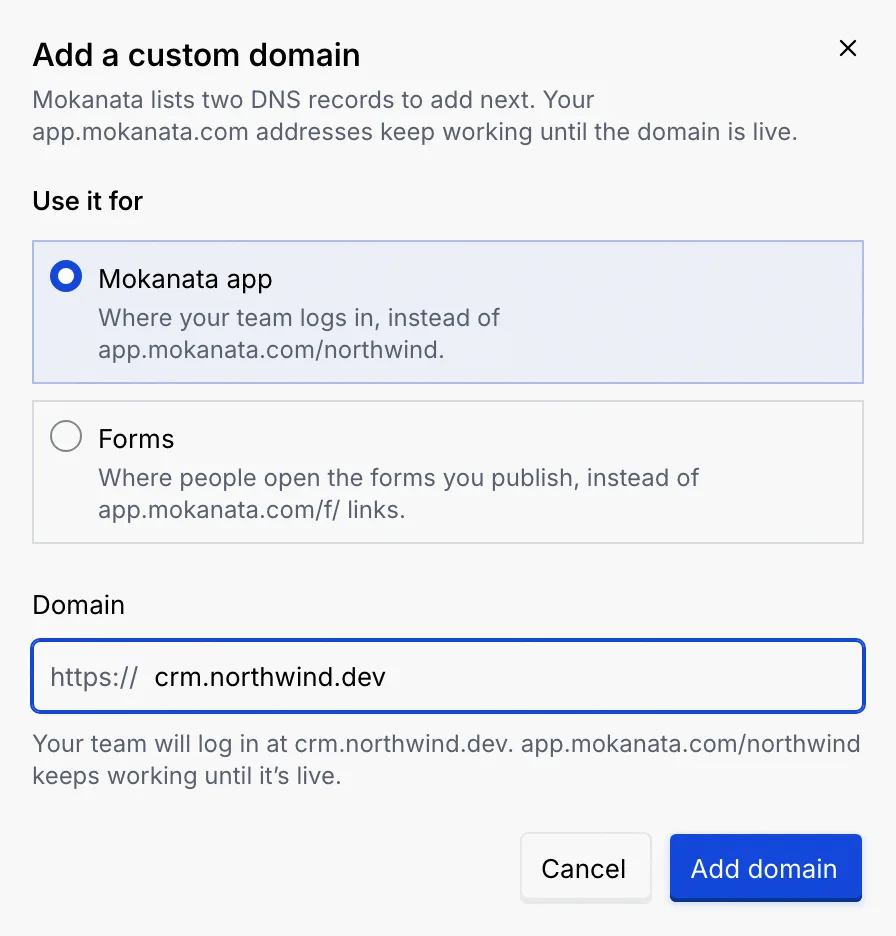
Click **Add domain**. (A link to `/settings/workspace?dialog=add-domain` opens this dialog directly, and **Back** in your browser closes it.) Under **Use it for**, pick:
- **Mokanata app**: where your team logs in. A workspace has one app domain.
- **Forms**: where people open the forms you publish. Add as many as you need.
### Type the domain [#type-the-domain]
In **Domain**, type the domain, like `crm.yourcompany.com`. If you paste a full link, Mokanata keeps only the domain. The line under the field shows the result, for example **Your team will log in at crm.yourcompany.com. app.mokanata.com/… keeps working until it's live.**
Click **Add domain**. You see **Domain added**, and the domain shows in the panel as **Waiting for DNS**.
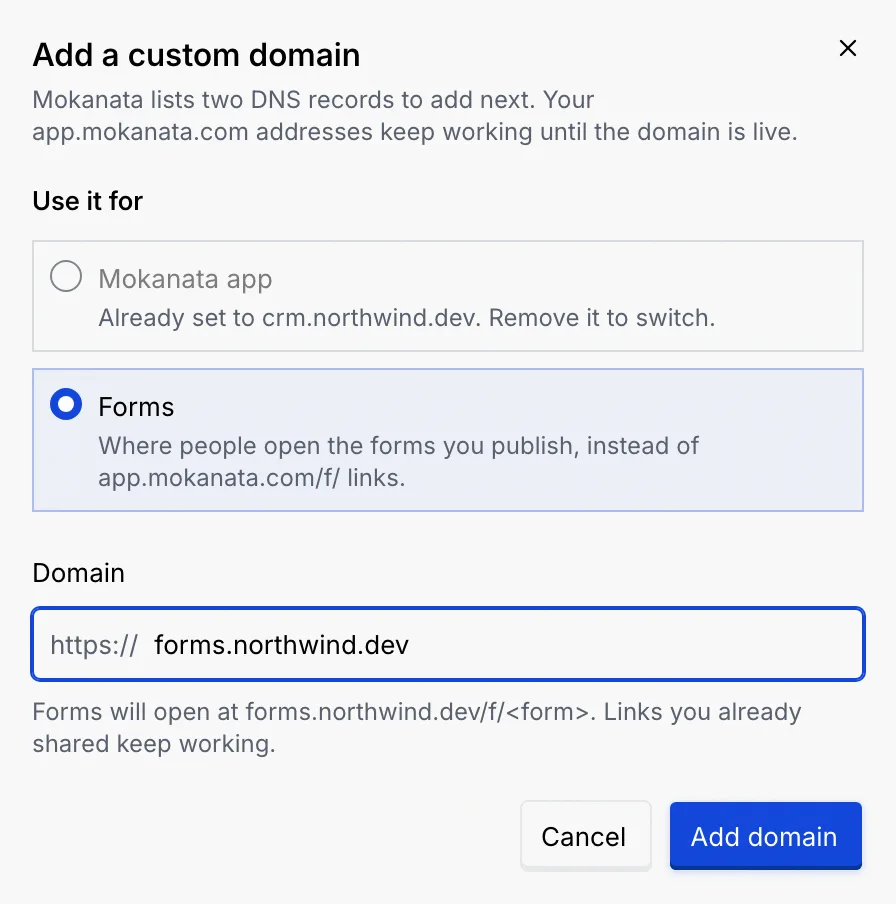
When the workspace has an app domain, **Mokanata app** shows **Already set to … Remove it to switch.** and can't be picked. Remove the old domain first (see [Remove a domain](#remove-a-domain)), or add the new one as a **Forms** domain.
## Add the DNS records [#add-the-dns-records]
### Copy the two records [#copy-the-two-records]
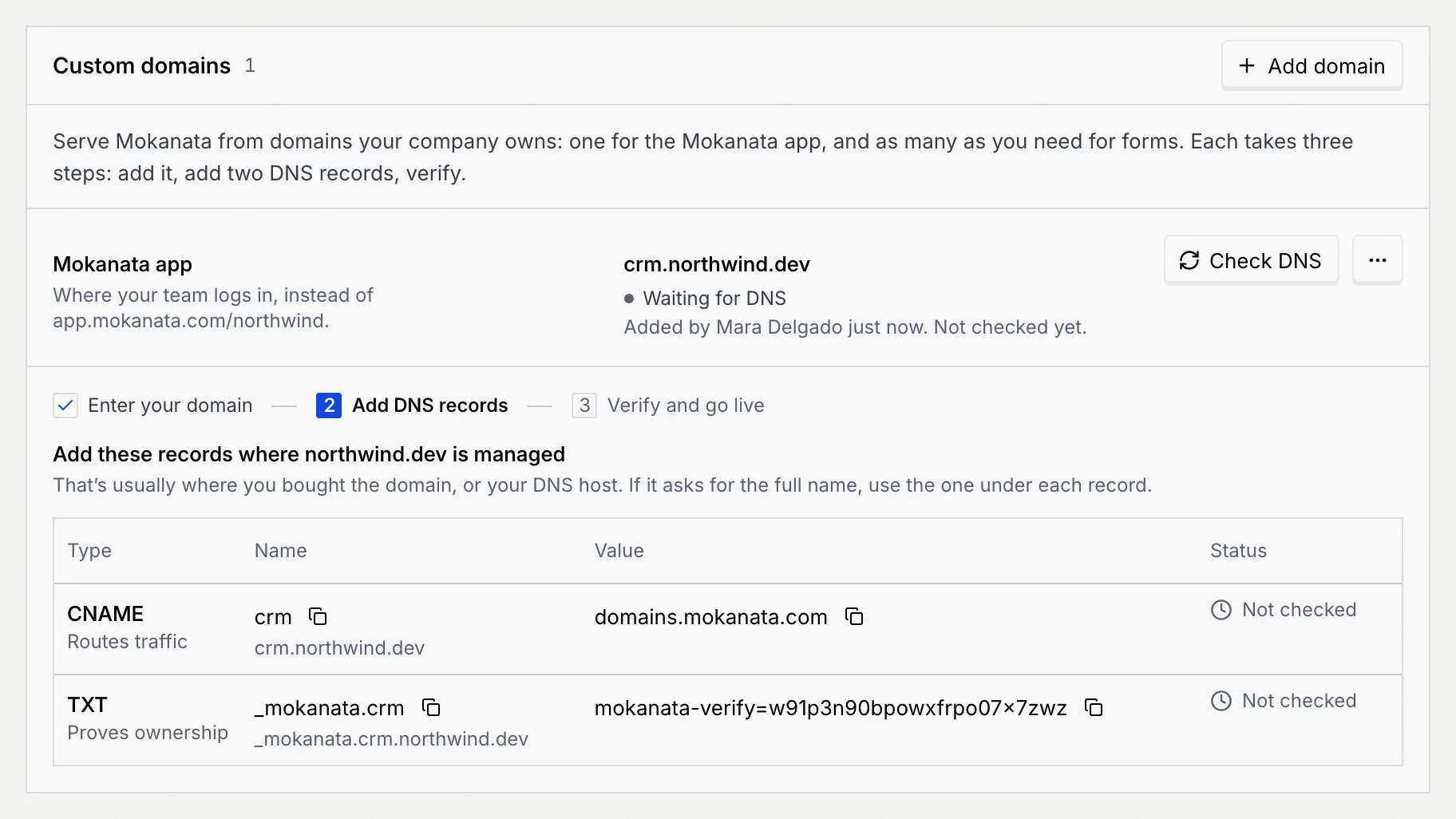
Under the domain, Mokanata lists two records to add where your domain is managed:
| Type | What it does | Name | Value |
|---|---|---|---|
| **CNAME** (subdomain) or **A** (root domain) | **Routes traffic** to Mokanata | the subdomain, like `crm`, or `@` for a root domain | `domains.mokanata.com`, or an IP address for a root domain |
| **TXT** | **Proves ownership** | `_mokanata.` plus the subdomain, like `_mokanata.crm` | `mokanata-verify=` followed by a code unique to your domain |
Click the copy button next to each name and value. If your DNS provider asks for the full name rather than the short one, use the one written under each record.
### Add them at your DNS provider [#add-them-at-your-dns-provider]
Sign in where you manage the domain, add both records with exactly the name and value shown, and save. For the CNAME record, turn off any proxy (for example Cloudflare's orange cloud).
Click **Check DNS** after adding the records. Until automatic verification is available, the domain shows **Not verified**, and nothing changes for your team or your forms.
## Domain statuses [#domain-statuses]
| Status | Meaning |
|---|---|
| **Waiting for DNS** (grey dot) | Added, and DNS hasn't been checked yet. It shows who added it. |
| **Not verified** (grey dot) | **Check DNS** was clicked, but automatic verification isn't available yet, so Mokanata couldn't confirm the records. |
A domain going **Live** (HTTPS on, the old `app.mokanata.com/…` address redirecting to it, a forms domain to pick for forms and short links) comes with automatic verification.
## Remove a domain [#remove-a-domain]
### Choose Remove domain [#choose-remove-domain]
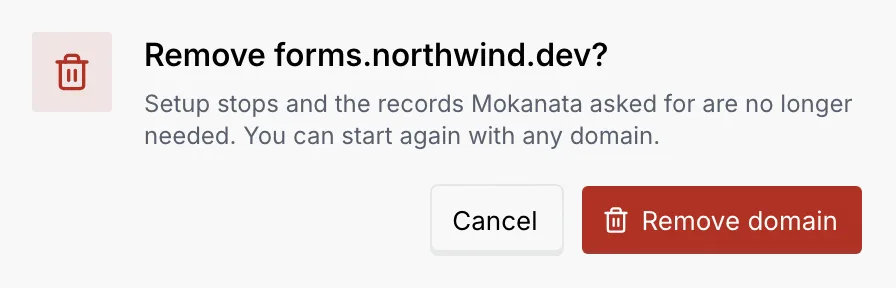
Open the domain's **⋯** menu and choose **Remove domain**.
### Confirm [#confirm]
Setup simply stops. Click **Remove domain**. You can delete the DNS records afterwards.
## Troubleshooting [#troubleshooting]
Automatic verification isn't available yet, so no domain can be verified for now. Nothing is wrong with your records.
Type only the domain, like `crm.yourcompany.com`, using letters, numbers, dashes and dots. Addresses on `mokanata.com` can't be added: change your `app.mokanata.com` address under **Address** in the Name and address panel instead.
Each domain can be added once per workspace. Find it in the list; if it's waiting for DNS, add the records and check again.
A workspace has one app domain. Remove the current one, then add the new domain for **Mokanata app**. Your team logs in at `app.mokanata.com/…` either way until domains can go live.
## Next steps [#next-steps]