# Billing and plans (/docs/settings/billing)
**Billing** shows the workspace's plan and what this period costs so far, and is where owners and admins change the plan, keep a card on file, redeem credit codes, choose who gets billing email and download receipts. Mokanata bills in US dollars, once a month, on the day of the month the workspace was created.
- **Who can use it:** Owners and admins, and custom roles with Admin access. Members and viewers see only the **Plan** panel (see [What members and viewers see](#what-members-and-viewers-see)).
- **Before you start:** To move to a paid plan, a credit or debit card.
## Plans [#plans]
Neither plan charges for people, channels or agents. Pay as you go bills each agent action, once a month.
| | **Free** | **Pay as you go** |
|---|---|---|
| Price | $0 forever | $0.01 per agent action, billed monthly |
| For | Trying Mokanata's agents on your own channels | Teams whose agents work around the clock, billed only for what they do |
| Users | Unlimited | Unlimited |
| Channels | Unlimited | Unlimited |
| Agents | Unlimited | Unlimited |
| Agent actions | 100 a month, not billed; after that, agents keep drafting and a person sends | Every agent action at $0.01, with no cap |
| Knowledge sources | None | Knowledge sources your agents answer from |
| Includes | Shadow + approval modes · Guardrail builder + auto-approve rules · Community support | Shadow + approval modes · Guardrail builder + auto-approve rules · Customer support |
An agent action is a reply an agent sends (you approved it, or a rule sent it) or a record change you approve. Drafts nobody sent aren't actions. The AI behind an action is included in its price. On Free, once the workspace has used its 100 actions for the period, replies stop going out on their own until the next period: agents keep drafting, and a person can still approve and send them. See [Usage](/docs/settings/usage) for the count so far.
## Open Billing [#open-billing]
Open **Settings** and choose **Billing** in the **Workspace** group. You can also click **See billing** in **About this workspace** on the [Workspace](/docs/settings/workspace) page.
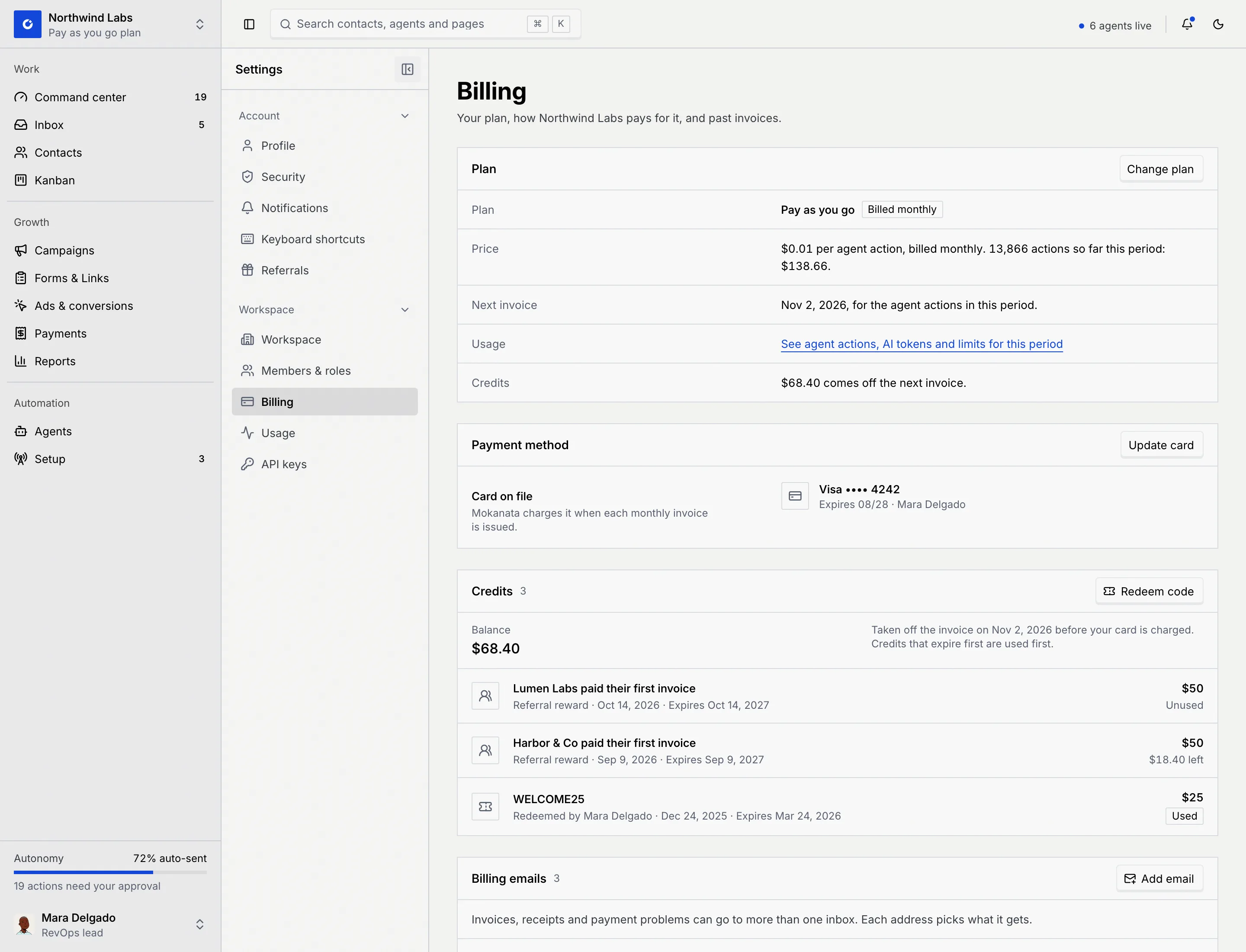
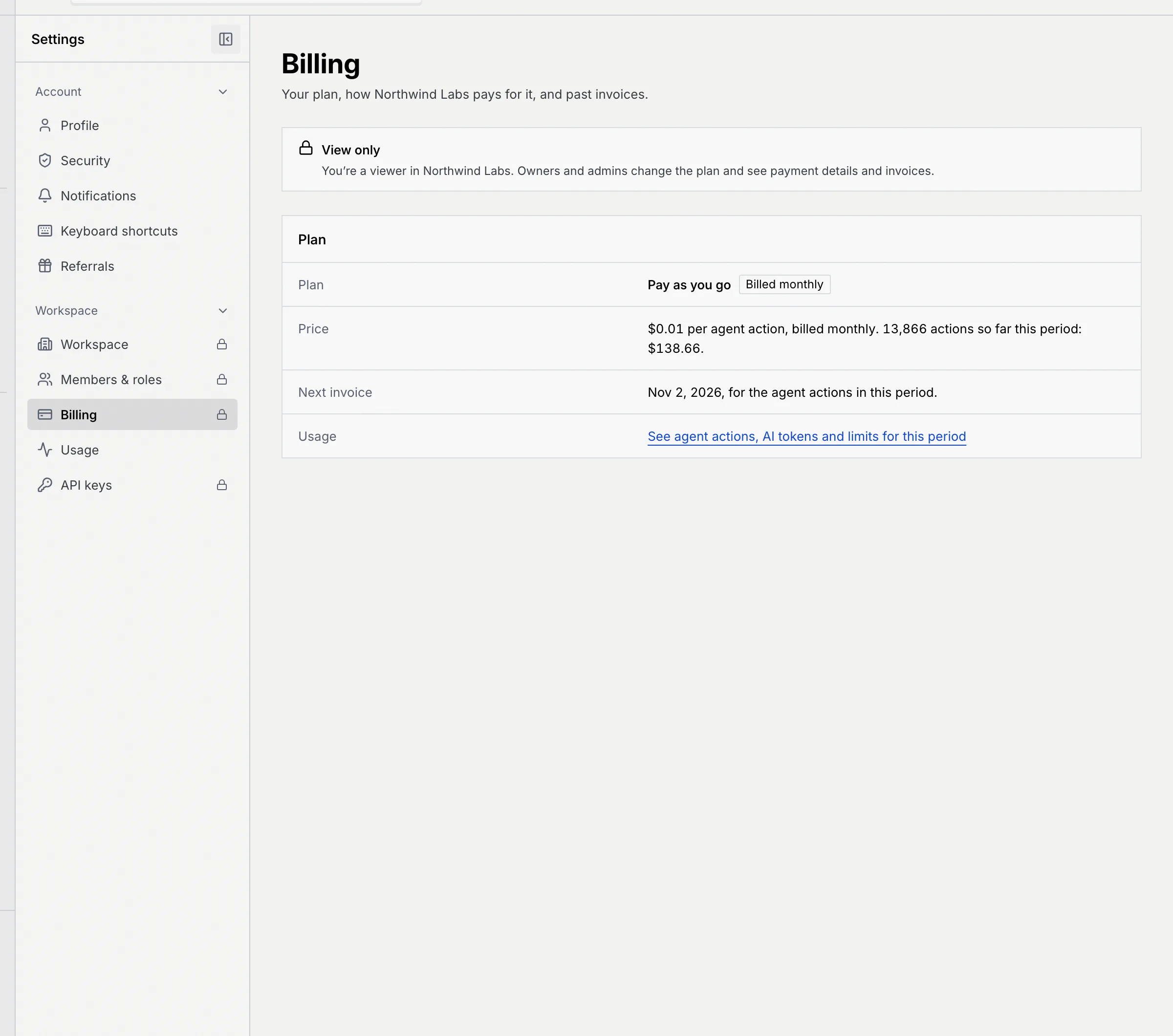
The **Plan** panel shows:
- **Plan**, with **Billed monthly** on a paid plan.
- **Price**: on Pay as you go, the actions so far this period and what they cost; on Free, $0 forever.
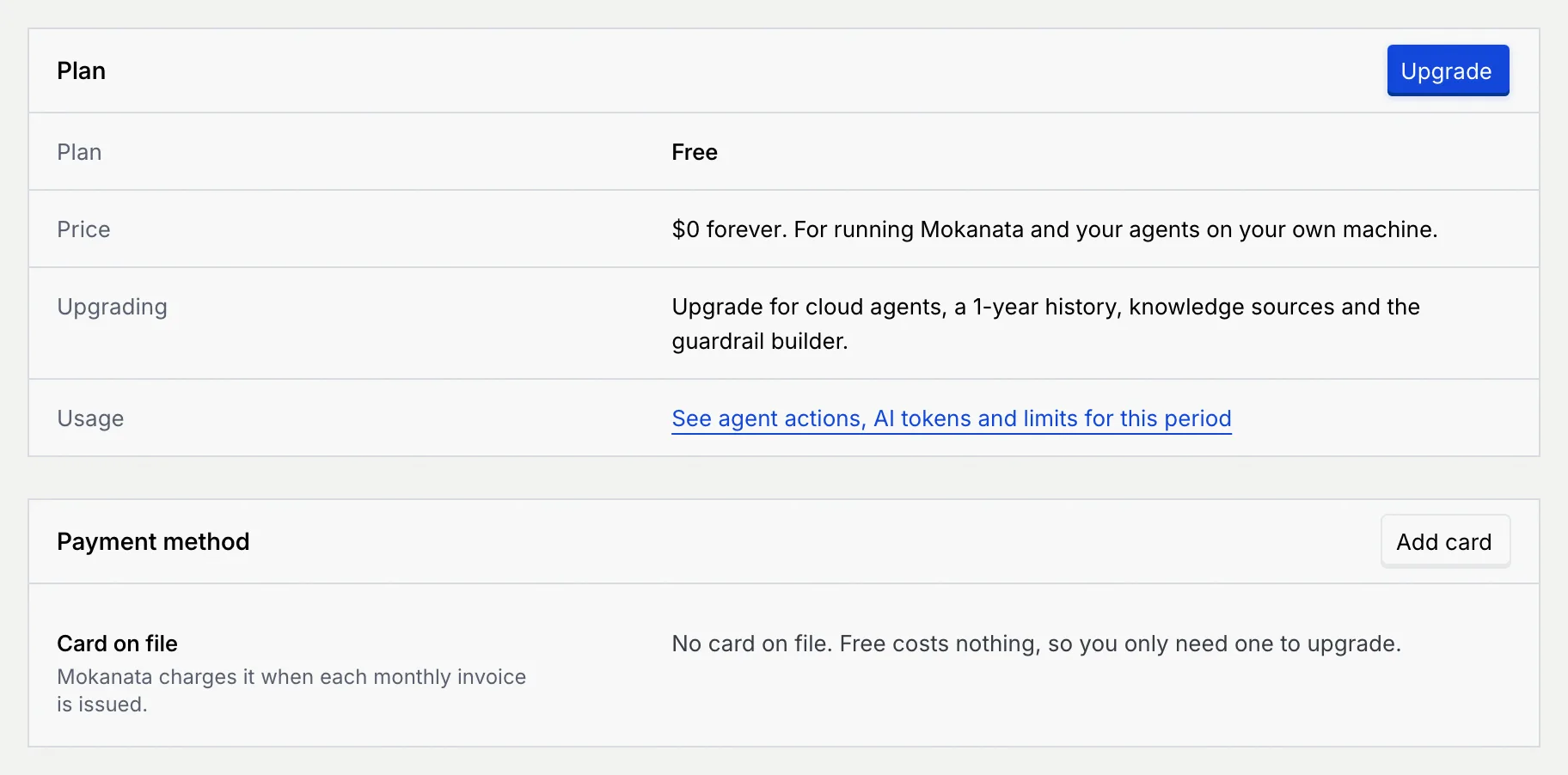
- **Next invoice** (paid plans): the date of the next invoice, for the agent actions in this period. On Free, **Upgrading** says what Pay as you go adds.
- **Usage**: a link to [Usage](/docs/settings/usage).
- **Credits**: how much credit comes off the next invoice, when you have some.
## Change your plan [#change-your-plan]
### Open Change plan [#open-change-plan]
In **Plan**, click **Change plan** (or **Upgrade** on Free).
### Pick a plan [#pick-a-plan]
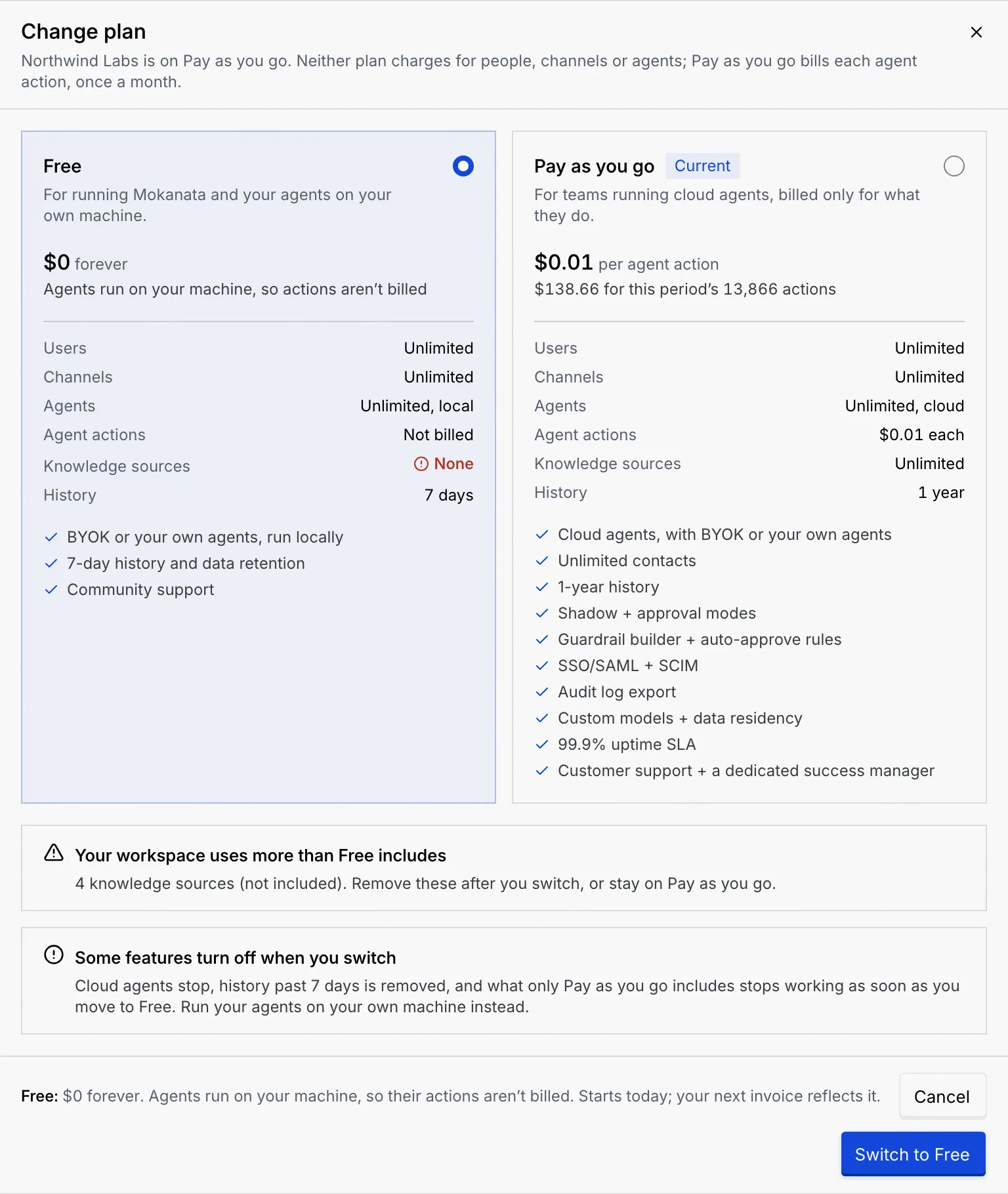
The dialog compares both plans, with **Current** on yours and what this period's actions would cost on each. Click the plan you want. Before you switch, the dialog warns you about what changes:
- **Your workspace uses more than … includes**: something you use now isn't included on the new plan, for example knowledge sources on Free. Remove them after you switch, or stay where you are.
- **Some features turn off when you switch**: the dialog lists what stops on the new plan, as soon as you switch.
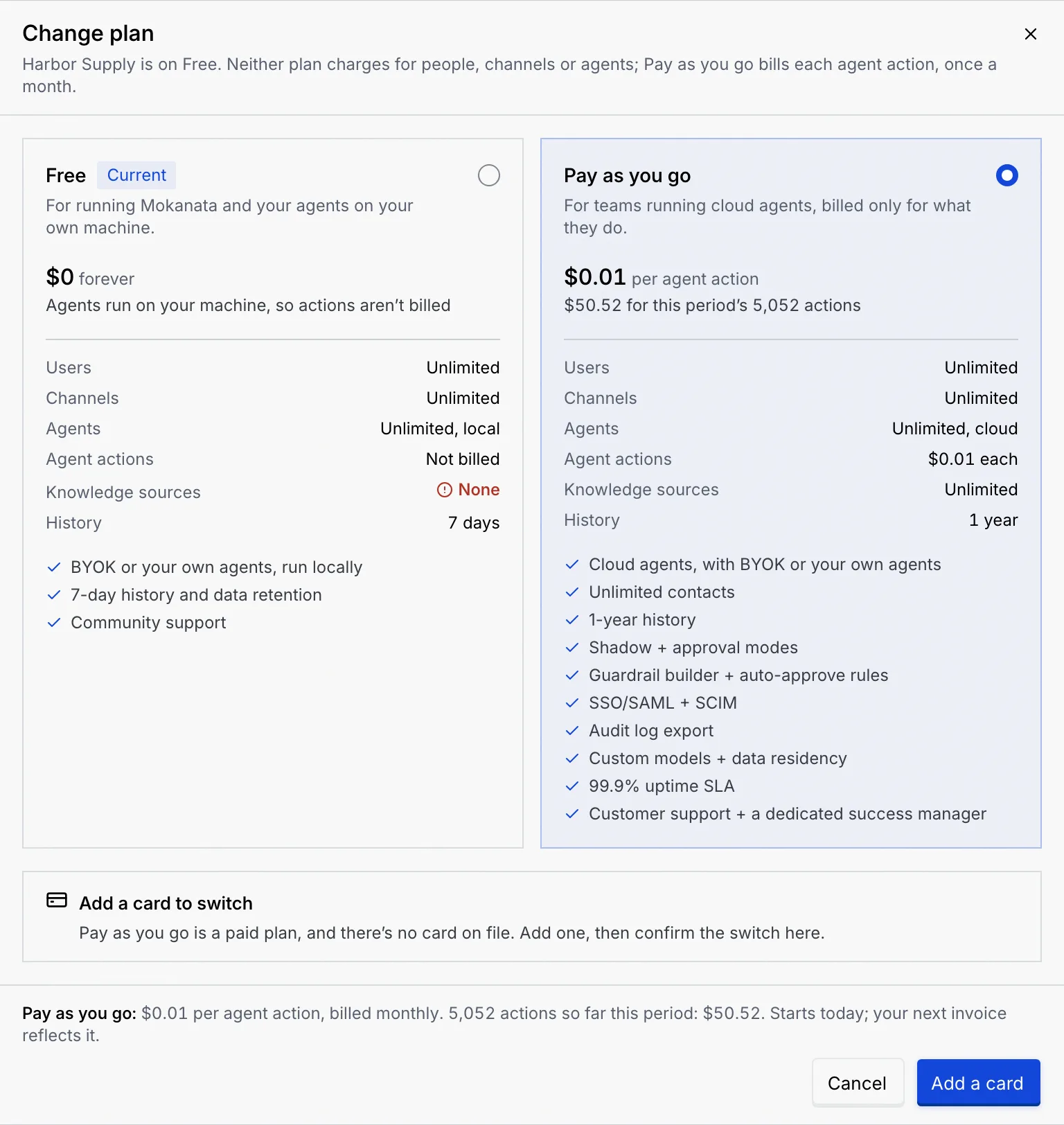
- **Add a card to switch**: Pay as you go needs a card on file.
### Confirm [#confirm]
The footer sums up the new price; the change starts today and your next invoice reflects it. Click **Switch to …**. You see **… is on …** with the new price. While your current plan is selected, the footer says **Pick a plan to see what it costs.** and the only button is **Close**.
### Upgrade from Free without a card [#upgrade-from-free-without-a-card]
On Free with no card on file, choosing **Pay as you go** shows **Add a card to switch**, and the button reads **Add a card**. Click it, fill in the card form and click **Save card**: you're taken back to Change plan with Pay as you go still selected. Click **Switch to Pay as you go** to finish.
## Add or update the card [#add-or-update-the-card]
### Open the card form [#open-the-card-form]
In **Payment method**, click **Add card** (or **Update card** when there's one on file). The card pays for your agent actions, from the next invoice on.
### Enter the card [#enter-the-card]
Fill in **Name on card**, **Card number** (Mokanata shows the card brand under it), **Expiry** as MM / YY and **Security code** (3 digits, or 4 on the front for American Express). Click **Save card**.
You see **… ending … saved**. **Payment method** now shows the brand, last four digits, expiry and name. Mokanata keeps only the card type, last four digits and expiry, and charges the card when each monthly invoice is issued.
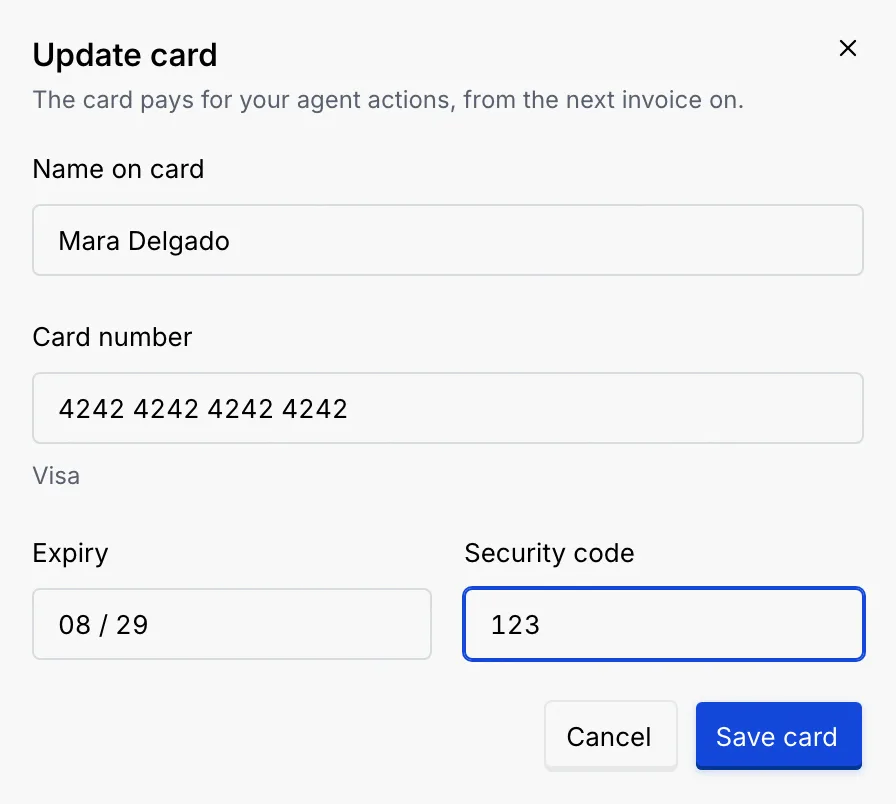
If a field is wrong, it says how to fix it, for example **This card number isn't valid. Check for a mistyped digit.** or **This card has expired. Use a card that's still valid.** If the card isn't saved, the dialog keeps what you typed so you can try again.
## Credits [#credits]
Credit comes off your invoices before your card is charged. You get it in two ways: by redeeming a promo or partner code, or from [referrals](/docs/settings/referrals), when a team you referred pays its first invoice. There's no way to buy credit.
**Credits** shows the **Balance**, when it's taken off (the date of the next invoice), and each credit you got: where it came from (a code, a referral reward, or from Mokanata), when, when it expires, and how much is left (**Unused**, **… left**, or **Used** and **Expired** badges). A code can also be a discount, shown as a percentage off a number of invoices. Credits that expire first are used first.
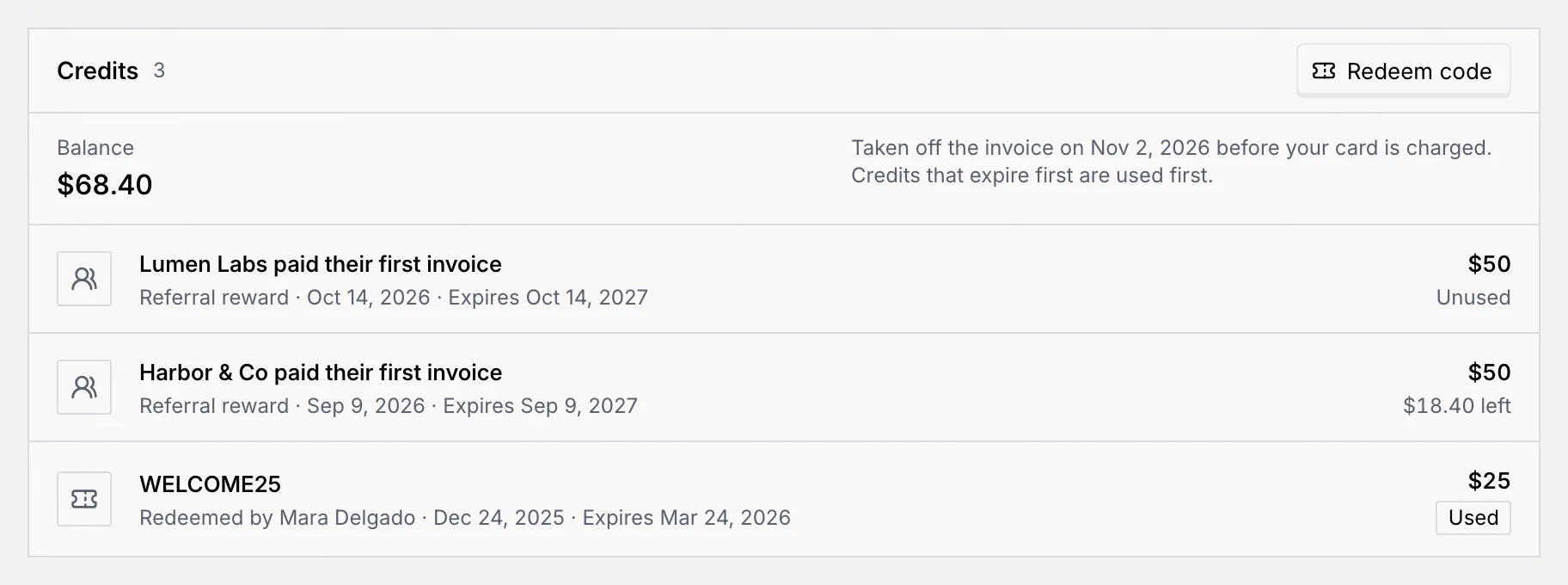
With no credits yet, the panel says **No credits yet** and offers **Get your referral link**.
### Redeem a code [#redeem-a-code]
### Enter the code [#enter-the-code]
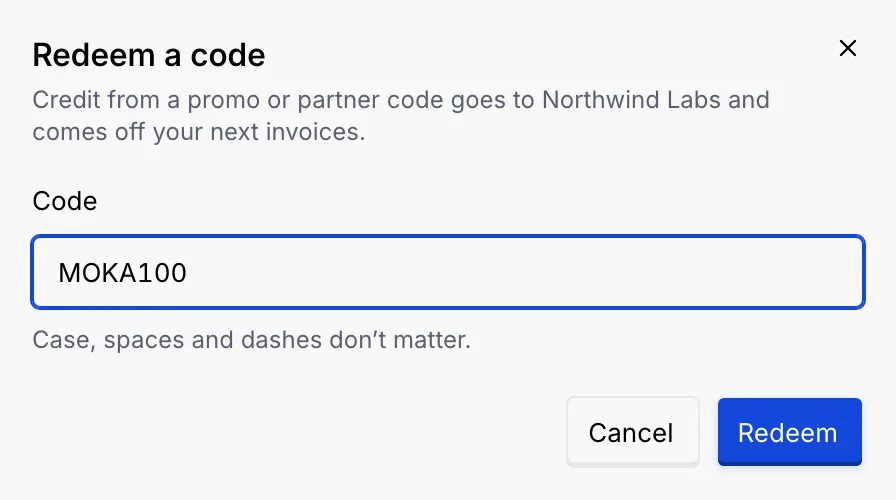
In **Credits**, click **Redeem code** and type the code in **Code**. Capitals, spaces and dashes don't matter, and a code is at most 40 characters. Click **Redeem**.
If a partner sent you a link like `/settings/billing?dialog=redeem&code=…`, opening it fills in the code for you.
### Check what you got [#check-what-you-got]
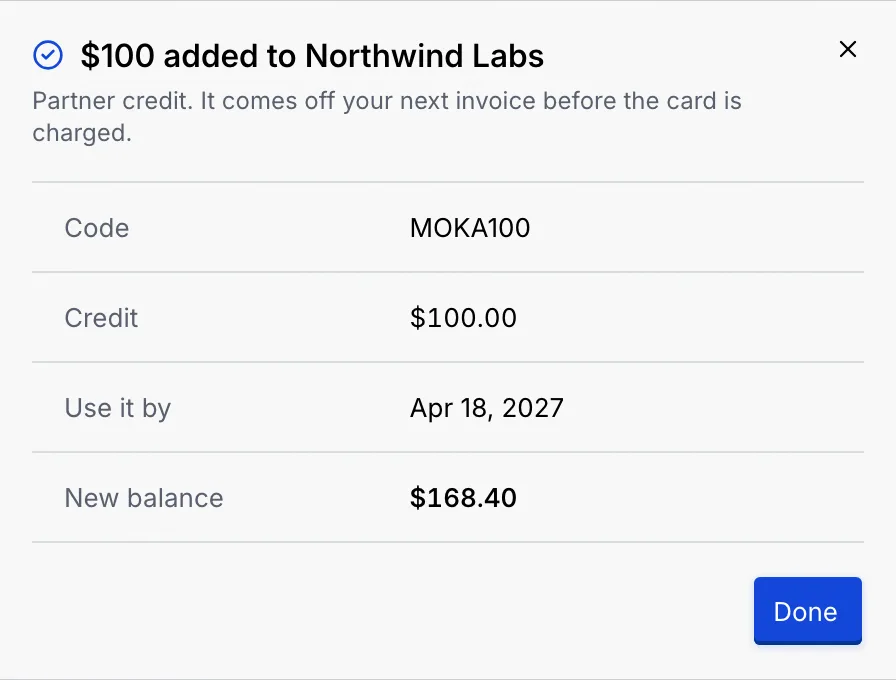
The dialog confirms the credit added to the workspace, with the **Code**, the **Credit** (or **Discount**), the date to **Use it by** and the **New balance**. Click **Done**.
If the code can't be redeemed, the dialog says why:
| Message | What it means |
|---|---|
| **This code isn't valid. Check it for typos and try again.** | The code doesn't exist. |
| **This code has expired and can't be redeemed anymore.** / **This code is no longer active, so it can't be redeemed.** | The offer ended. |
| **This workspace already redeemed this code. Each code works once.** | Each code works once per workspace. |
| **This code has been redeemed as many times as it allows.** | The code ran out. |
| **This code is for workspaces on … Change plan first, then redeem it.** | The code only works on another plan. |
## Billing emails [#billing-emails]
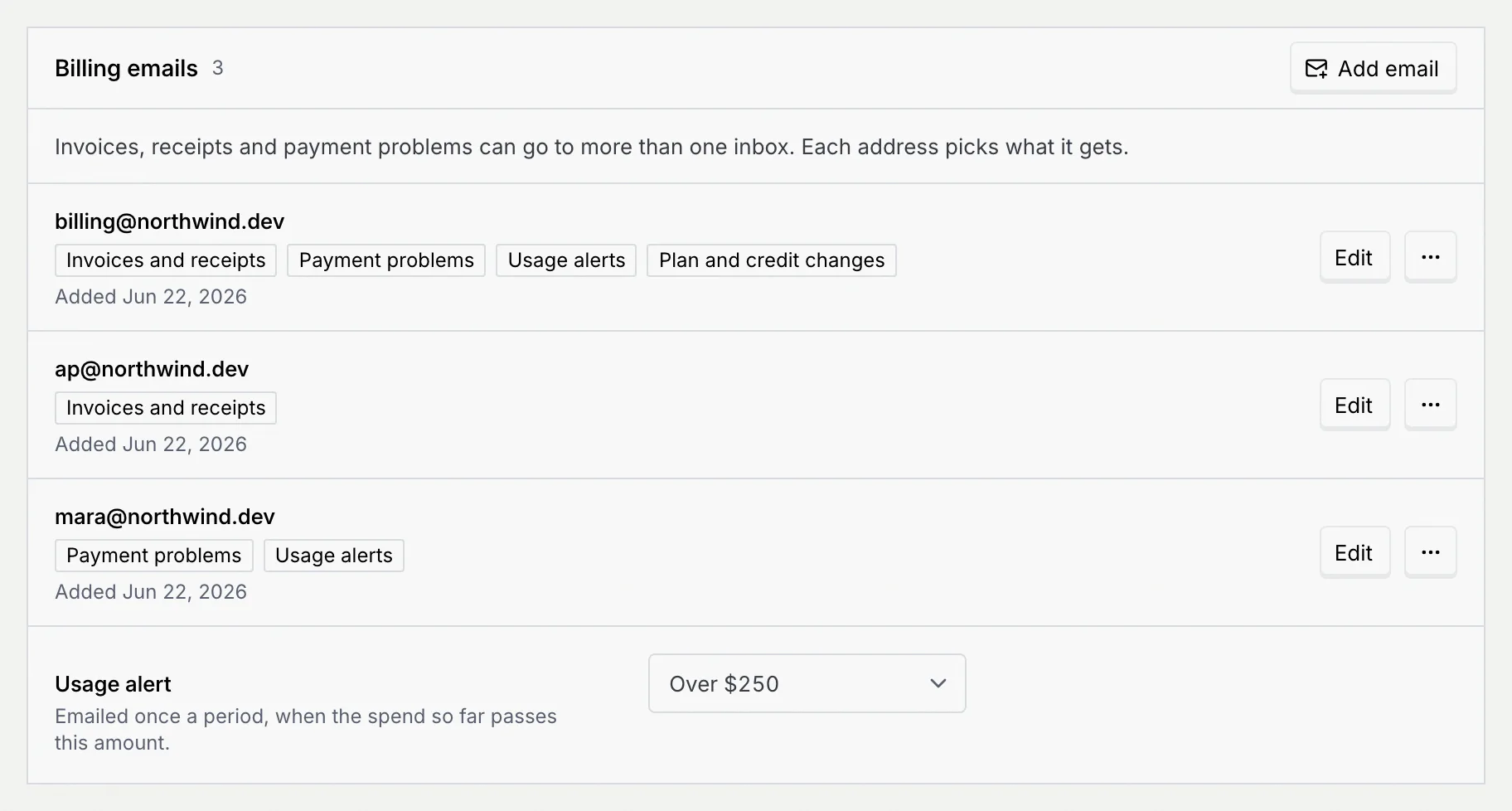
Invoices, receipts and payment problems are meant to go to more than one inbox, such as your finance team or accounts payable. Each address picks what it gets.
Mokanata saves this list and the usage alert, but doesn't send billing email to it yet, and **Send test email** doesn't send one.
### Add or edit an address [#add-or-edit-an-address]
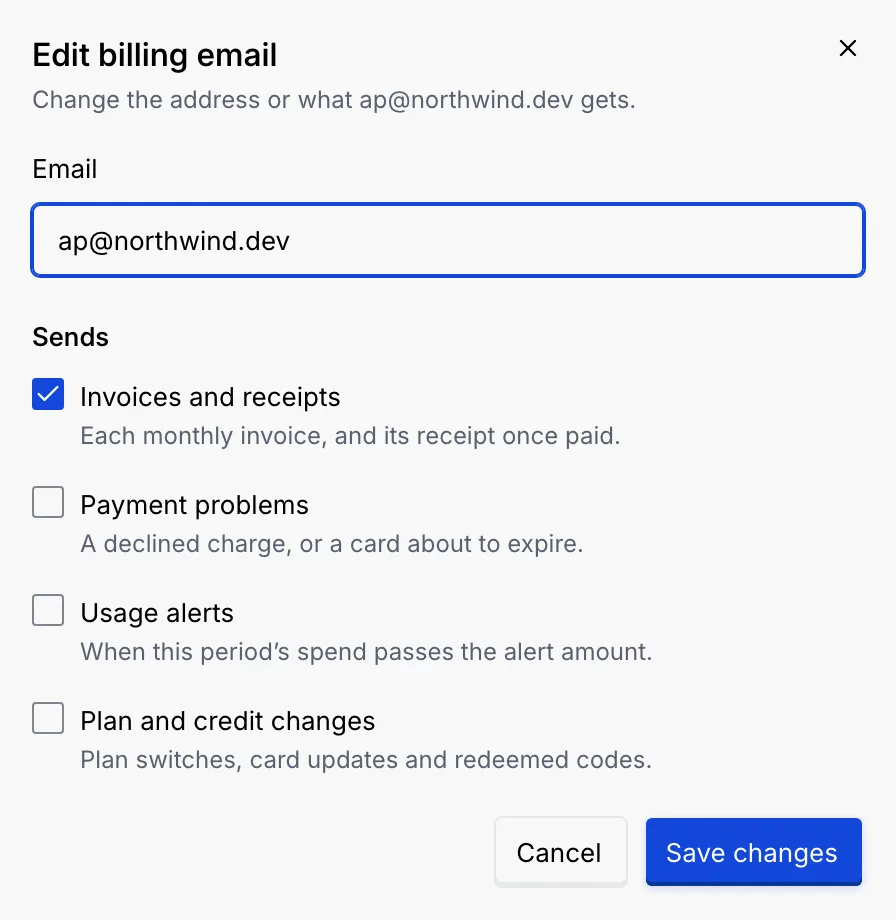
Click **Add email**, or **Edit** on an address. Type the **Email** and tick what it **Sends**:
- **Invoices and receipts**: each monthly invoice, and its receipt once paid.
- **Payment problems**: a declined charge, or a card about to expire.
- **Usage alerts**: when this period's spend passes the alert amount.
- **Plan and credit changes**: plan switches, card updates and redeemed codes.
New addresses start with the first two, and each address needs at least one (**Pick at least one kind of email.**). An address that's already on the list says **This address already gets billing email.** Click **Add email** or **Save changes**. You can have up to 10 addresses.
### Set the usage alert [#set-the-usage-alert]
Under the addresses, pick a **Usage alert**: **Off**, or **Over $50** up to **Over $2,500**. Addresses with **Usage alerts** ticked are meant to get one email a period when the spend so far passes that amount; Mokanata saves the setting but doesn’t send the alert yet. It saves right away.
From an address's **⋯** menu, **Send test email** checks that it arrives (look in spam if it doesn't), and **Remove** stops billing email to it. **Remove** isn't offered when there's only one address, and at least one address has to keep getting invoices and receipts, and one payment problems.
## Invoices and receipts [#invoices-and-receipts]
**Invoices** lists every invoice with its **Date**, number (like INV-2026-0012), **Amount** and **Status** (**Paid**). Search by number, date, amount or card, filter by **Year**, and sort by **Date**, **Invoice** or **Amount**. Click **Download** on a row for its receipt, a text file with the invoice number, date, who was billed, the plan, the agent actions charged, the total and the card used.
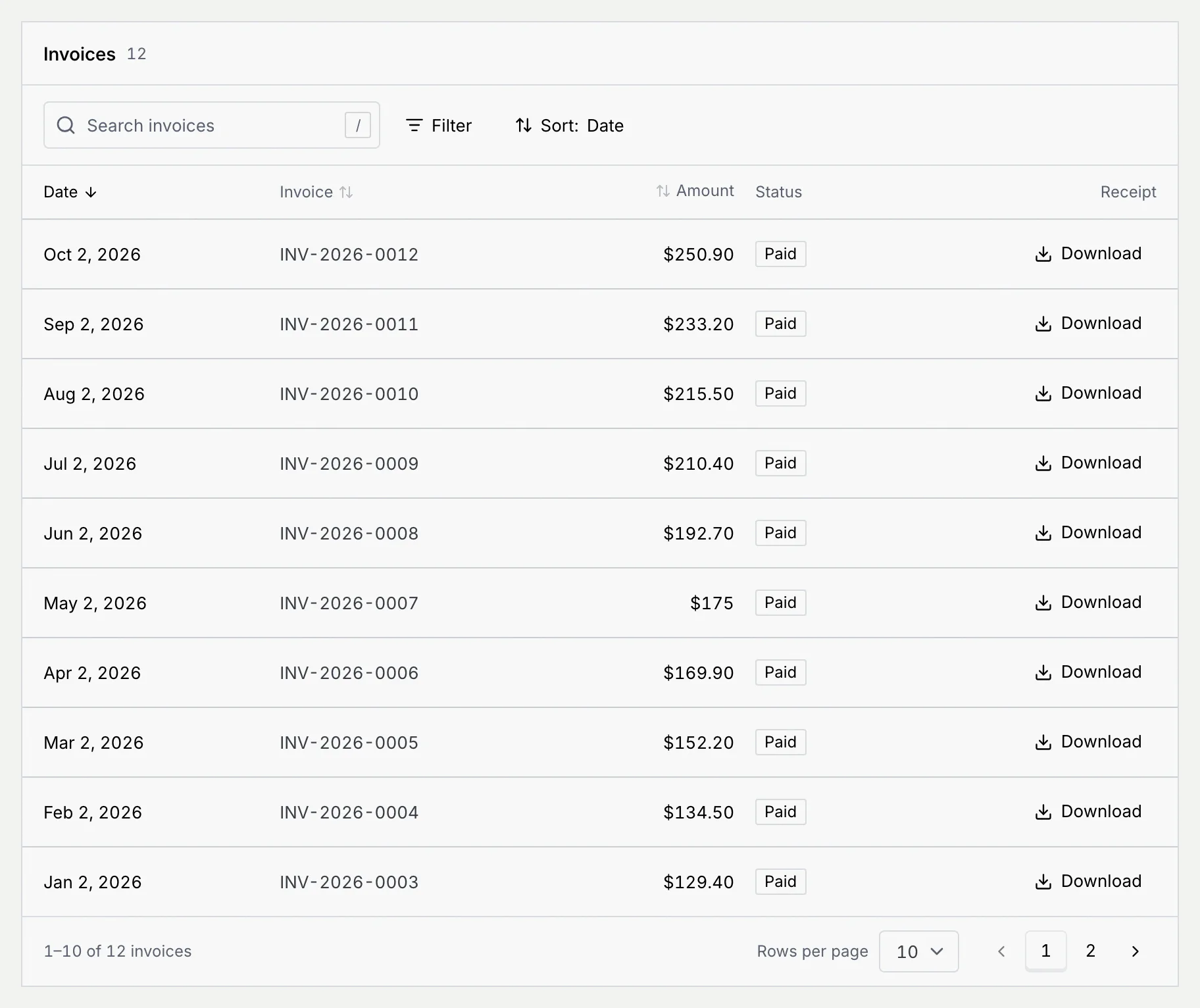
A new workspace shows **No invoices yet**: the first appears after your first paid month. When a search finds nothing, try the invoice number, like INV-2026-0012, or clear the filters.
## What members and viewers see [#what-members-and-viewers-see]
Members and viewers see the **Plan** panel and a **View only** notice: owners and admins change the plan and see payment details and invoices. The card, credits, billing emails and invoices are hidden.
## Troubleshooting [#troubleshooting]
Paid plans need a card on file. Click **Add a card** in the dialog, save the card, then click **Switch to Pay as you go**.
Add their address under **Billing emails** with **Invoices and receipts** ticked. They don't need to be a member of the workspace.
Yes. Add `?dialog=plan` to the Billing page's address (`/settings/billing`) to open Change plan (with `&plan=payg` or `&plan=free` to preselect a plan), `?dialog=card` for the card form, `?dialog=redeem` to redeem a code and `?dialog=email` to add a billing email. **Back** in your browser closes the dialog. These open for owners and admins only.
No. Credit comes from promo or partner codes and from referral rewards. See [Referrals](/docs/settings/referrals).
Mokanata's invoices are always in US dollars. The workspace currency in [Language and region](/docs/settings/language-region) changes how deal values and reports read, not what you're billed.
## Next steps [#next-steps]