# Lead pipelines and ad campaign boards (/docs/kanban/lead-and-ad-boards)
Two board kinds carry money on every card. On a **lead pipeline**, each lead has a deal value, a chance to close, a source and the contacts it's about. On an **ad campaigns** board, each campaign has its platform, objective, flight, budget, spend, clicks and conversions. You can also put a contact on any board straight from their record.
- **Who can use it:** Everything on [Add and work on cards](/docs/kanban/kanban-cards) applies: adding leads and campaigns needs **Add cards**, editing them needs **Edit and move cards**, and you need to be the board's project manager or on the card. **Mark closed won** also needs permission to edit contacts. Owners, Admins and Members have these by default; Viewers see the fields read-only. See [Roles and permissions](/docs/settings/roles).
- **Before you start:** Create a **Lead pipeline** or **Ad campaigns** board ([Create and set up a board](/docs/kanban/create-board)). To link contacts, they need to be in [Contacts](/docs/contacts/contacts).
## Work a lead pipeline [#work-a-lead-pipeline]
### Read the pipeline [#read-the-pipeline]
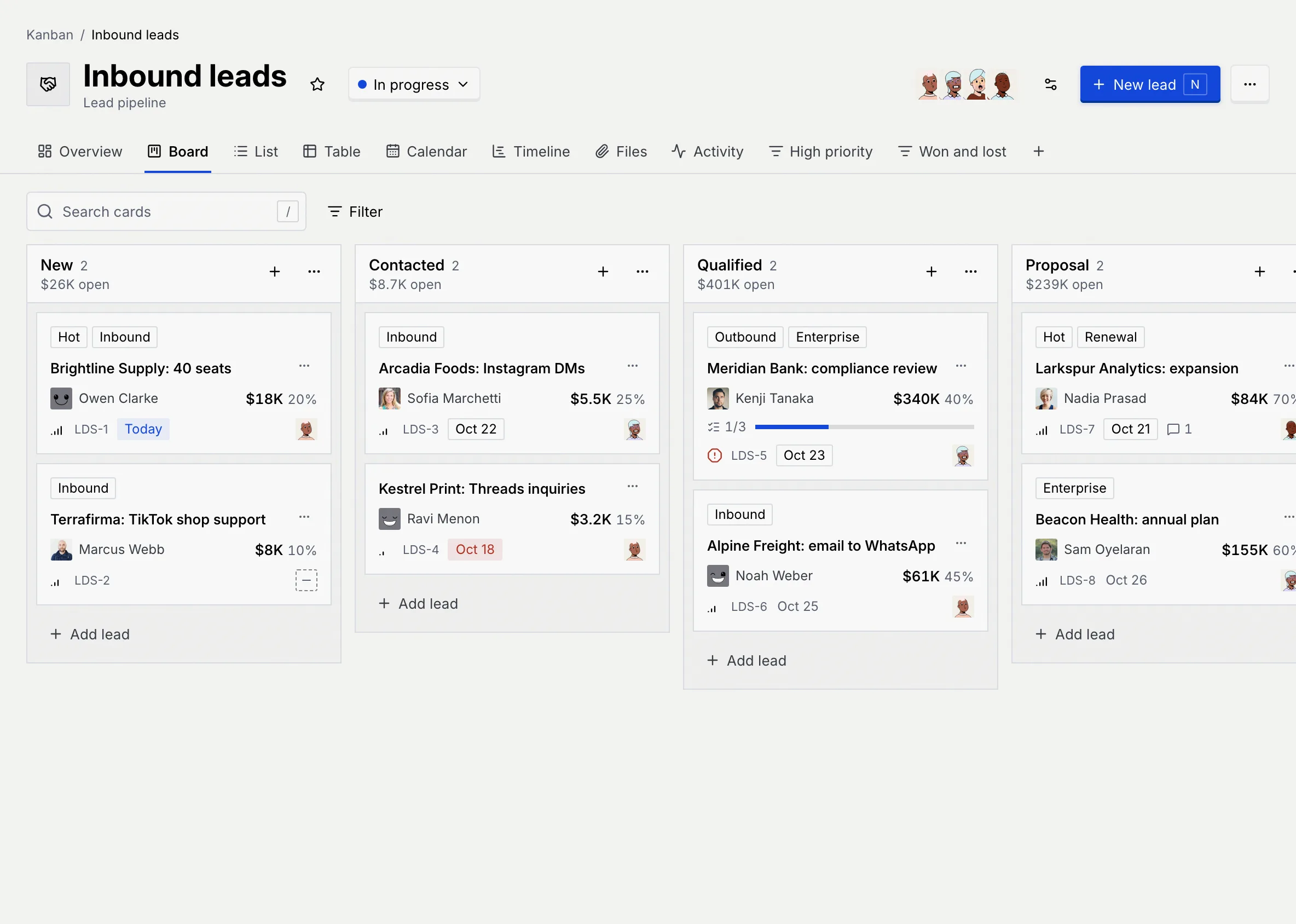
A lead pipeline starts with the statuses **New**, **Contacted**, **Qualified**, **Proposal**, **Won** and **Lost**. Each status shows the total value of its leads (for example "$401K open", or "won" and "lost" in the last two). Each lead shows its first contact (and "+1" and so on for more, or "No contact linked"), its value and its chance to close.
### Add a lead [#add-a-lead]
Click **New lead** (or press N), type the lead's name and press Enter. Then open it to fill in the deal.
### Fill in the deal [#fill-in-the-deal]
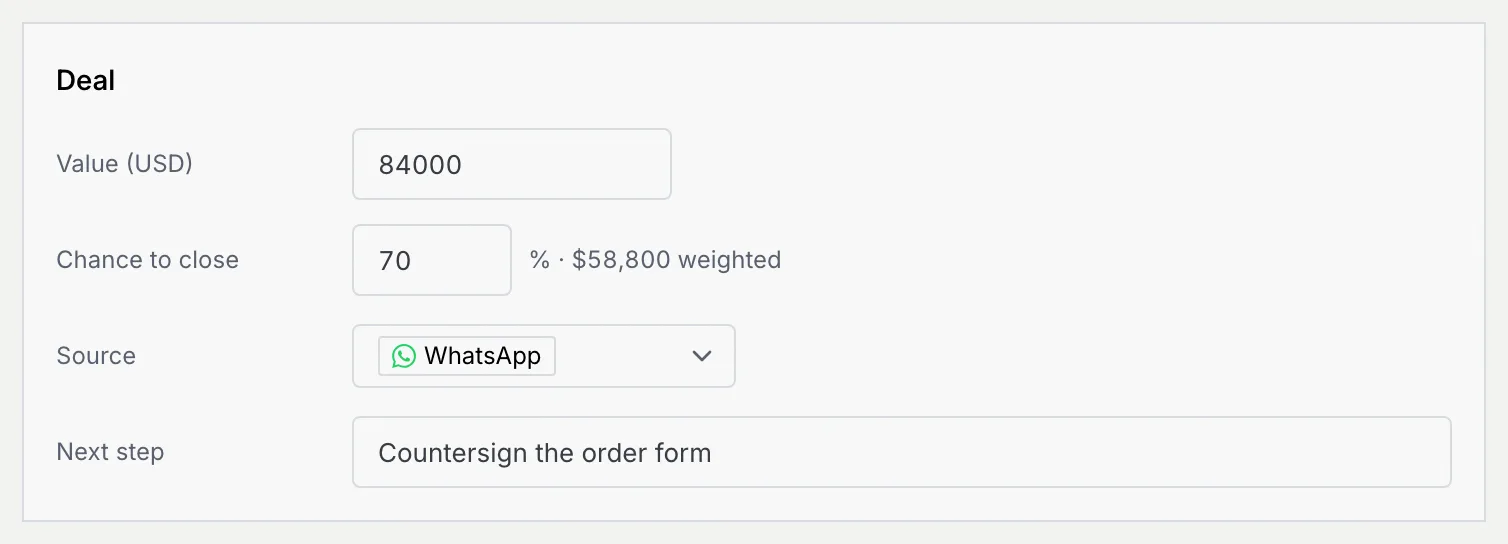
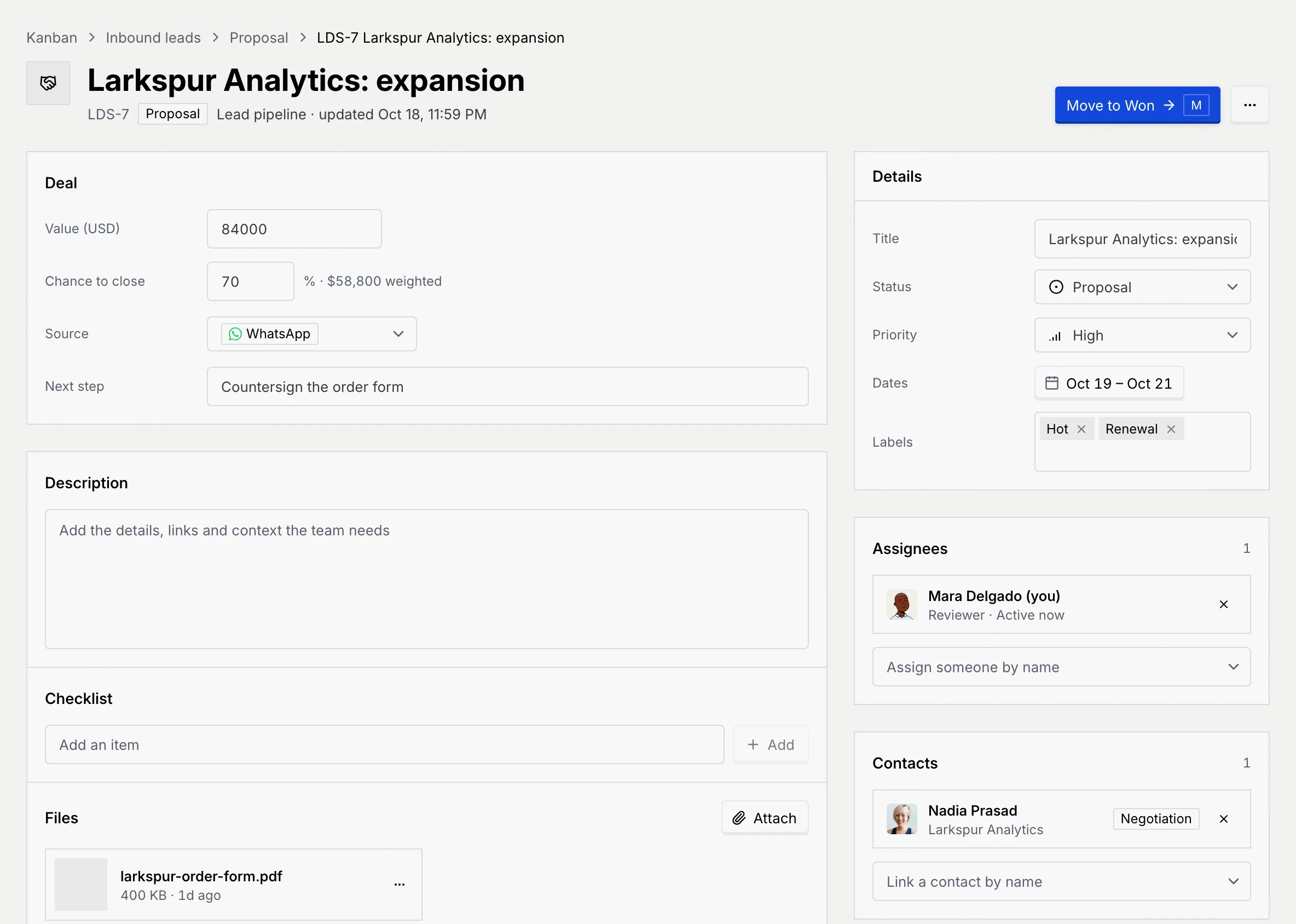
On the lead's page, the **Deal** section sits above the description:
| Field | What it holds |
|---|---|
| **Value** | What the deal is worth, in your workspace's currency (shown in the label, for example **Value (USD)**). |
| **Chance to close** | 0 to 100%. The weighted value (value × chance) shows next to it. |
| **Source** | Where the lead came from: WhatsApp, Instagram, Facebook, TikTok, LinkedIn, Telegram, Threads, Email, Website form, Referral or Event. |
| **Next step** | What happens next, for example "Send the proposal". |
### Link the contacts [#link-the-contacts]
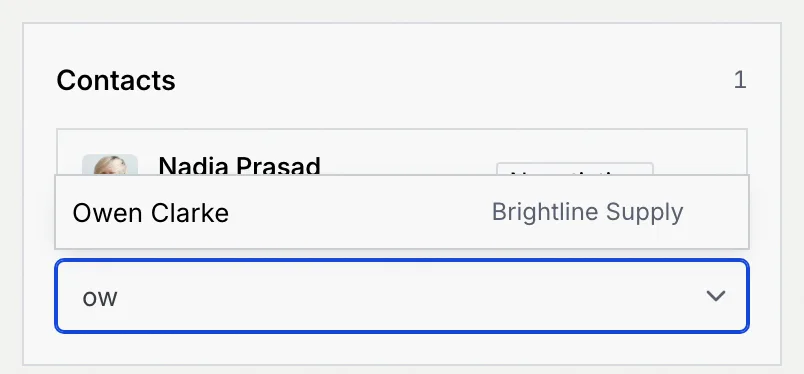
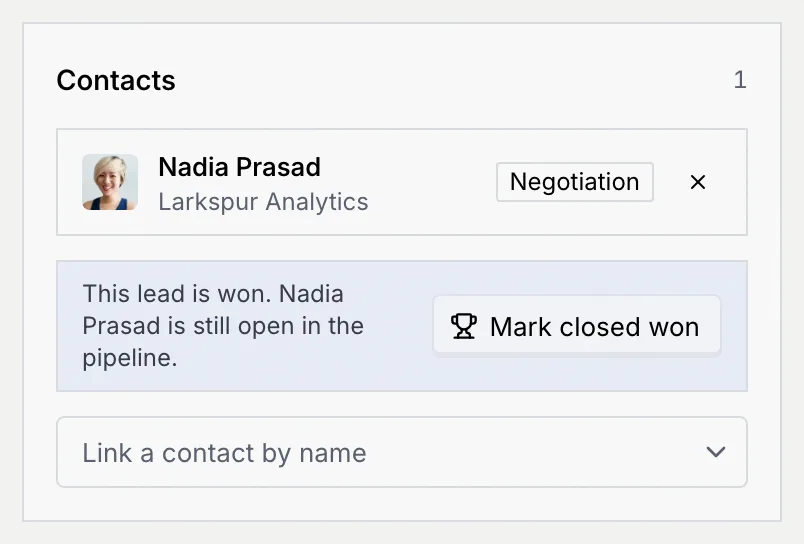
In **Contacts** on the right, click **Link a contact by name** and pick the person. Each linked contact shows their company and pipeline stage; click a name to open their record, or **×** to unlink them. If nobody matches, add them in Contacts first.
### Win or lose the lead [#win-or-lose-the-lead]
Move the lead to **Won** (with **Move to Won**, M, or by dragging it) and its chance becomes 100%; move it to **Lost** and it becomes 0%. When a won lead's contacts are still open in your contact pipeline, the Contacts section offers **Mark closed won** to move them to closed won as well.
Won and lost leads are never overdue. The board's **Overview** sums up the **Open pipeline**, **Weighted pipeline**, **Won** value and **Win rate** ([Board overview, files and activity](/docs/kanban/board-overview#read-the-overview)).
### Review won and lost deals [#review-won-and-lost-deals]
On the **Table** tab, a lead pipeline adds **Contacts**, **Value** and **Chance** columns. Sort by **Deal value** or **Chance to close**, and filter by **Source**. A saved view such as **Won and lost** (filtered to **State** is Done or Lost) keeps the closed deals one click away ([Views, filters and saved views](/docs/kanban/kanban-views)).

## Track ad campaigns [#track-ad-campaigns]
### Read the campaigns board [#read-the-campaigns-board]
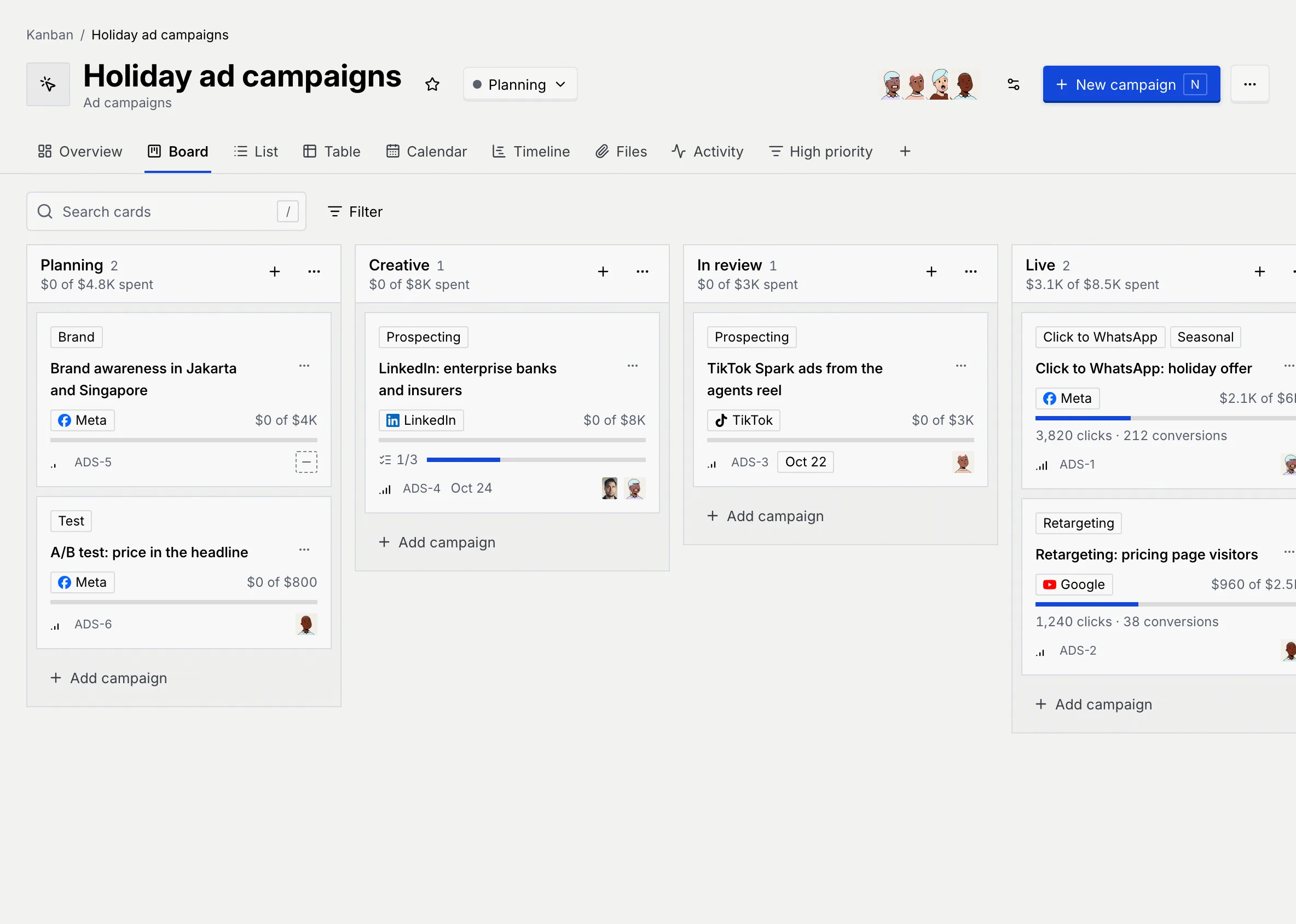
An ad campaigns board starts with **Planning**, **Creative**, **In review**, **Live** and **Ended**. Each status shows what its campaigns have spent of their budget (for example "$3.1K of $8.5K spent"). Each campaign shows its platform, its spend against its budget with a bar, and, once it's running, its clicks and conversions.
### Fill in the campaign [#fill-in-the-campaign]
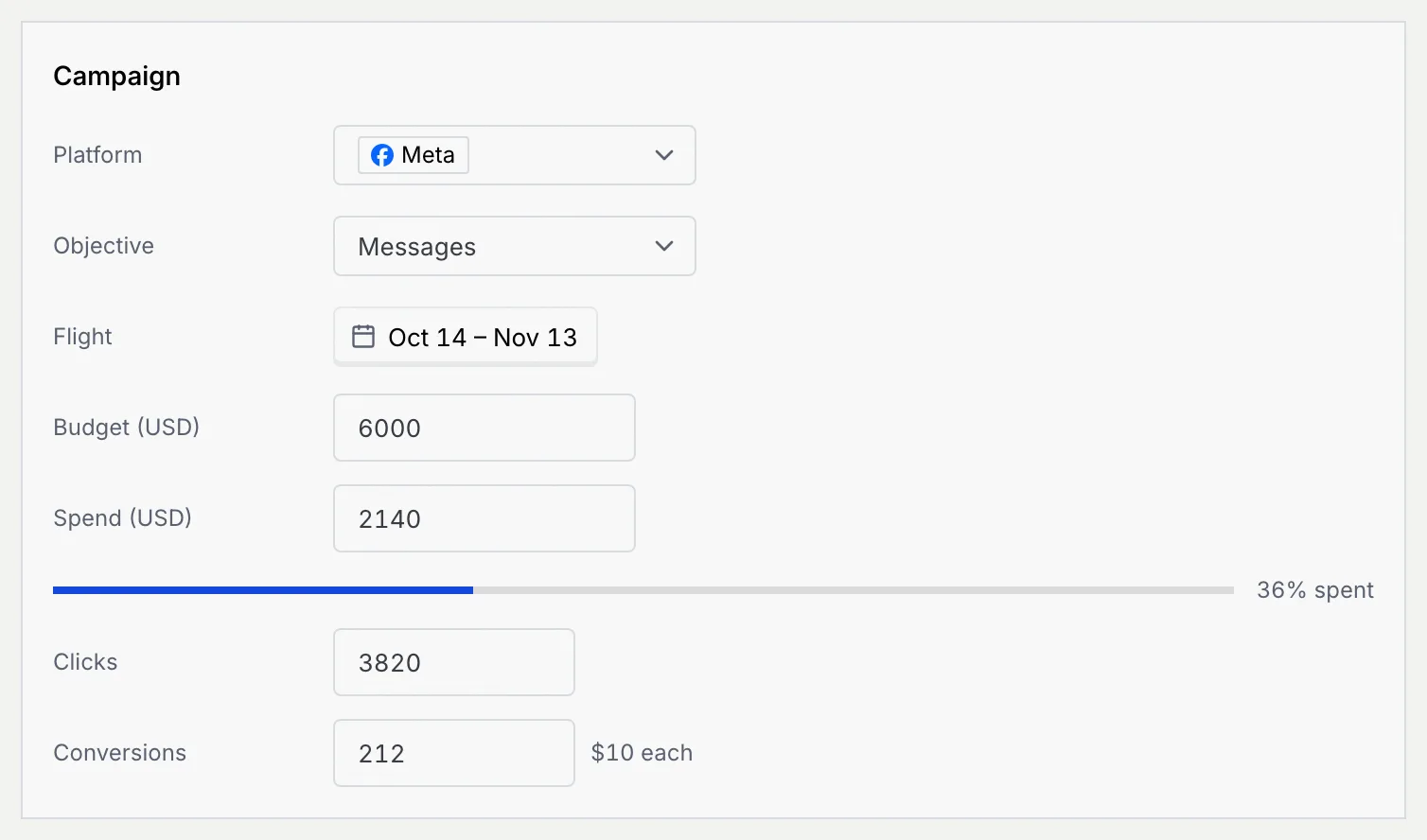
Click **New campaign**, name it, then open it. The **Campaign** section holds:
| Field | What it holds |
|---|---|
| **Platform** | **Meta**, **TikTok**, **Google** or **LinkedIn**. |
| **Objective** | **Messages**, **Leads**, **Traffic**, **Awareness** or **Sales**. |
| **Flight** | When the campaign runs, from start to end. |
| **Budget**, **Spend** | In your workspace's currency; the bar shows the share spent. |
| **Clicks**, **Conversions** | The results so far; the cost per conversion shows next to Conversions. |
On the **Calendar**, a campaign without a due date sits on its start day; on the **Timeline**, its bar is its flight. The **Table** tab adds **Platform**, **Spend** and **Conversions**, and you can filter by **Platform** and sort by **Spend** or **Conversions**. The **Overview** shows what's **Running**, total **Spend** against budget, **Conversions** and **Cost per conversion**. Duplicating a campaign copies it with its spend, clicks and conversions reset to zero.
To send WhatsApp conversions back to Meta, TikTok and Google and see click-to-WhatsApp ads by the conversations they started, see [Ads & conversions](/docs/ads/ads-overview).
## Put a contact on a board [#put-a-contact-on-a-board]
### Open the contact [#open-the-contact]
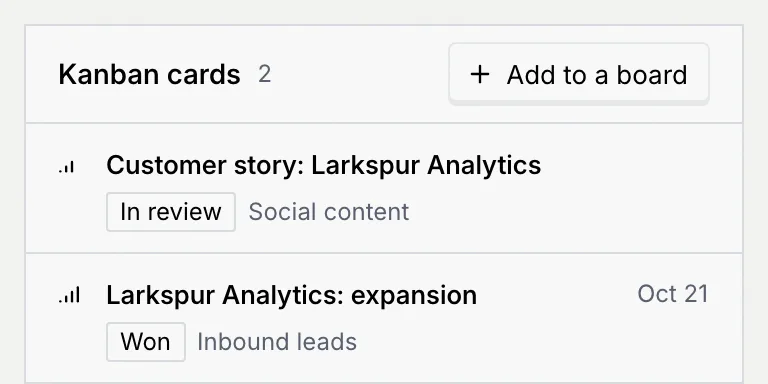
Open a contact's record ([The contact record](/docs/contacts/contact-record)). The **Kanban cards** panel lists every card linked to them on boards you can see, with its status, board and due date. Click a card to open it.
### Add them to a board [#add-them-to-a-board]
Click **Add to a board** and choose a board. A card is added at the top of its first status and opens, already linked to the contact:
| Board kind | New card |
|---|---|
| Lead pipeline | "Company: Name", with the contact's value and their last channel as the source. |
| Content calendar | "Customer story: Company" (or their name). |
| Ad campaigns | "Audience: Company: Name". |
| Project board | "Follow up with Name". |
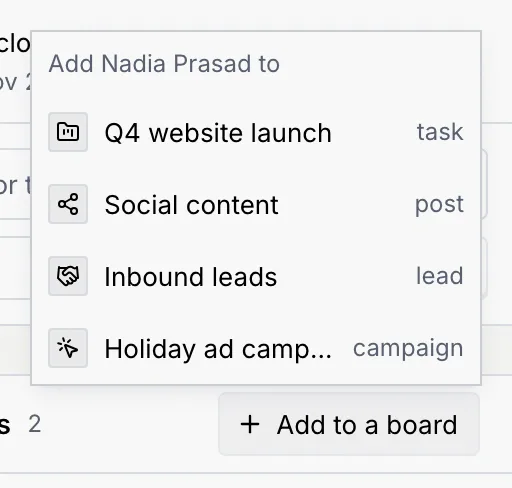
A message confirms it, for example "Added to Inbound leads". Only boards where you can add cards are listed. With no cards yet, the panel says "Not on any board yet. Add them as a lead, a customer story or a follow-up task."
On boards other than lead pipelines, linked contacts show as faces on the card and in the table's **Contacts** column; the **Contacts** section with linking and unlinking is on lead cards only.
Deal values and budgets are never shown on a board's or card's public link ([Share a board or card with a public link](/docs/kanban/share-boards)).
## Troubleshooting [#troubleshooting]
The person isn't in Contacts yet. Add them there first ([Add and import contacts](/docs/contacts/import-contacts)), then link them.
It shows only when the lead is in a finished status and at least one linked contact isn't closed won yet, and your role can edit contacts.
Your role can't add cards, or you're a guest on every board you can see. Ask a board's project manager for a role.
## Next steps [#next-steps]