# Take over, hand back and handoffs (/docs/inbox/take-over)
Every thread is run either by an agent or by a person. While an agent runs it, the agent replies on its own (or drafts for your approval). When you take it over, the agent stops replying and the thread is yours until you hand it back. Agents can also hand a thread to you, which is called an escalation.
- **Who can use it:** Taking over needs **Take over from agents** (which comes with **Reply and send**), handing back and assigning need **Assign and reassign**, and accepting a handoff needs **Approve agent drafts**. Owners, admins and members have all of these by default; viewers have none. The role also needs **Reply** or **Manage** access on the thread's channel to take over or accept a handoff. Items your role can't use are left out of the menus, and dock buttons are greyed out with the reason. See [Roles and permissions](/docs/settings/roles).
- **Before you start:** Open the thread in the [inbox](/docs/inbox/inbox).
## Take over from an agent [#take-over-from-an-agent]
### Find the agent's status [#find-the-agents-status]
While an agent runs a thread, the bottom of the thread says what it's doing: **… is working this thread**, or **… handled this thread** when it finished on its own, with a line about where it got to.

### Take over [#take-over]
Click **Take over**, or open the thread's **More** menu (**…** in the header) and choose **Take over from** *agent*.
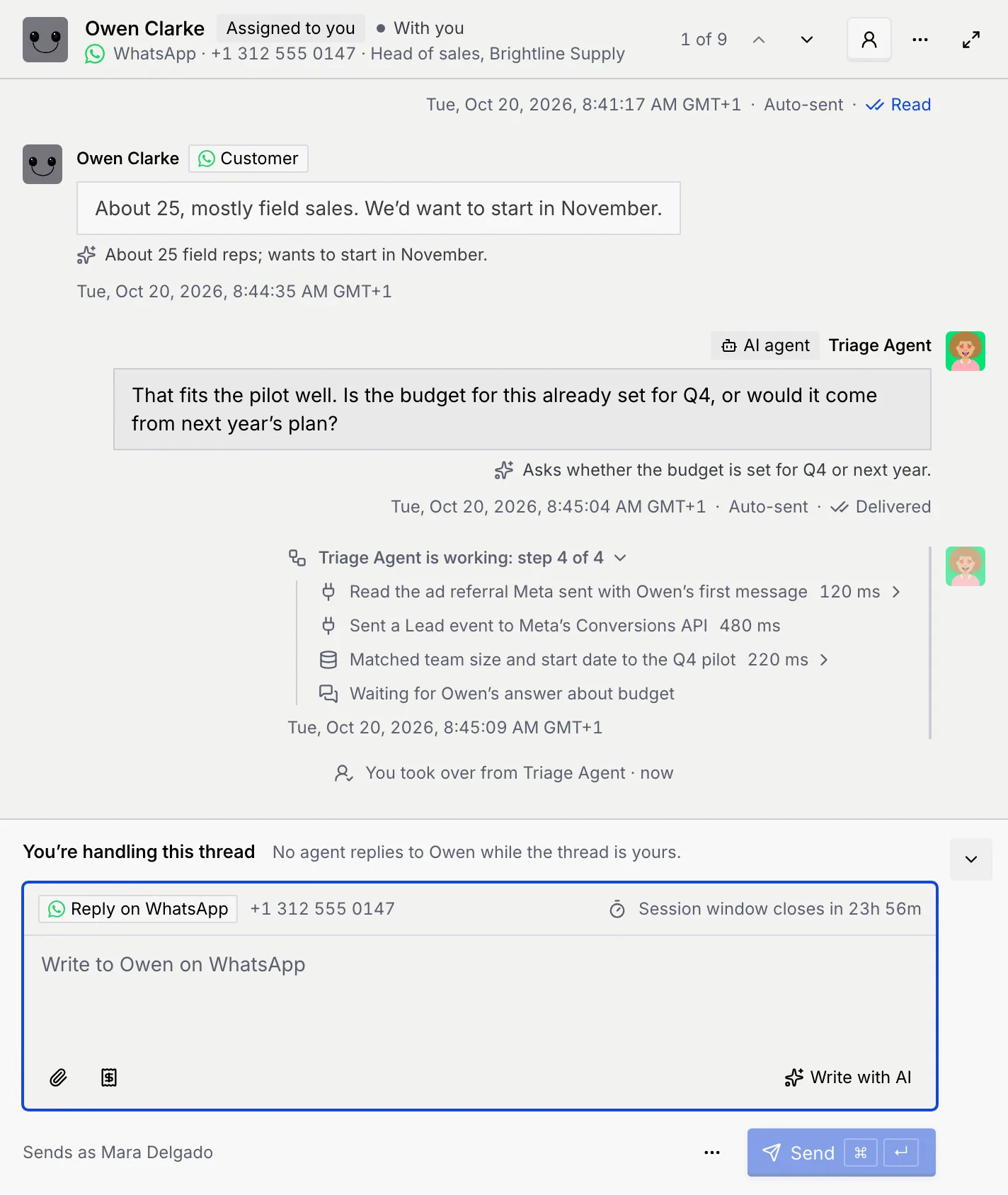
A notice confirms: **You took over from** *agent*. "No agent replies to Owen while the thread is yours." **Undo** on the notice gives the thread back to the agent.
### Reply [#reply]
The thread is now **With you** and **Assigned to you**, a line in the conversation records "You took over from Triage Agent · now", and your reply box opens: **You're handling this thread**. Write your reply as described in [Reply to a conversation](/docs/inbox/reply).
**Take over from** isn't offered on an escalated thread (accept the handoff instead) or a resolved one.
## Hand a thread back to the agent [#hand-a-thread-back-to-the-agent]
When you're done, let the agent carry on.
### Open the menu [#open-the-menu]
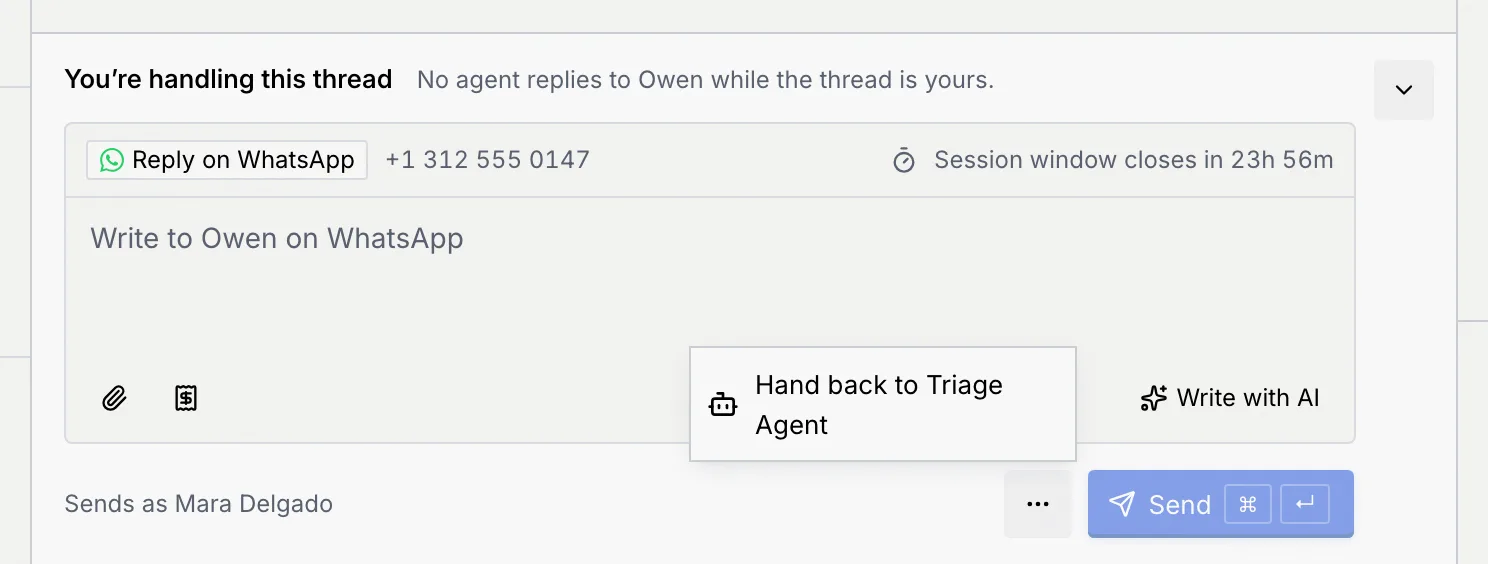
Under your reply box, open **More actions** (**…**). You can also use the thread's **More** menu in the header.
### Hand it back [#hand-it-back]
Choose **Hand back to** *agent*. A notice says **Handed back to** *agent*: "Triage Agent replies to Owen again." The thread goes back to **Agent working** and the conversation records "You handed the thread back to Triage Agent · now". **Undo** on the notice makes it yours again.
## Accept an agent's handoff [#accept-an-agents-handoff]
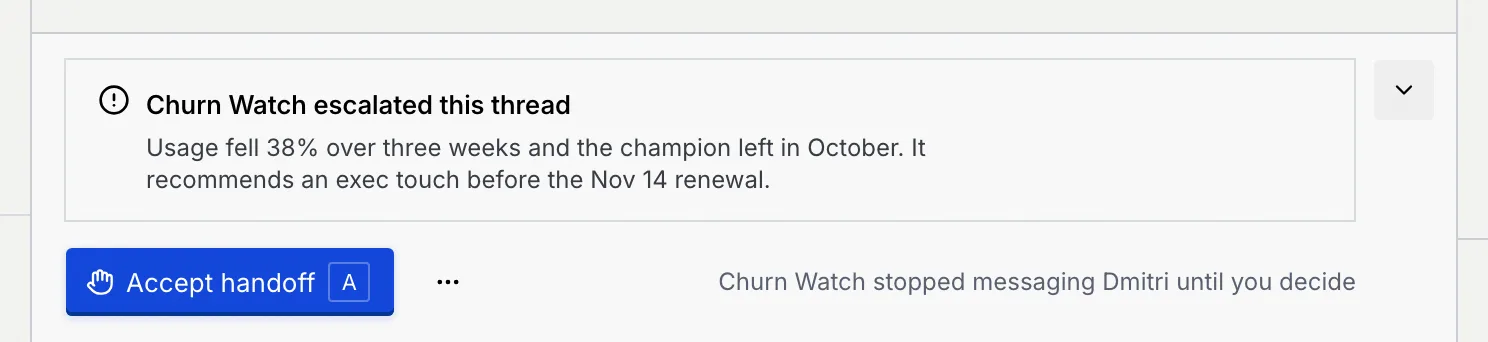
When an agent can't resolve a conversation on its own, for example a renewal at risk, it escalates the thread to a person and stops messaging the contact. The thread is marked **Escalated** and shows on **Needs you**.
### Read the escalation [#read-the-escalation]
The bottom of the thread says **… escalated this thread** with the agent's explanation, and "Churn Watch stopped messaging Dmitri until you decide".
### See why it escalated [#see-why-it-escalated]
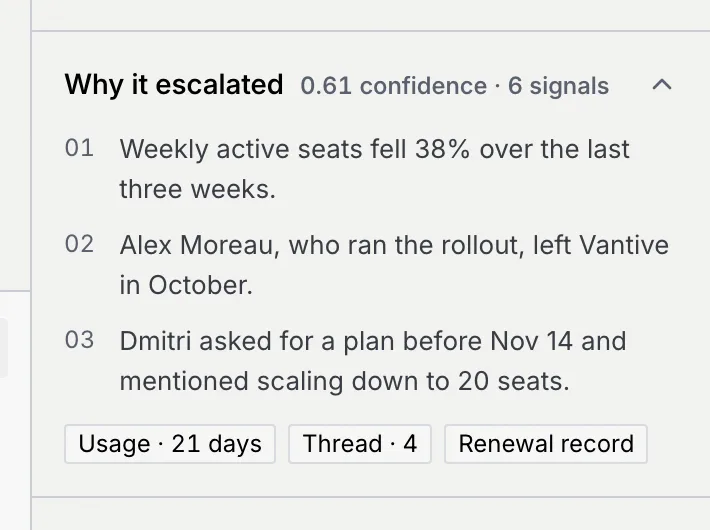
The **Why it escalated** section in the details column lists the signals the agent saw and their sources. You can also open it from the dock's **More actions** (**…**) → **Why it escalated**.
### Accept the handoff [#accept-the-handoff]
Click **Accept handoff**, or press A while focus is in the thread. A notice says **Handoff accepted**: "Churn Watch stopped messaging Dmitri. The thread is yours." The thread is now **With you** and **Assigned to you**, and your reply box opens.
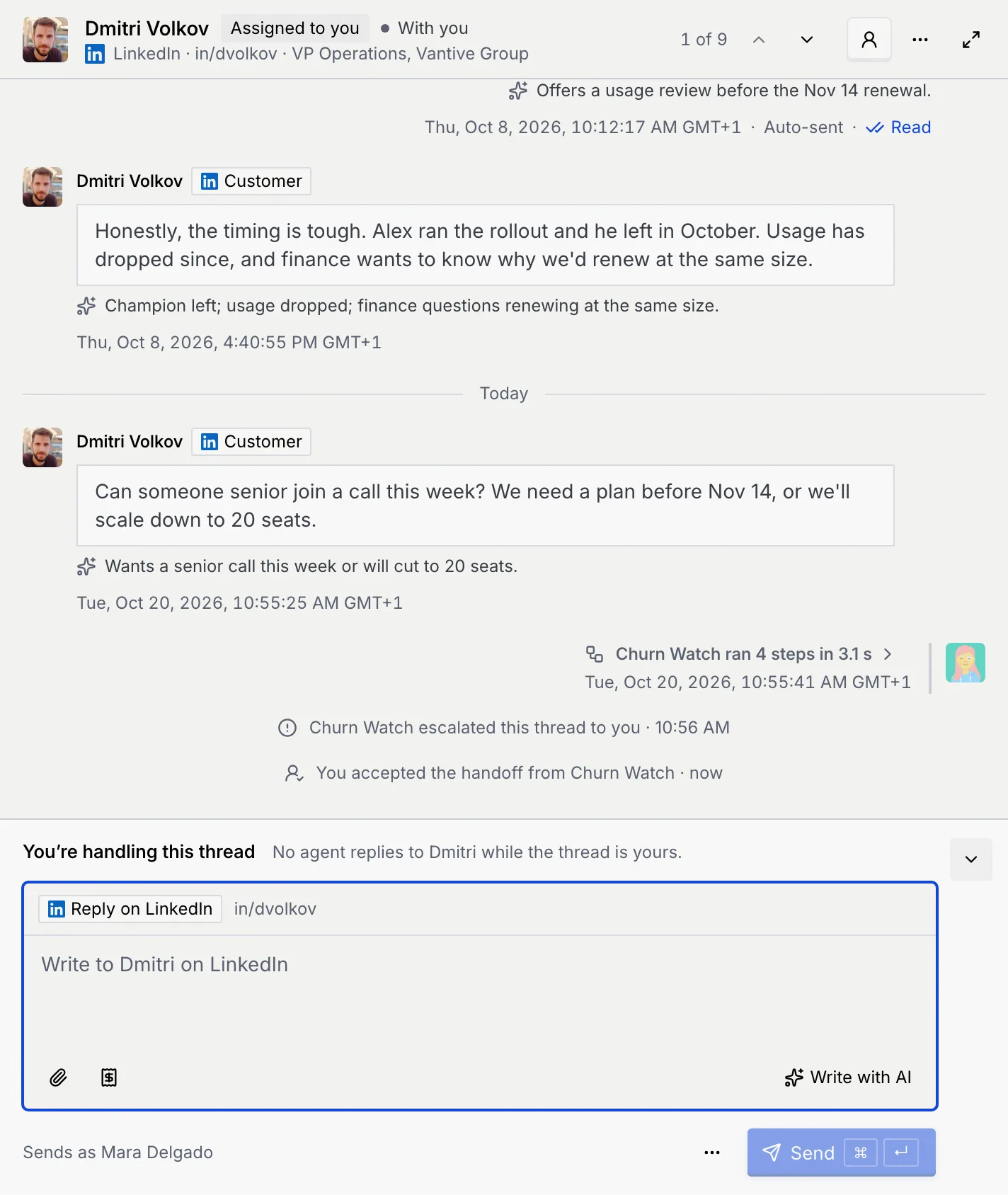
To turn an escalation down without taking the thread, dismiss it from the Command center's [approval queue](/docs/inbox/approval-queue#discard-or-dismiss-an-item). Handoffs accepted there show in the thread as "You accepted the handoff from … in the Command center".
## Assign a thread to yourself [#assign-a-thread-to-yourself]
Assigning a thread to yourself gets you a notification for every reply from the contact, without stopping the agent.
### Open the thread's menu [#open-the-threads-menu]
In the thread's header, click **More** (**…**).
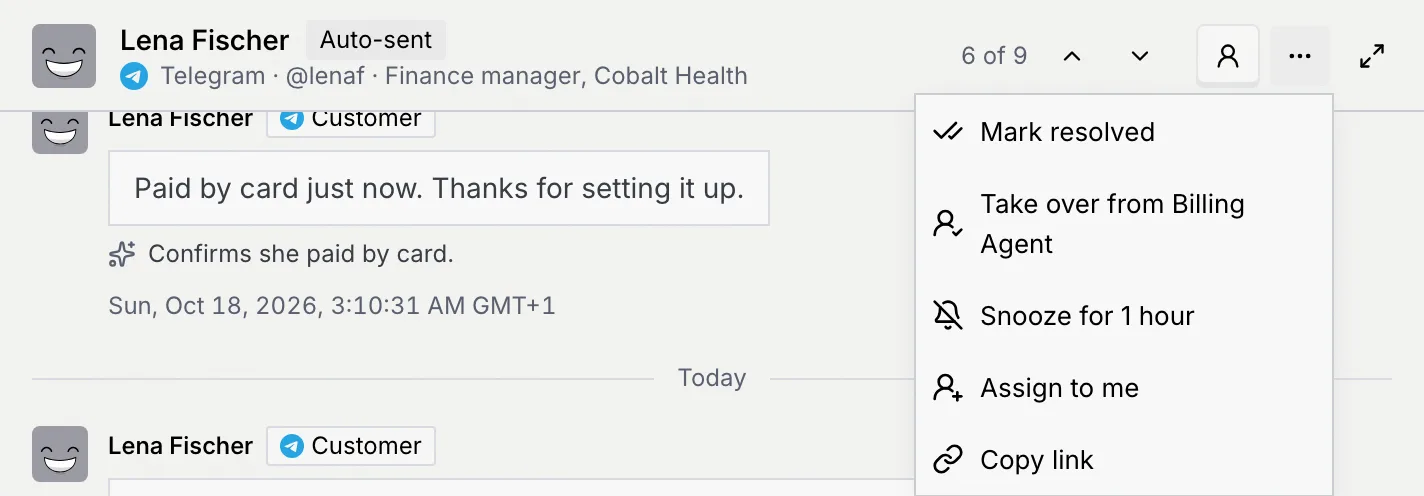
### Assign it [#assign-it]
Choose **Assign to me**. A notice says **Assigned to you**, and the header shows **Assigned to you**.

To stop the notifications, choose **More** → **Unassign me**. If you run the thread yourself, unassigning doesn't hand it back: "You're still handling the thread. Hand it back to … to let it reply."
Taking over and accepting a handoff assign the thread to you automatically. To give a waiting draft or escalation to a teammate, use **Reassign to a teammate** in the [approval queue](/docs/inbox/approval-queue#reassign-to-a-teammate).
## Troubleshooting [#troubleshooting]
Your role may not have **Take over from agents**, or it only reads this channel; the dock's button is then greyed out with the reason. On an escalated thread, use **Accept handoff** instead.
Assigning only sends you notifications. To stop the agent, take the thread over.
Nothing changed, and the agent still runs the thread. Click **Retry** on the notice.
## Next steps [#next-steps]