# Agents on a contact (/docs/contacts/contact-agents)
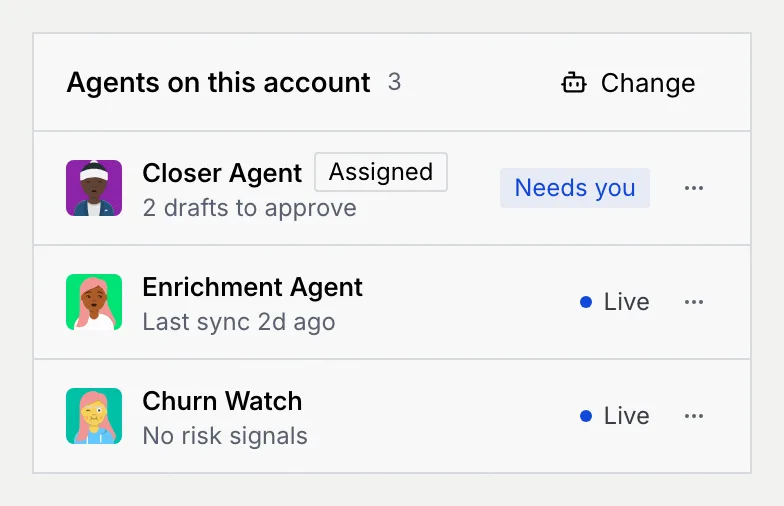
Each contact can have one assigned agent: the agent meant to work this person. Assigning one records it on the contact; Mokanata doesn't hand the contact's messages to it on its own yet. Other agents can be on the account too: one that enriched the record, one waiting on your approval. The **Agents on this account** panel on the record shows them all, and lets you change the assignment without touching the agent's other accounts.
- **Who can use it:** Owners, admins and members can assign, change, pause, resume and remove agents on a contact. Without permission to edit contacts, the panel only reports: **Assign** or **Change** is disabled with the reason on hover, and an agent's menu only offers **Open agent**. See [Roles and permissions](/docs/settings/roles).
- **Before you start:** The agent must be live: paused agents, drafts and agents in shadow mode can't be assigned. See [Deploy, pause and set autonomy](/docs/agents/agent-autonomy).
## See who works the account [#see-who-works-the-account]
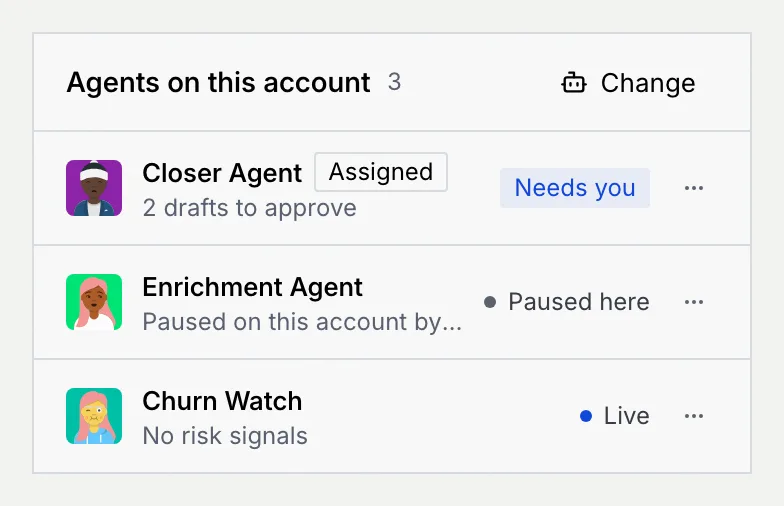
On the contact's record, find **Agents on this account** in the side panels. Each row shows the agent, an **Assigned** badge on the contact's assigned agent, a note on what it's doing here, and its status.
| Status | Meaning |
| --- | --- |
| **Live** (blue dot) | The agent is live. |
| **Needs you** | It's waiting on your approval for this contact. The note says how many drafts or record updates. |
| **Escalated** | It handed this contact's conversation to a person. |
| **Paused here** (grey dot) | You paused it on this contact only. It keeps working its other accounts. |
| **Paused** | It's paused for every account, from its agent page. |
| **Draft** | It isn't deployed yet, so it doesn't act here. |
Click an agent's name to open its page; see [The agent page](/docs/agents/agent-detail).
## Assign or change the agent [#assign-or-change-the-agent]
### Open the menu [#open-the-menu]
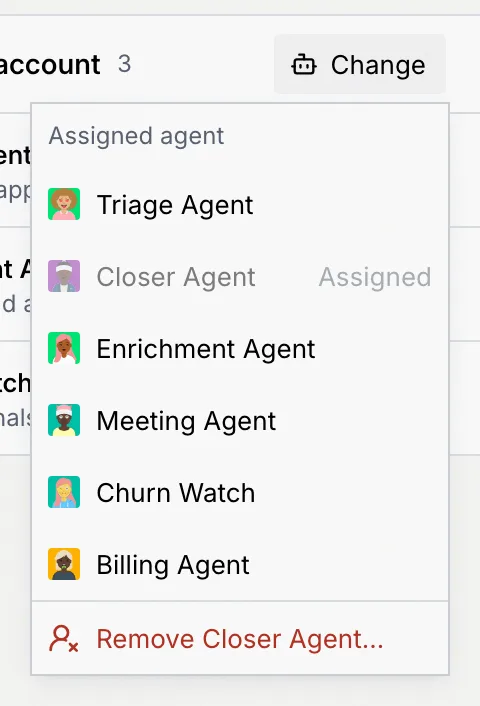
In the panel's header, click **Change** (or **Assign** when the contact has no agent). The **Assigned agent** menu lists the live agents; the current one is greyed out and marked **Assigned**.
### Pick an agent [#pick-an-agent]
Click the agent. It becomes the assigned agent: a notice confirms it, with **Undo**, and the change goes on the timeline. The assignment is a record of who works the contact; the agent doesn't pick up their messages on its own yet.
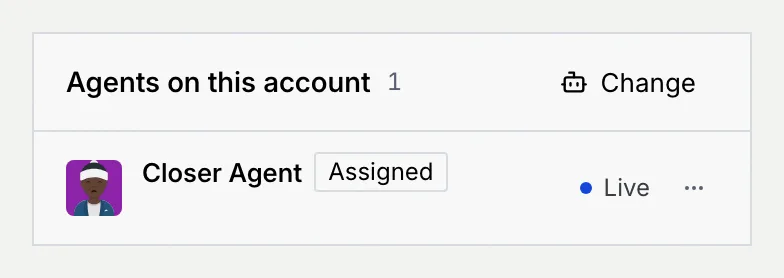
A contact with no agent says **No agent is assigned to this account**. New contacts start with no agent assigned. Click **Assign** and pick an agent, and the panel lists it with the **Assigned** badge.
To give many contacts the same agent, select them in the list and use **Assign agent**; see [Change many contacts at once](/docs/contacts/contact-filters#change-many-contacts-at-once).
## Pause an agent on this contact [#pause-an-agent-on-this-contact]
Pausing on one contact marks the agent paused for this person only. Its other accounts aren't affected.
### Open the agent's menu [#open-the-agents-menu]
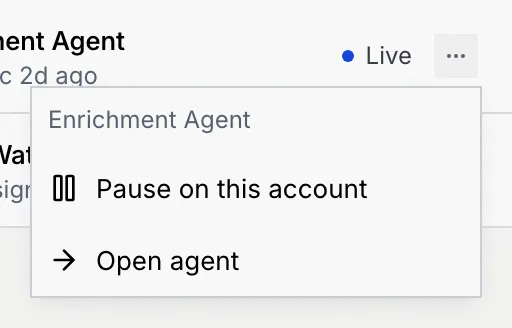
Click **⋯** on the agent's row.
### Pause it [#pause-it]
Click **Pause on this account**. The row shows **Paused here**, and the notice confirms that other accounts aren't affected. When it's the assigned agent, the contact list shows **paused here** next to its name.
### Resume it [#resume-it]
Open the same menu and click **Resume on this account**.
When an agent is paused for every account, or isn't deployed yet, **Pause on this account** is greyed out and the menu says why. Resume or deploy it from its agent page.
## Remove the assigned agent [#remove-the-assigned-agent]
### Choose Remove [#choose-remove]
In the panel's header, click **Change**, then **Remove** with the agent's name. You can also click **Remove from this contact…** in the assigned agent's **⋯** menu.
### Confirm [#confirm]
Click **Remove agent**. The agent is taken off the contact's record, and the contact has no agent assigned. The notice offers **Undo**.
## Troubleshooting [#troubleshooting]
Only live agents can be assigned. A paused agent, a draft or an agent in shadow mode appears once it's deployed; see [Deploy, pause and set autonomy](/docs/agents/agent-autonomy).
Agents that worked the account, such as one that enriched the record or one with a draft waiting on you, are listed even when they aren't the assigned agent. Pause one here to mark that it shouldn't act for this person.
Your role can't edit contacts. Hover the button to see why, and ask an owner or admin to change your role.
## Next steps [#next-steps]