# Knowledge sources (/docs/agents/agent-knowledge)
Knowledge sources are the documents an agent cites when it states a fact: your pricing sheets, security answers, product docs and playbooks, uploaded as files or written as answers in Mokanata. Sources are shared across the workspace, and each agent answers only from the ones turned on for it.
Linked sources aren't available yet: Mokanata can't read a website, Notion, Google Drive, Confluence or Zendesk yet, so adding one or syncing one says website crawling isn't available yet. Upload files (such as a PDF) or write answers instead.
- **Who can use it:** Everyone can see an agent's sources. Adding, syncing, turning off and removing sources, and changing the citation setting, need permission to edit agents (owners and admins by default). Without it, the switches are read-only and **Add source** and **Sync now** are disabled. See [Roles and permissions](/docs/settings/roles).
- **Before you start:** To add a new source, have the file at hand (PDF, Word, text, Markdown, CSV, JSON or HTML).
## Read the sources [#read-the-sources]
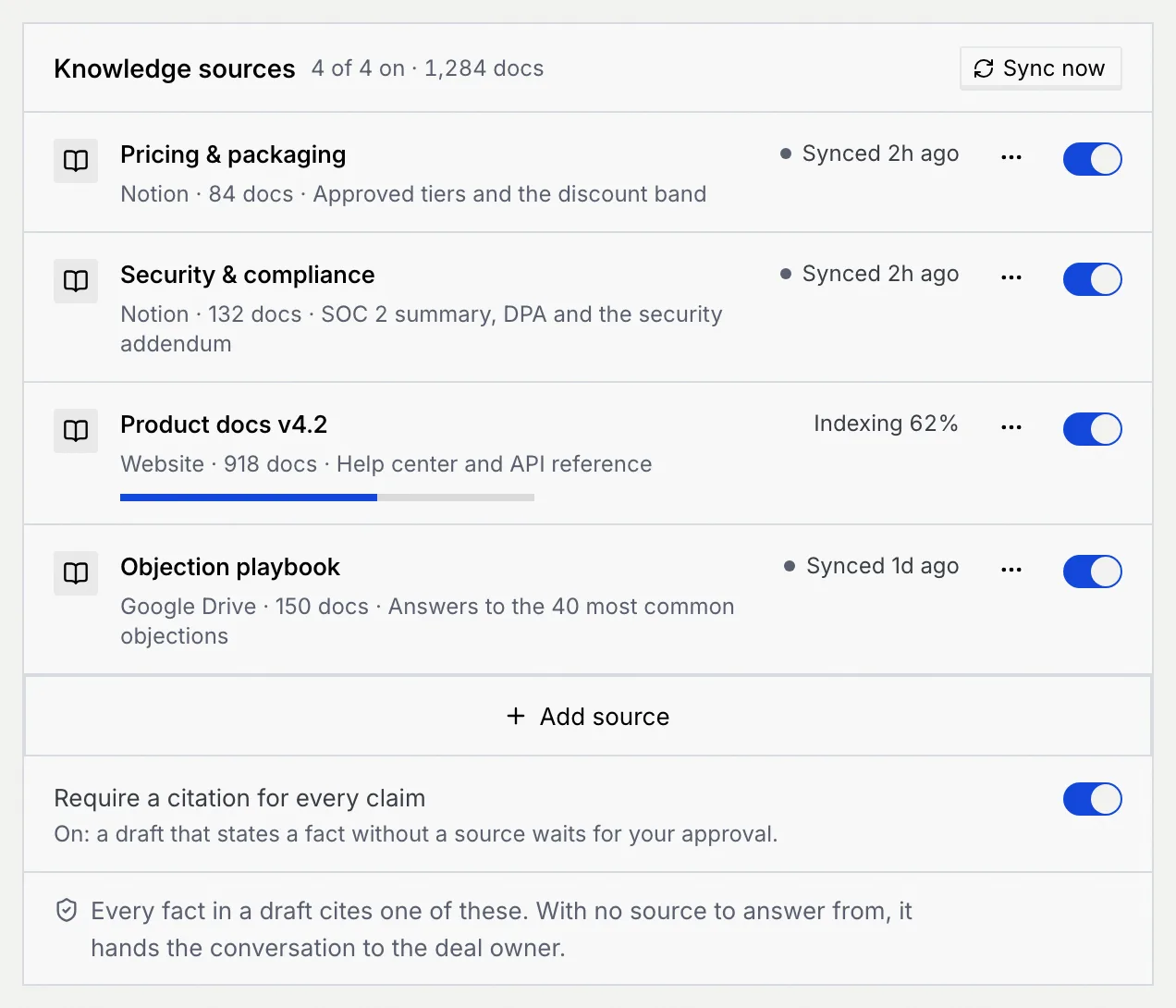
On the agent's page, click the **Knowledge** tab. The panel title shows how many sources are on and how many documents they hold, such as "4 of 4 on · 1,284 docs". Each source shows where it lives, how many documents it has, what it covers and its state:
| State | What it means |
| --- | --- |
| **Synced** with a time | Up to date as of that time. |
| **Indexing** with a percentage and a bar | Being read. Drafts use what's ready so far. |
| **Stale** with an age | Not synced for a long time. Sync it so drafts don't cite old documents. |
| **Syncing** | A sync is running now. |

## Add a source [#add-a-source]
### Open Add source [#open-add-source]
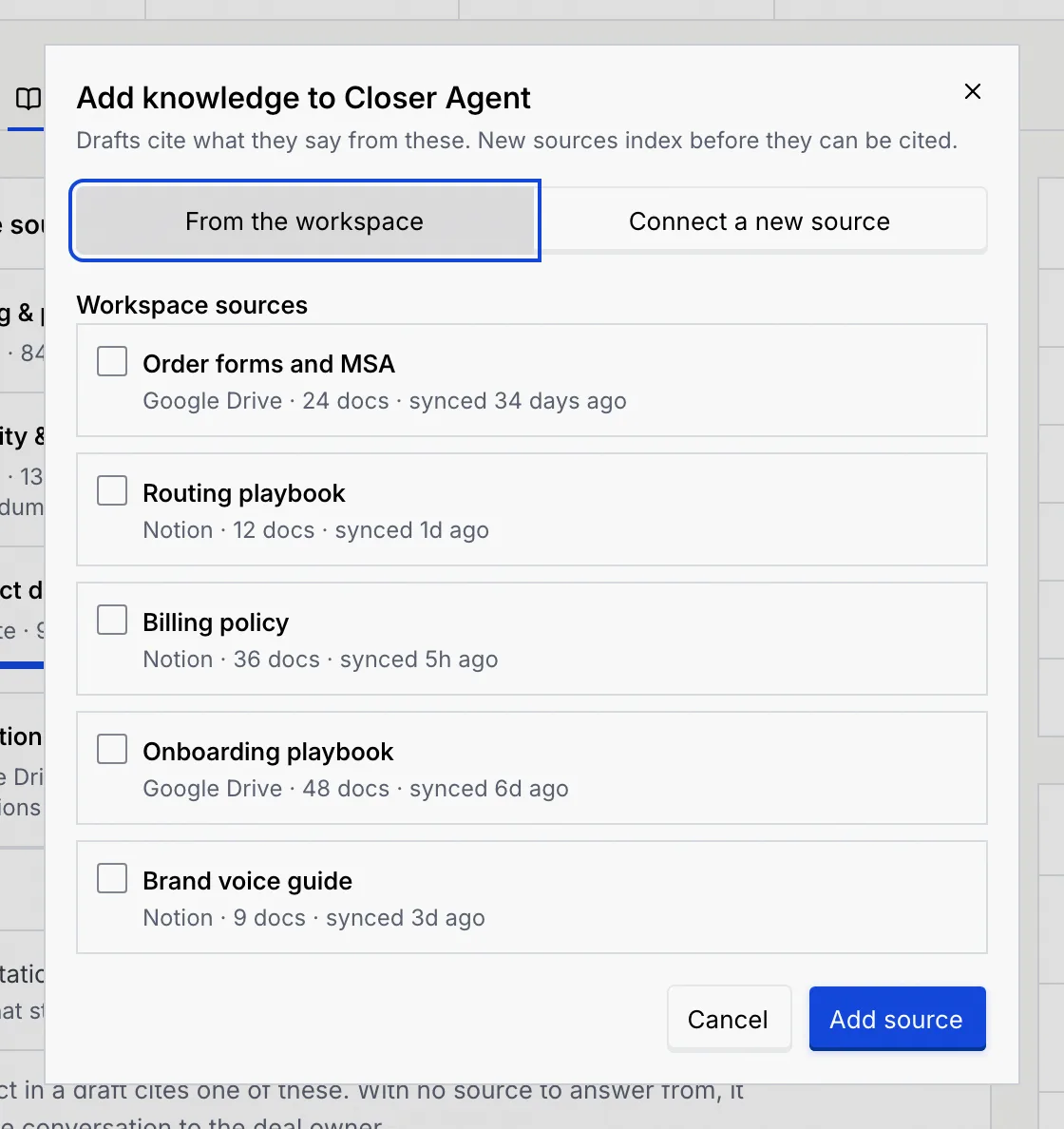
Click **Add source** under the list. A dialog named after the agent opens, for example **Add knowledge to Closer Agent**.
### Pick from the workspace [#pick-from-the-workspace]
With **From the workspace** selected, tick the sources other agents already use. Each shows where it lives, how many documents it has and when it last synced. Click **Add source** (or **Add 2 sources**, and so on).
If the agent already answers from every workspace source, the dialog says so: connect a new one instead.
### Or connect a new source [#or-connect-a-new-source]
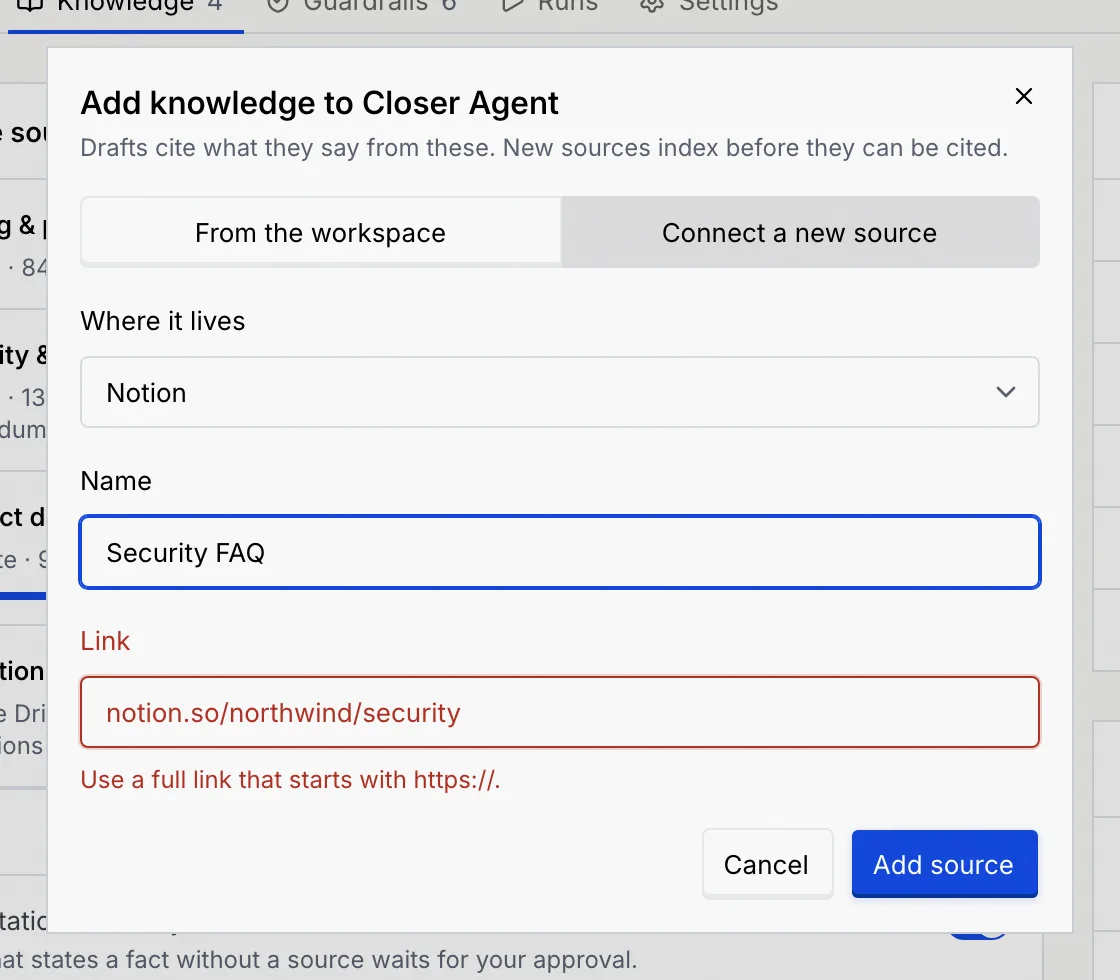
Click **Connect a new source**, then fill in:
- **Where it lives:** a file you upload, or an answer you write. Notion, Google Drive, Website and Confluence links are coming soon.
- **Name:** what your team calls it, such as "Security FAQ" (up to 60 characters, unique in the workspace).
- **Link** (for a linked source, once those are available): the full link to the page, folder or site, starting with `https://`.
If the link doesn't start with `https://`, the **Link** field says "Use a full link that starts with https://." and the source isn't added until you fix it.
Click **Add source**. The new source shows **Indexing 0%** and the agent can cite it once indexing finishes.
## Turn a source off or on [#turn-a-source-off-or-on]
Turn off the switch on a source's row to stop the agent citing it. New drafts won't cite it, and nothing else changes: the source stays in the workspace and other agents keep using it. Turn it back on and new drafts can cite it right away. A message confirms each change, with **Undo**.
## Sync sources [#sync-sources]
Syncing re-reads a linked source, so it comes with linked sources: coming soon. Files and written answers have nothing to re-read; to change one, upload or write it again.
- Click **Sync now** at the top of the panel to sync every source of this agent.
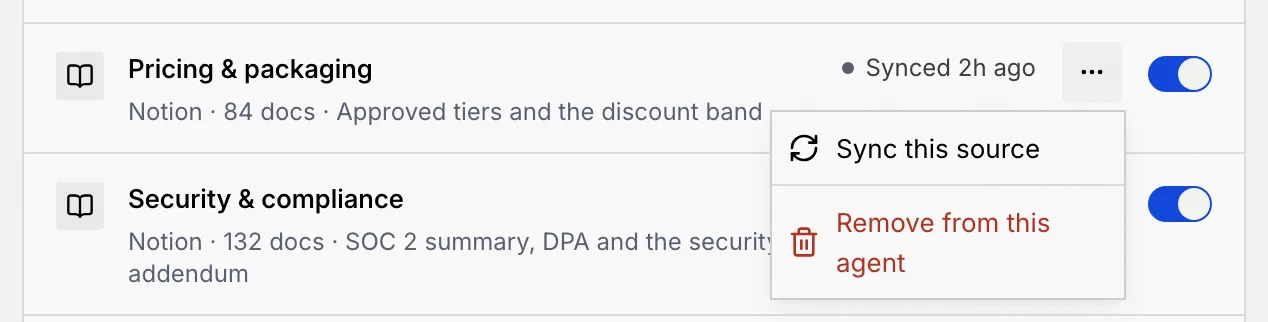
- Or click **⋯** on a source, then **Sync this source**.
A message such as **3 sources synced** confirms it, and names any source that's still indexing: it keeps going, and drafts use what's ready.
## Remove a source from the agent [#remove-a-source-from-the-agent]
### Choose Remove from this agent [#choose-remove-from-this-agent]
Click **⋯** on the source, then **Remove from this agent**.
### Confirm [#confirm]
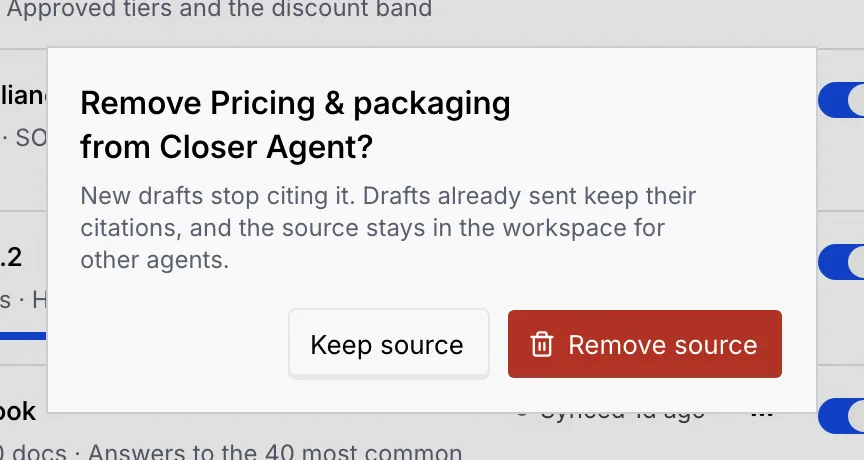
New drafts stop citing it. Drafts already sent keep their citations, and the source stays in the workspace for other agents. Click **Remove source**, or **Keep source** to cancel. The message that follows has **Undo**.
## Require a citation for every claim [#require-a-citation-for-every-claim]
The **Require a citation for every claim** switch at the bottom of the panel decides what happens when a draft states a fact without a source:
- **On:** the draft waits for your approval. Every fact in a draft cites one of the sources, and with no source to answer from, the agent hands the conversation to the deal owner.
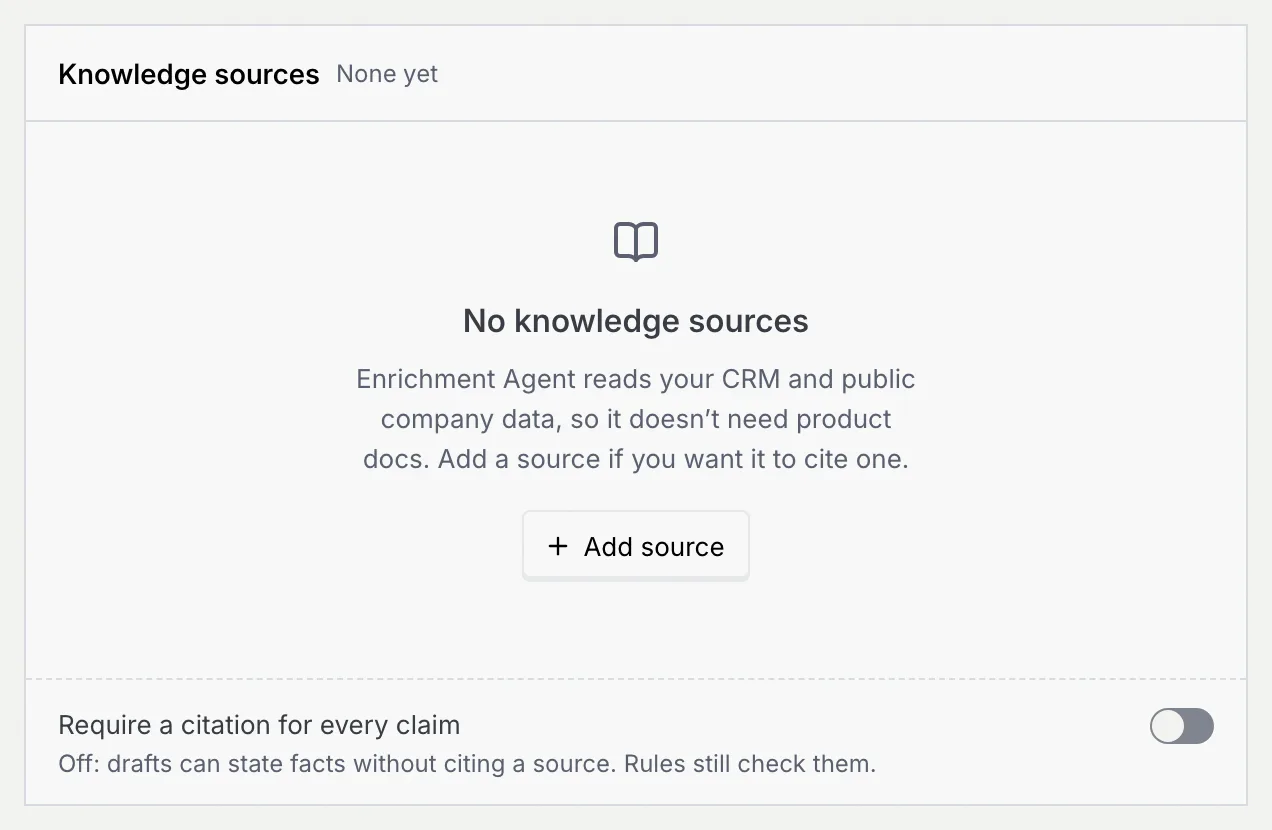
- **Off:** drafts can state facts without citing a source. Guardrails still check them.
To hold drafts for other reasons, see [Guardrails and rules](/docs/agents/agent-guardrails).
## An agent with no sources [#an-agent-with-no-sources]
An agent without sources shows **No knowledge sources**, with a note on why that may be fine (for example, an enrichment agent reads your CRM and public company data, so it doesn't need product docs). Click **Add source** to give it one.
## Troubleshooting [#troubleshooting]
Click **⋯** on it, then **Sync this source**. If it keeps going stale, check the workspace's connection to where it lives.
The sync didn't finish. Click **Try again** in the message.
Source names are unique in the workspace. Pick it from **From the workspace** instead, or give the new one another name.
## Next steps [#next-steps]