# Manage an agent's flows (/docs/agents/agent-flows)
A flow is a set of steps an agent takes when something happens, such as "an inbound pricing question arrives" or "a deal moves to Negotiation". The **Flows** tab lists every flow of the agent with its version, status and steps, and is where you pause, archive or restore one without opening the builder.
- **Who can use it:** Everyone can see the Flows tab and open a flow read-only (**View flow**). Duplicating, archiving, restoring and creating flows need permission to edit agents; pausing and resuming a flow needs permission to deploy and pause agents (owners and admins by default). Items your role can't use are left out of the menu, and **New flow for this agent** is disabled. See [Roles and permissions](/docs/settings/roles).
- **Before you start:** Nothing. To build or change a flow's steps, see [Flow builder basics](/docs/agents/flow-builder).
## Read the flow list [#read-the-flow-list]
### Open the Flows tab [#open-the-flows-tab]
Open an agent from the [Agents page](/docs/agents/agents). The **Flows** tab is the one that opens first. The panel title shows how many flows there are and how many are live, such as "5 · 3 live" (or "paused with the agent" when the whole agent is paused).
### Read a flow row [#read-a-flow-row]
Each row shows:
- The flow's name and what triggers it, such as "Trigger: Deal stage becomes Negotiation".
- Its published version (such as **v12**) and status: **Live**, **Paused** or **Draft** (never published). While the agent is paused, its live flows show **Paused** too.
- Its steps in order, such as Trigger › Knowledge › Draft › Guardrails › Send.
- **Edit flow** (**View flow** if you can't edit) to open it in the [flow builder](/docs/agents/flow-builder).
A long list is split into pages, with "1–10 of 12 flows" and page buttons at the bottom.
### Fix a flow that sends without a guardrail [#fix-a-flow-that-sends-without-a-guardrail]
A flow that can send without a Guardrails step shows a warning: "Sends without a guardrail step." Click **Add guardrail** to open it in the builder and add one.
## Act on a flow [#act-on-a-flow]
Click **⋯** on a flow's row: **Open in builder**, **Duplicate**, **Pause flow** or **Resume flow**, and **Archive flow**.
| Menu item | What it does |
| --- | --- |
| **Open in builder** | Opens the flow in the flow builder. |
| **Duplicate** | Makes a draft copy named "… copy". Nothing runs until you publish it. |
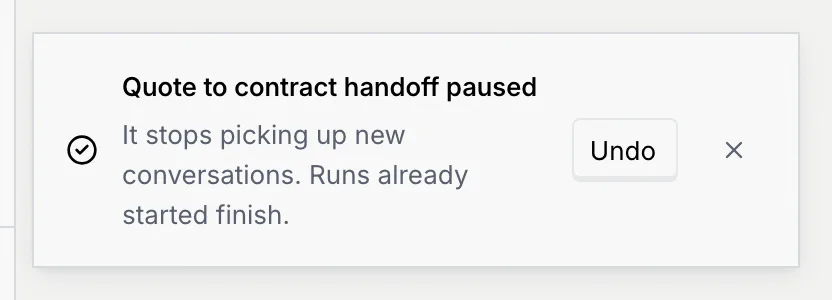
| **Pause flow** | Stops a live flow picking up new conversations. Runs already started finish. |
| **Resume flow** | Starts a paused flow again. It picks up new conversations from now on. |
| **Archive flow** | Removes the flow from the list after you confirm. Its versions are kept. |
**Pause flow** and **Resume flow** aren't offered while the whole agent is paused: resuming the agent brings its flows back. Every change shows a message with **Undo**.
## Archive and restore a flow [#archive-and-restore-a-flow]
### Archive it [#archive-it]
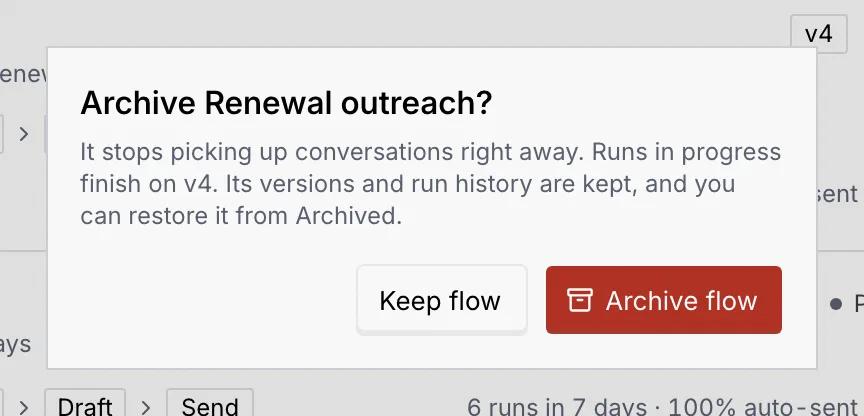
Click **⋯**, then **Archive flow**. The dialog explains that a live flow stops picking up conversations right away, that runs in progress finish on the current version, and that you can restore it later. Click **Archive flow** to confirm, or **Keep flow**.
### Find it under Archived [#find-it-under-archived]
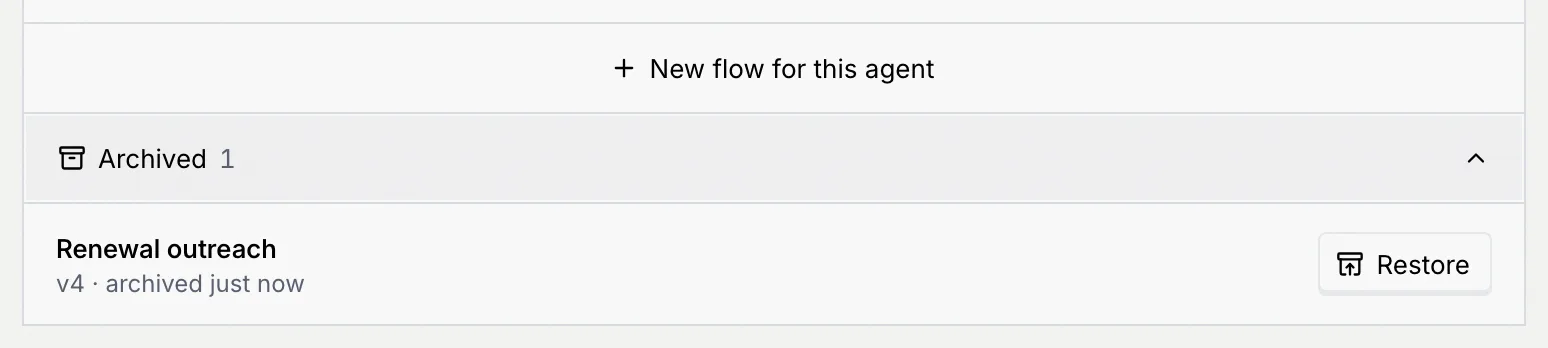
Archived flows move to **Archived** at the bottom of the panel, with their version and when they were archived. Click **Archived** to expand the list. A link to an archived flow shows "This flow is archived" until you restore it.
### Restore it [#restore-it]
Click **Restore**. A flow that was live comes back **Paused**, so nothing starts sending by surprise: resume it from its menu when you're ready. A draft comes back as a draft.
## Add a flow [#add-a-flow]
Click **New flow for this agent** at the bottom of the list, or **New flow** at the top of the page (N). The flow builder opens on a new flow. See [Flow builder basics](/docs/agents/flow-builder).
An agent without flows shows **No flows yet**: it still works from its setup (channels, knowledge and guardrails), and a flow lets you control the exact steps it takes.
## Next steps [#next-steps]