# Deploy, pause and set autonomy (/docs/agents/agent-autonomy)
You decide how much an agent does without a person: whether it only drafts (Shadow), waits for approval on every reply (Approval) or sends on its own within its rules (Autonomous). You can pause it on every channel at once, and start it again whenever you're ready.
- **Who can use it:** Owners and admins, or anyone whose role can deploy and pause agents. Changing the level on the Settings tab needs permission to edit agents, and duplicating needs permission to create them. Without these, **Pause**, **Resume**, **Deploy** and **Duplicate** are left out of the menus, and a **Resume** or **Deploy** main button is disabled. See [Roles and permissions](/docs/settings/roles).
- **Before you start:** Nothing. For what each level means, see [Autonomy levels](/docs/agents/agents#autonomy-levels).
## Pause an agent [#pause-an-agent]
Pausing stops the agent on every channel: its live flows stop picking up new conversations. It's reversible.
### Choose Pause [#choose-pause]
On the agent's page, click **⋯** (**More actions**), then **Pause**. You can also pause from the **⋯** menu on its card on the [Agents page](/docs/agents/agents).
### Confirm [#confirm]
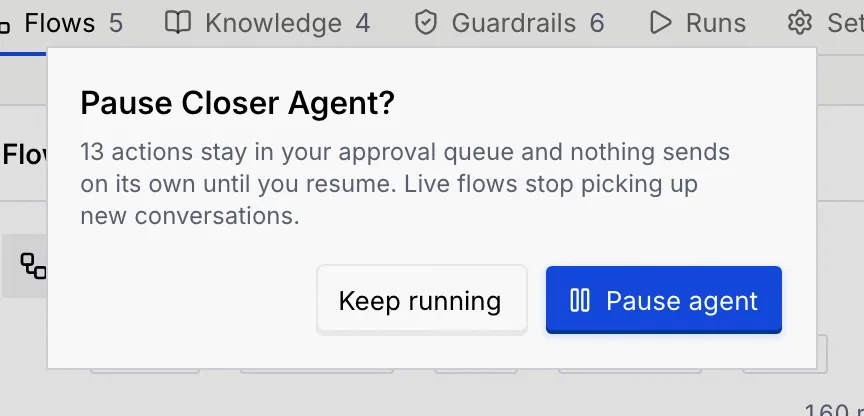
The dialog says what pausing means for this agent. Actions already waiting for approval stay in your queue.
| Level | What the dialog says |
| --- | --- |
| Shadow | It stops drafting in shadow until you resume. Nothing was being sent, so no customer notices. |
| Approval | Its waiting actions stay in your approval queue. Live flows stop picking up new conversations until you resume. |
| Autonomous | Its waiting actions stay in your approval queue and nothing sends on its own until you resume. Live flows stop picking up new conversations. |
Click **Pause agent**, or **Keep running** (**Keep drafting** for a shadow agent) to cancel.
### Check it's paused [#check-its-paused]
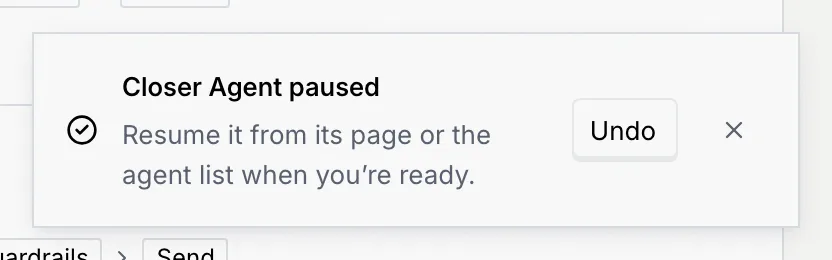
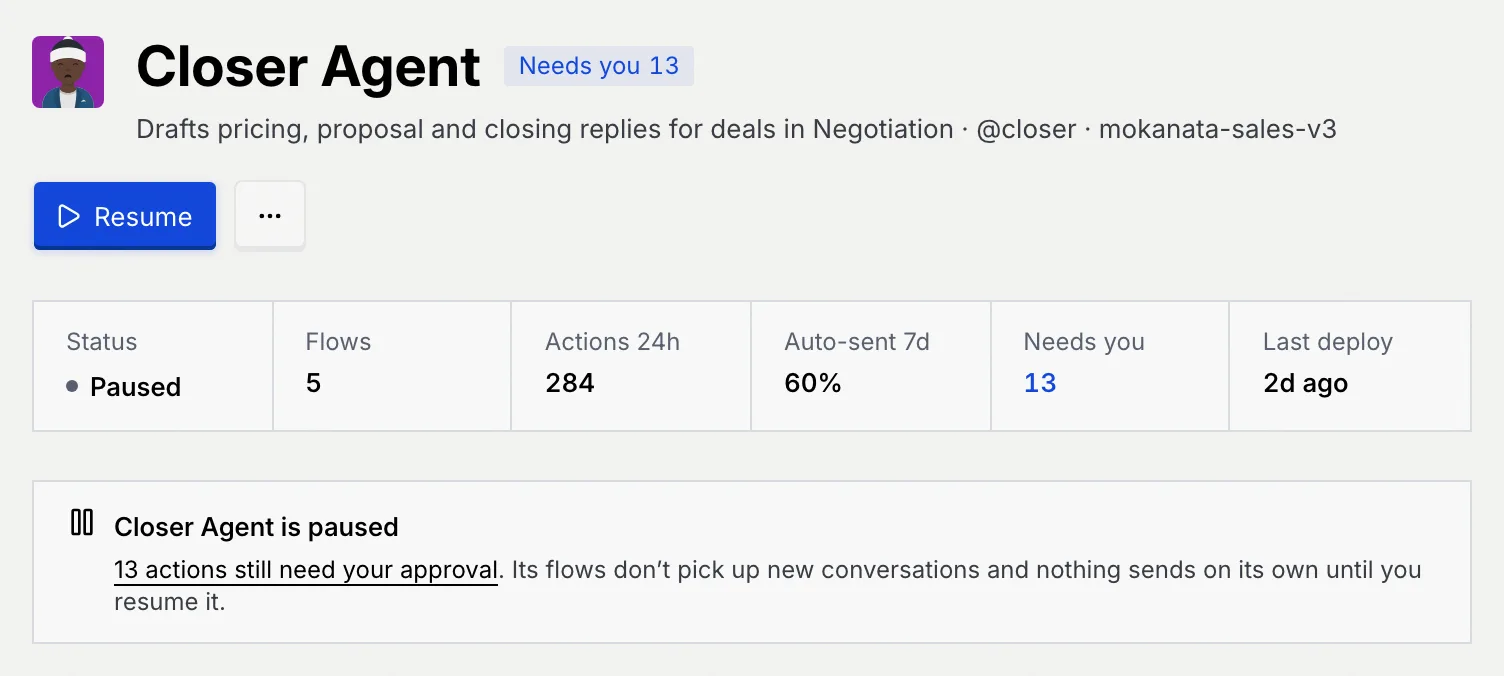
A message confirms it, with **Undo** if you paused by mistake. The agent's status changes to **Paused**, **Resume** becomes the main button, and a notice explains what the pause means.
To stop a single flow and leave the rest of the agent running, use **Pause flow** on the Flows tab. See [Manage an agent's flows](/docs/agents/agent-flows).
## Resume an agent [#resume-an-agent]
### Click Resume [#click-resume]
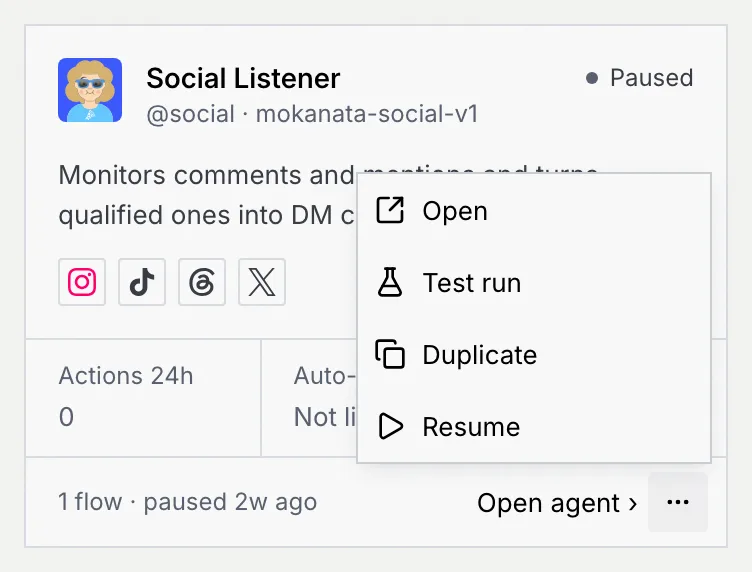
On the agent's page, click **Resume**. On the Agents page, click **⋯** on a paused agent's card or row, then **Resume**. There's no dialog: it resumes at once.
### Check it's running [#check-its-running]
A message such as **Closer Agent resumed** confirms it, with **Undo**. Live flows pick up new conversations again, and flows that were paused along with the agent go live again. An agent in shadow goes back to drafting; nothing sends.
## Change the autonomy level [#change-the-autonomy-level]
### Open the Autonomy panel [#open-the-autonomy-panel]
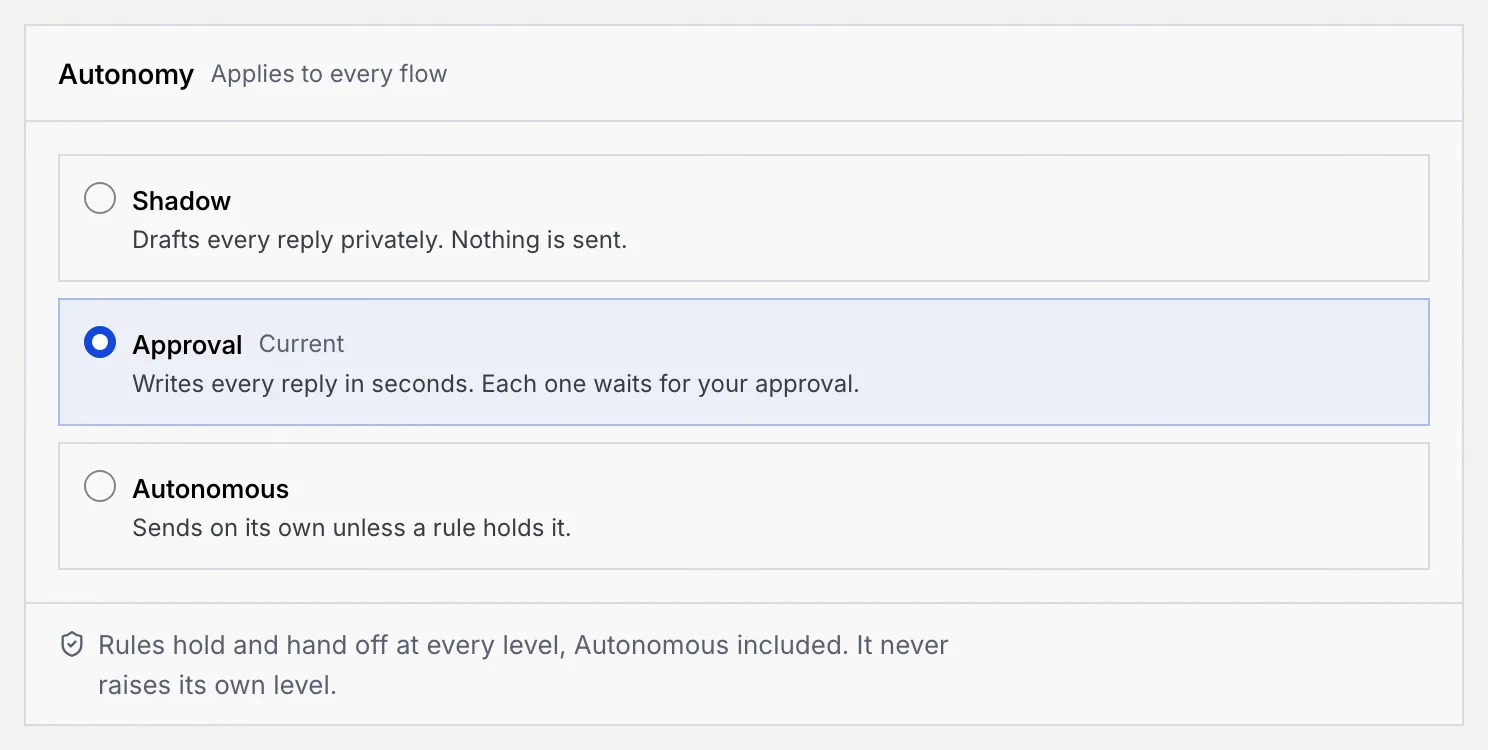
On the agent's page, click the **Settings** tab. The **Autonomy** panel applies to every flow of the agent; the current level is marked **Current**.
### Pick a level and save [#pick-a-level-and-save]
Choose **Shadow**, **Approval** or **Autonomous**. A bar appears at the bottom of the page: click **Save settings**, or **Discard** to go back. The bar follows you if you switch tabs, so you don't lose the change.

### Confirm a move to Autonomous [#confirm-a-move-to-autonomous]
Raising the level to **Autonomous** asks first: replies inside your limits will go out without your approval. Click **Switch to Autonomous and save**, or **Keep Approval** (or your current level) to stay where you are. Lowering the level saves straight away.
A message confirms the new level, with **Undo**: for example, "It's in Approval now. Writes every reply in seconds. Each one waits for your approval."
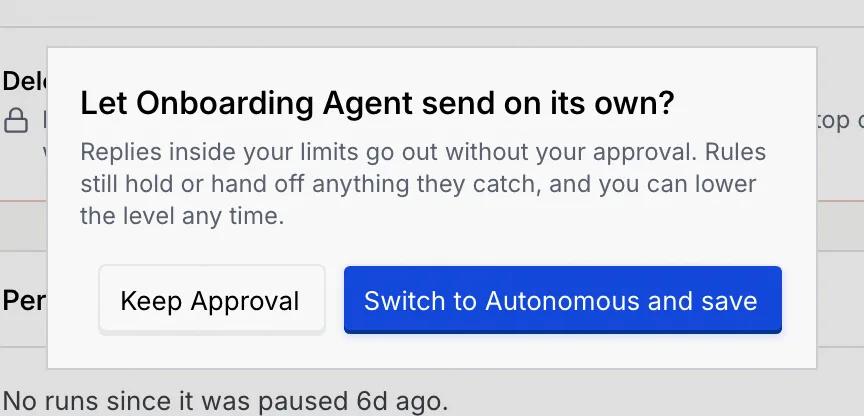
Guardrails still hold, hand off or block anything they catch, even when an agent is Autonomous, and an agent never raises its own level. See [Guardrails and rules](/docs/agents/agent-guardrails).
## Duplicate and deploy a copy [#duplicate-and-deploy-a-copy]
A copy lets you try a change, such as a different level or channel, without touching the original.
### Duplicate the agent [#duplicate-the-agent]
On the agent's page, click **⋯**, then **Duplicate** (or use **Duplicate** in its menu on the Agents page). The copy is named "Closer Agent copy" (then "copy 2", and so on) with a matching handle such as `@closer-copy`. It has the same channels, knowledge, rules and limits, its flows are copied as unpublished drafts, and it's set to start in shadow. From the agent's page, you go straight to the copy. A message confirms it, with **Undo**.
### Adjust it before it goes live [#adjust-it-before-it-goes-live]
The copy's page shows **Draft** and a notice that nothing runs until you deploy it. Change anything you like on its tabs first. The Deploy dialog starts on the level set on its Settings tab, where the **Autonomy** panel says "Applies once it's deployed"; you can also pick another level in the dialog.
### Deploy it [#deploy-it]
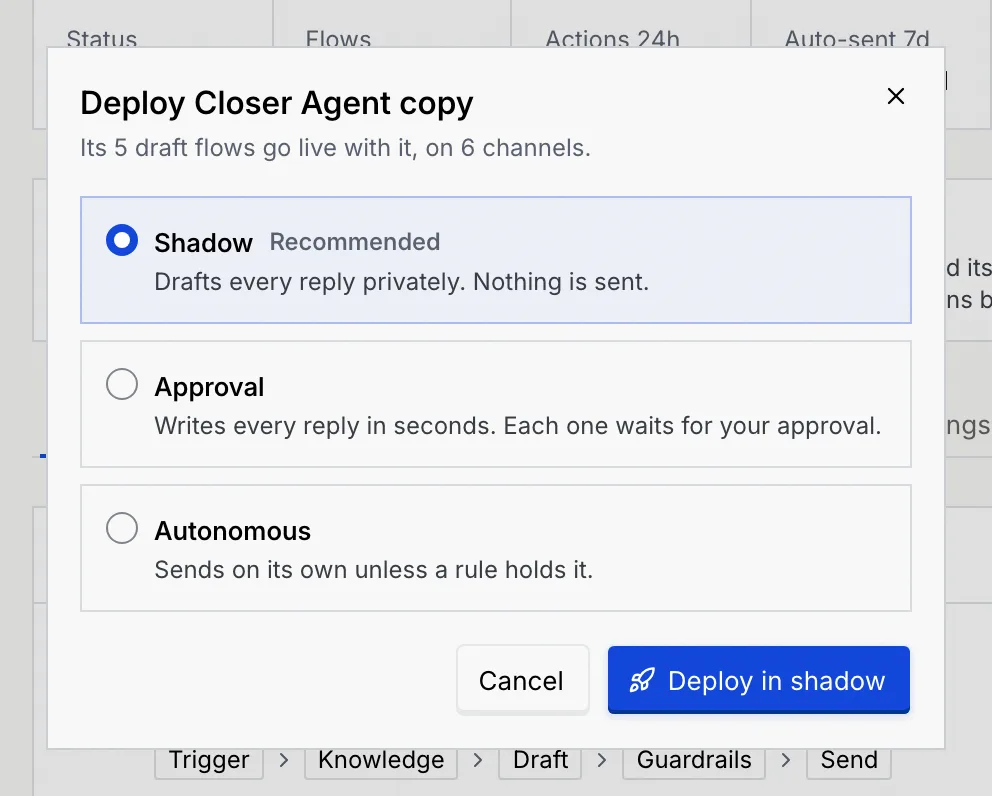
Click **Deploy** (or press D). You can also choose **Deploy** from the copy's menu on the Agents page. The dialog says how many draft flows go live with it and on how many channels. Under **Deploy in**, pick:
- **Shadow** (recommended): drafts every reply privately. Nothing is sent.
- **Approval:** writes every reply in seconds. Each one waits for your approval.
- **Autonomous:** sends on its own unless a rule holds it.
Then click **Deploy in shadow**, **Go live in Approval** or **Go live in Autonomous**.
### Check the result [#check-the-result]
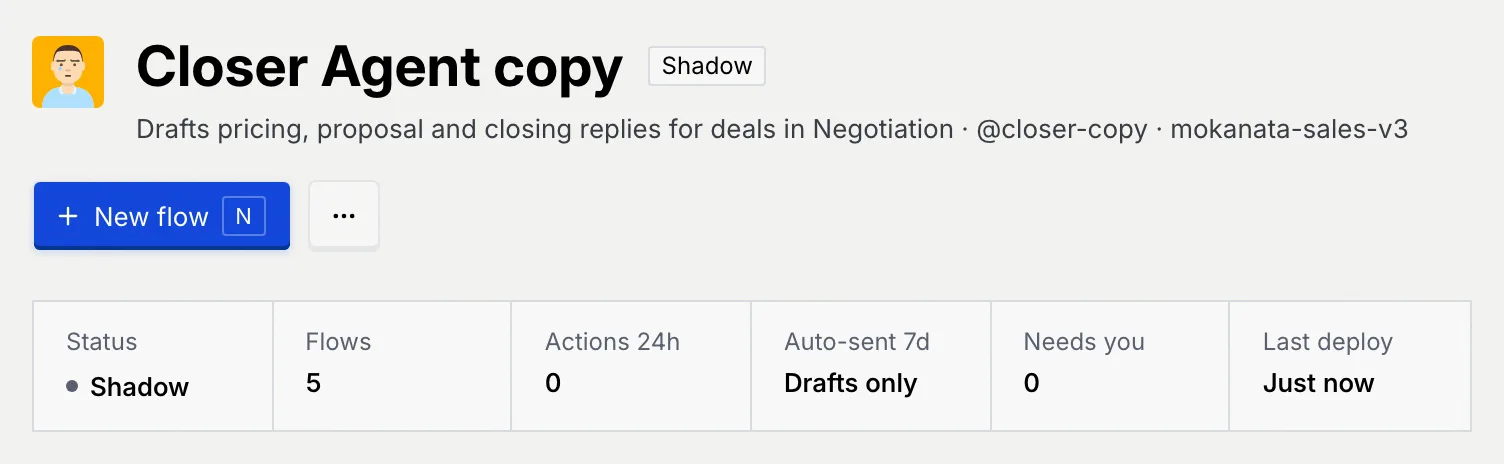
A message such as **Closer Agent copy is in shadow** confirms it and says what that means: it drafts privately and sends nothing. The page now shows its status, and **New flow** replaces **Deploy**.
To create an agent from scratch instead, see [Create an agent](/docs/agents/create-agent). To delete a copy you don't need, see [Agent settings](/docs/agents/agent-settings#delete-an-agent).
## Troubleshooting [#troubleshooting]
The change didn't go through, so the agent is back the way it was. Click **Try again** in the message. If your role changed in the meantime, the message says what your role can't do.
Your role can't deploy and pause agents. Ask an owner or admin. Drafts can't be paused: deploy them first.
Undo makes the opposite change, so it can fail the same way. The message reads "Couldn't undo" with the action; make the change again by hand.
## Next steps [#next-steps]